30
Positioning the Server in the Rack
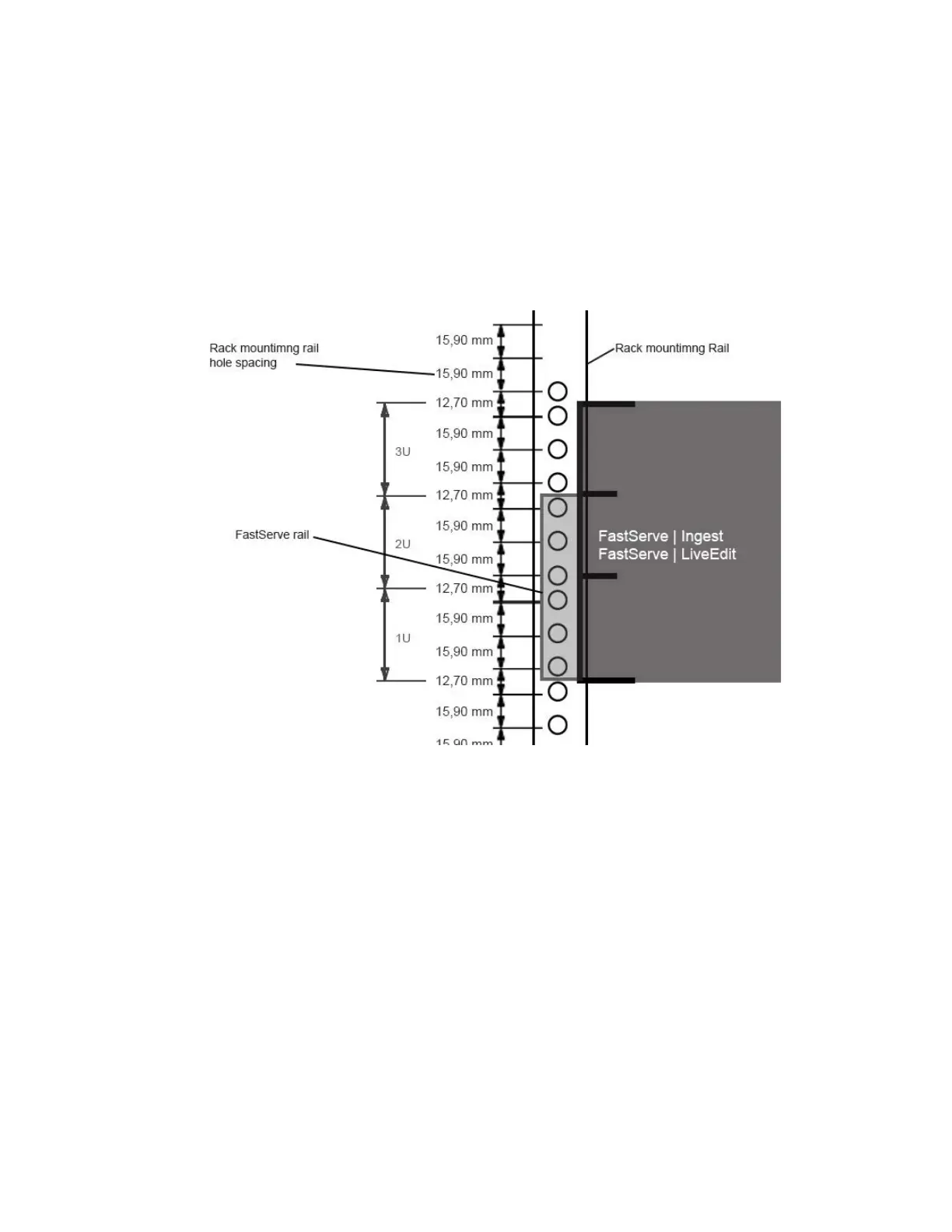
The following information helps you decide where to install the Avid FastServe | Live Edit or
FastServe | Ingest in the rack.
To position the server in the rack enclosure:
t Select a position in the rack where the FastServe | Live Edit or FastServe | Ingest server is at the
proper baseline position.
Positioning the Avid FastServe | Live Edit / FastServe | Ingest
Installing the Drives in the Server
This topic contains information on inserting drives in the FastServe | Live Edit or FastServe | Ingest
server.
n
The drives that were shipped with this server are pre-configured for use with this server only.
Therefore, when installing the drives, make sure to use these drives only.
To install a drive in the FastServe | Live Edit or FastServe | Ingest server:
1. Locate the data drives that came with your FastServe | Live Edit or FastServe | Ingest server.
2. Select one drive.
3. Push the drive carrier latch in to release the handle and pull the handle completely open to insert
t
he drive carrier.
4. Make sure the drive LEDs are on the bottom bef
ore you begin to slide the drive into the server.



 To Next Page