33
Connecting Network
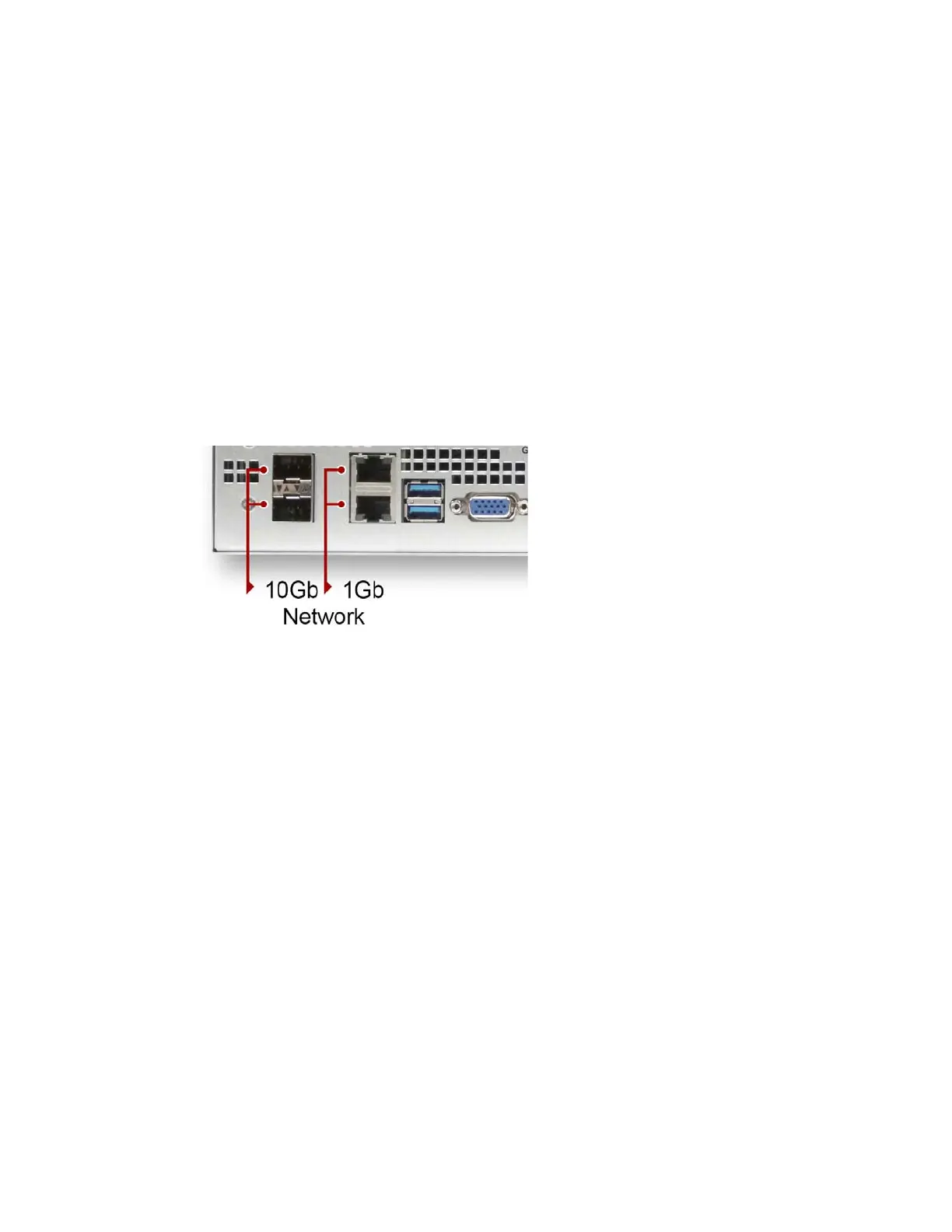
The FastServe | Live Edit or FastServe | Ingest server comes equipped with two 1 Gigabit and two 10
Gigabit Ethernet ports. The network (Ethernet) interface is used for communication between the
server, the server controllers, and other network devices.
The Server includes four network
interface cards (NIC) for communication with the control hosts
and the general network.
To connect the Ethernet:
1. Your Ethernet switch should be rack mounted. Leave adequate room at the front for cables and at
the back for air circulation.
2. Locate Category 5E, 6, or 6A Ethernet cable(s).
Locate DAC SFP+ or Fiber SFP+ Ethernet cable(s) to connec
ts to 10GB sockets
3. Attach the other end of the Ethernet ca
ble to suitable port in your switch.
Connecting a Keyboard, Monitor, and Mouse
You need to provide a standard USB compatible keyboard, monitor and mouse to access the
FastServe | Live Edit or FastServe | Ingest server. The keyboard and mouse plug directly into either
of the USB ports on the rear of the chassis. Or, if you have a splitter, you can connect both to one
USB connector and leave the other USB connectors open for other purposes (such as connecting a
removable USB hard drive).
n
There are four USB ports on the FastServe | Live Edit or FastServe | Ingest server (two on the rear
and two on the front).
To connect a keyboard, monitor, and mouse to the server:
1. Place the monitor on a shelf, and the keyboard and mouse on a sliding tray in the rack. These
items are optional and can be purchased locally or from Avid.
2. Attach the VGA connector on the
monitor cable to the VGA port on the back of the server.
Secure the connector with the thumbscrews on the connector.
3. Insert the other end of the USB adapter cable into on
e of the USB connectors on the back of the
server.



 To Next Page