34
Connecting Video Reference
To work properly, the FastServe | Live Edit or FastServe | Ingest server must receive a valid
reference (Genlock) signal.
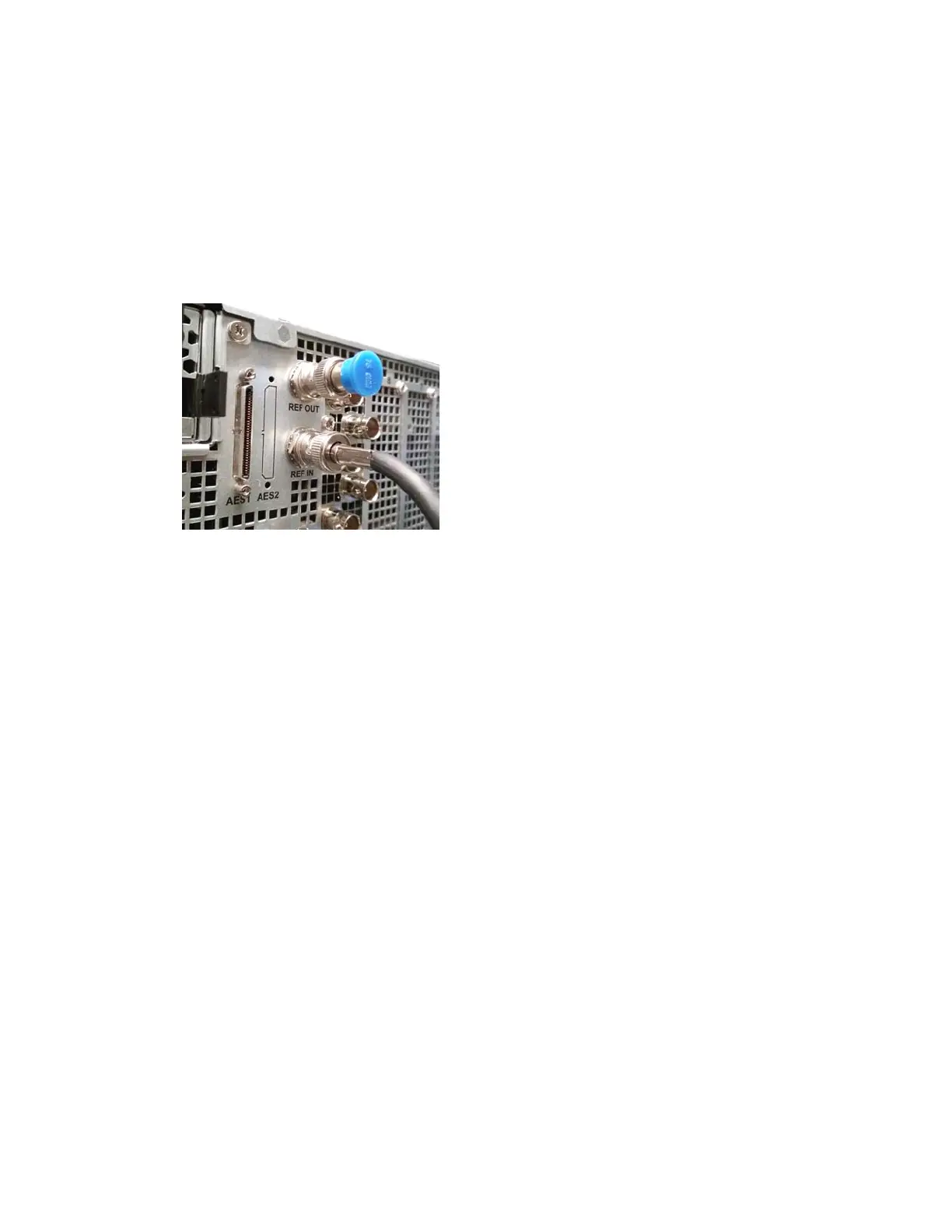
When using an Analog GENLOCK source, you can connect
one
ANALOG REF plug as the input
and the other ANALOG REF plug will automatically serve as the output (Loop).
When using Analog GENLOCK, it is recommended to put a 75-OHM termination on the REF out.
Connecting LTC - XLR
The LTC signal defines the timecode that is used to manage recordings in the FastServe | Live Edit /
FastServe | Ingest server. It is recommended to use LTC whenever available.
To connect LTC to the server:
t Connect directly to the server using the Reference and LTC Breakout cable.
Connecting AES
FastServe | Live Edit / FastServe | Ingest server can be equipped with an Analog and Digital Audio
External Source (AES).
Connecting SDI Video Inputs/Outputs
The Input/Output connections vary according to the current i/o settings.
The FastServe | Live Edit or FastSe
rve | Ingest server currently supports up to four UHD channels or
eight HD channels. For more information, see “Video Channel Specifications” on page 85.
To connect SDI video output cables on the chassis:
1. Ensure that you have proper SDI video (75 ohm-rated) interface coaxial cables available.
2. Connect the SDI output signal to an outgoing SDI output on the server.
3. Connect the other end of all SDI output cables to your de
vic
es that are receiving the output
signal from the server.



 To Next Page