71
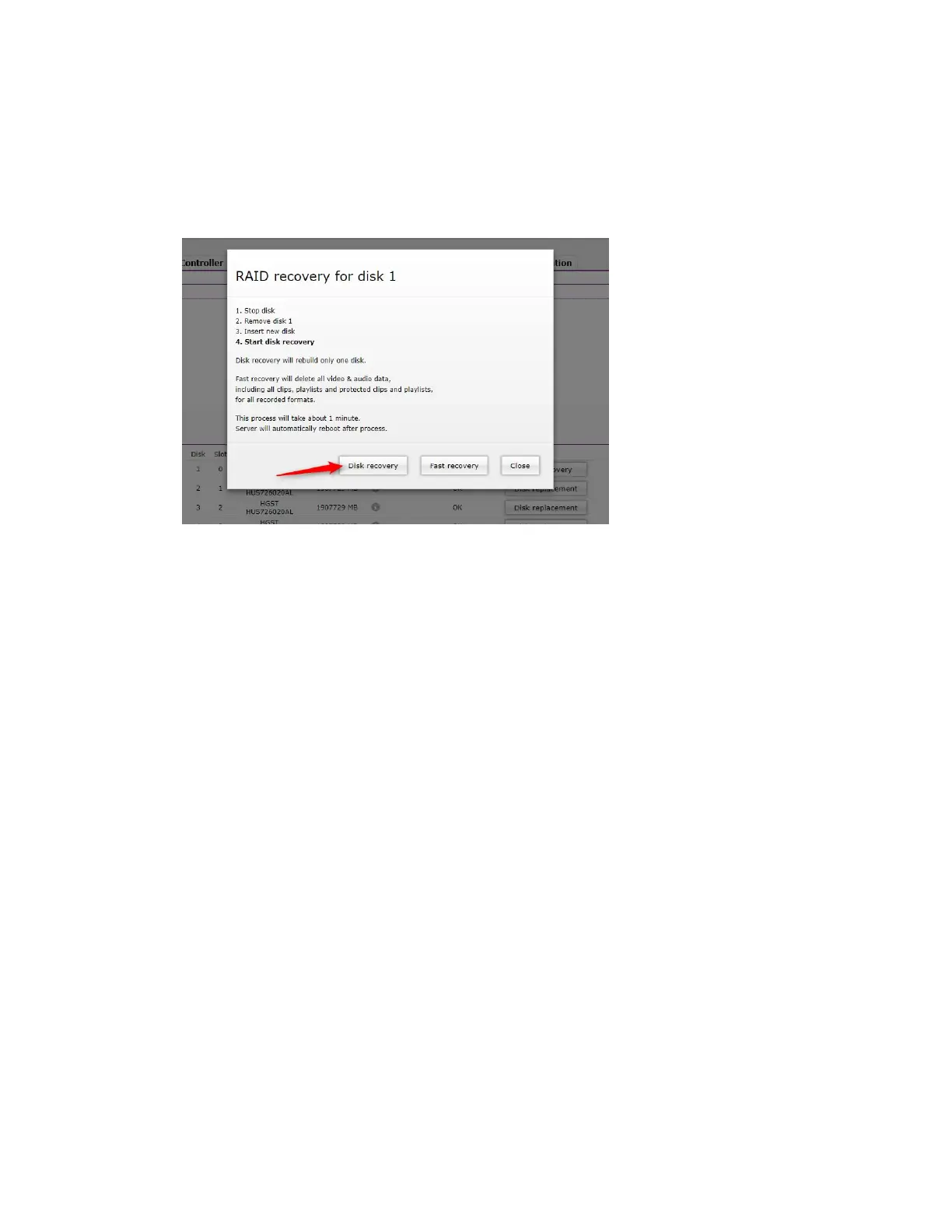
Click on RAID recovery for the replaced drive.
5. In the following window, select Disk r
ecovery to rebuild one drive only. Or choose Fast
Recovery to perform a quick recovery of your drive.
n
The Disk recovery option rebuilds and restores the replaced drive, but it is a time-consuming process.
Fast recovery is much quicker but it will erase all data from all drives during the rebuilding process.
Changing the Timezone Manually
If you encounter a situation, where you will need to manually change the timezone of your server,
follow the steps listed in this procedure.
(Example) To manually change the timezone:
t Enter the following commands (changing the timezone for the one you require):
cp /usr/share/zoneinfo/Europe/Warsaw /etc/localtime
ln -s /usr/share/zoneinfo/Europe/Warsaw /etc/localtime
RPM Database Recovery Procedure
When you encounter a RPM DB failure, follow the steps listed in this procedure to recover it.
To recover a corrupted RPM database:
t Enter the following commands to recover the RPM database after an unexpected failure:
rm -f /var/cores/*
rm -f /var/lib/rpm/__db*
db_verify /var/lib/rpm/Packages
rpm --rebuilddb
yum clean all



 To Next Page