82
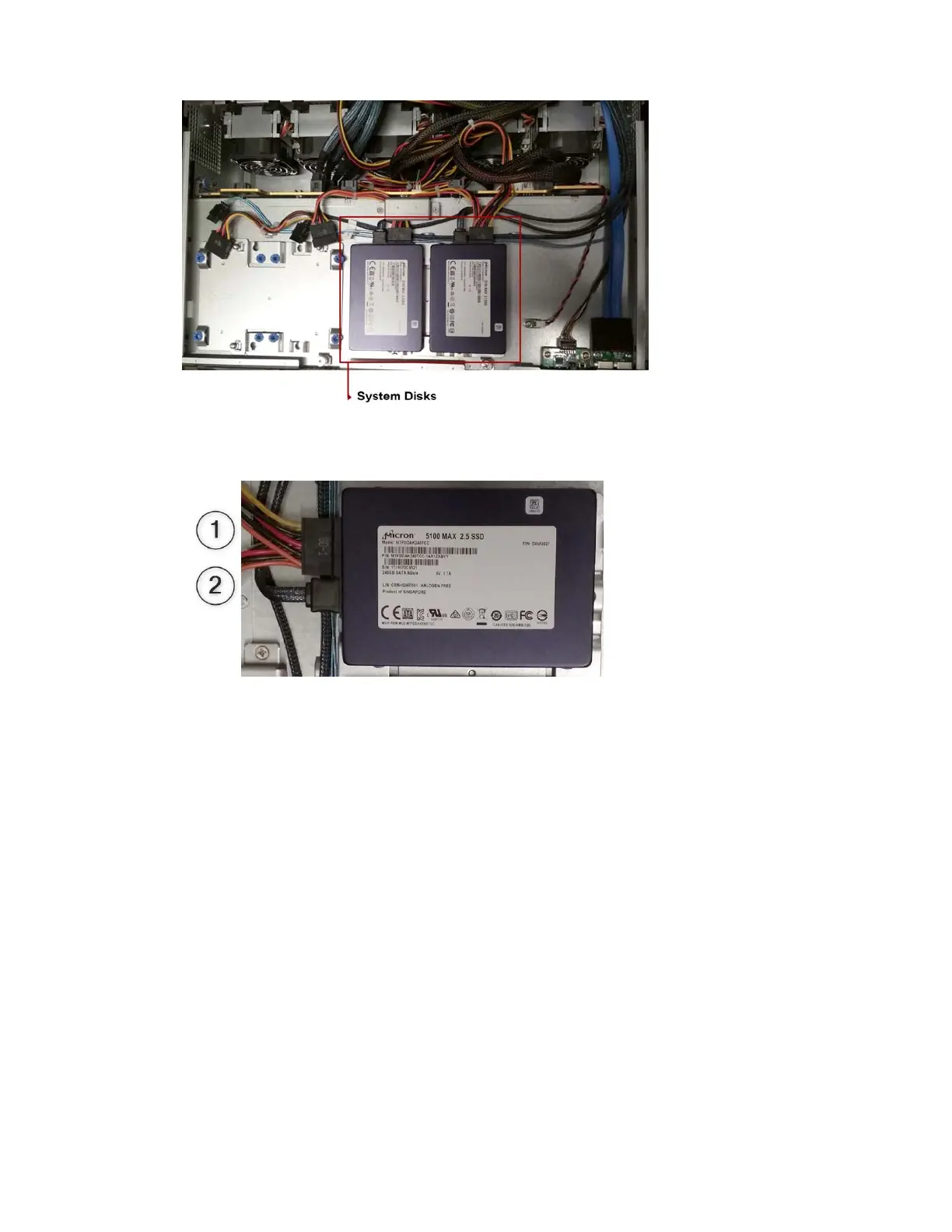
6. Disconnect 1) power and 2) SATA plugs from the drive:
7. Slide out the system drive.
Accessing the Knowledge Base
The Avid Customer Support Knowledge Base (Knowledge Base) provides additional information
that is frequently updated.
n
Some locations on the Knowledge Base require you to log in as a registered user, but you can access
most of the information in the Knowledge Base without registering and logging in.
To access the Knowledge Base:
1. Go to
www.avid.com
/support.
2. Click the Se
arch Knowledge Base tab.
3. (Option) Click Sign in / Register to
log in to your account.
n
If you are not already a registered user of the Knowledge Base, create a Master Account, and follow
the on-screen registration instructions to register now. Registered users can access more
information.
4. Search for the information you need.



 To Next Page