R5906167 /00 ImagePRO–4K Video Processor
28
5.1 Rear-panel connections
Refer to “Rear panel”, page 23 for the location of the power, input, and output connections and for
the location of the power switch.
Rear panel
1. Connect power—Ensure that power is properly connected to the ImagePRO–4K video processor.
2. Connect inputs—Connect all input sources to the ImagePRO–4K.
3. Connect outputs—Connect the output(s) on the ImagePRO–4K to your projector(s) or other target
devices.
4. Turn on power—Turn on power to the ImagePRO–4K, your connected display devices, and to all
peripheral equipment.
5.2 Front-panel operation
Front-panel features
Refer to “Front panel”, page 22 for the location and description of the front-panel features.
Image 5-1: ImagePRO–4K front panel
Display screen
The display screen is a 45 mm by 35 mm LED screen that displays the status of the system and the menus
and submenus of the system. The display screen can also monitor the input to or the output from the system.
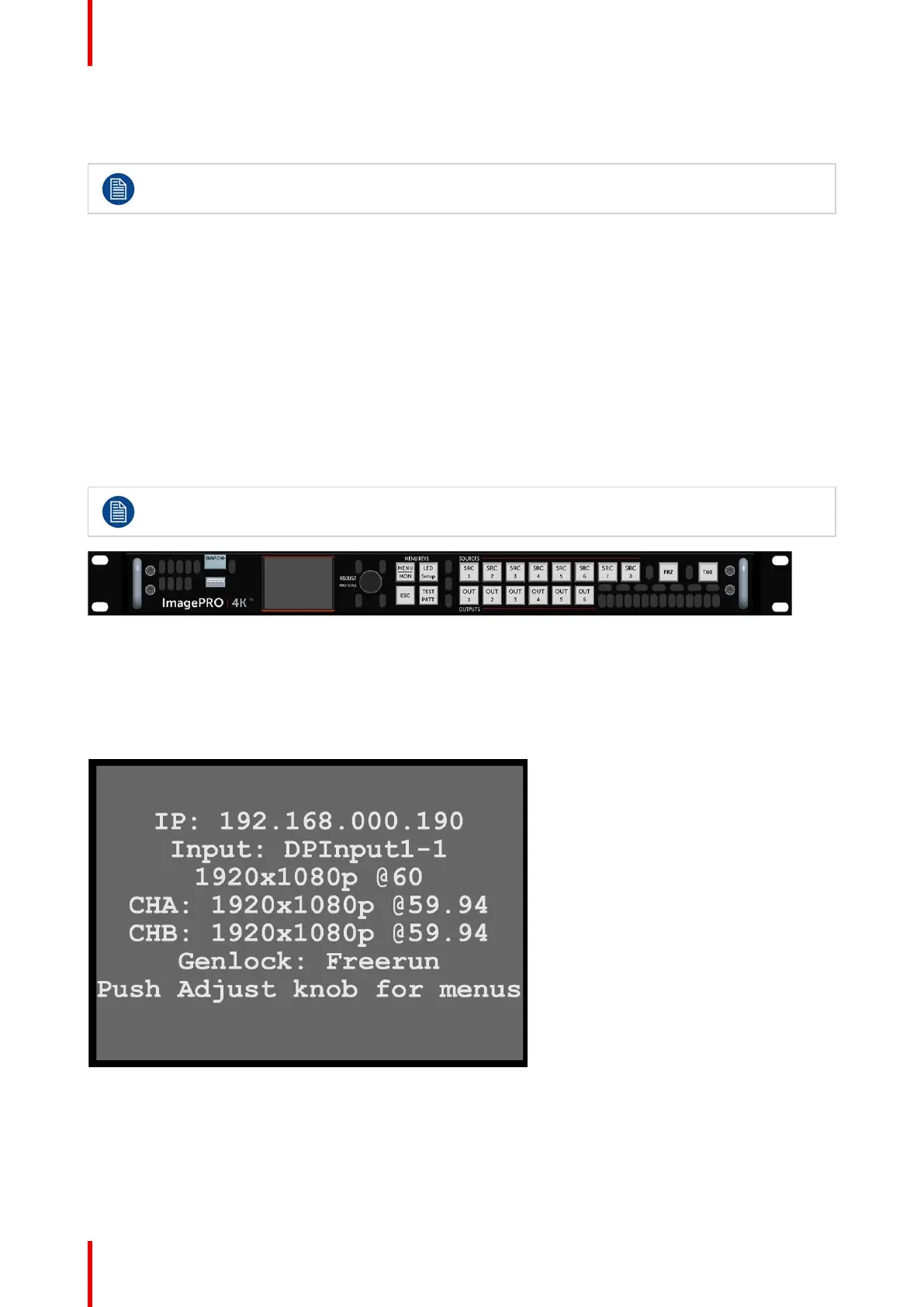
At power-up, the display screen displays the status of the system.
Image 5-2: Display screen showing status
Push the Adjust knob to enter the Setup menu.
Setup and operation



 To Next Page