R5906167 /00 ImagePRO–4K Video Processor
67
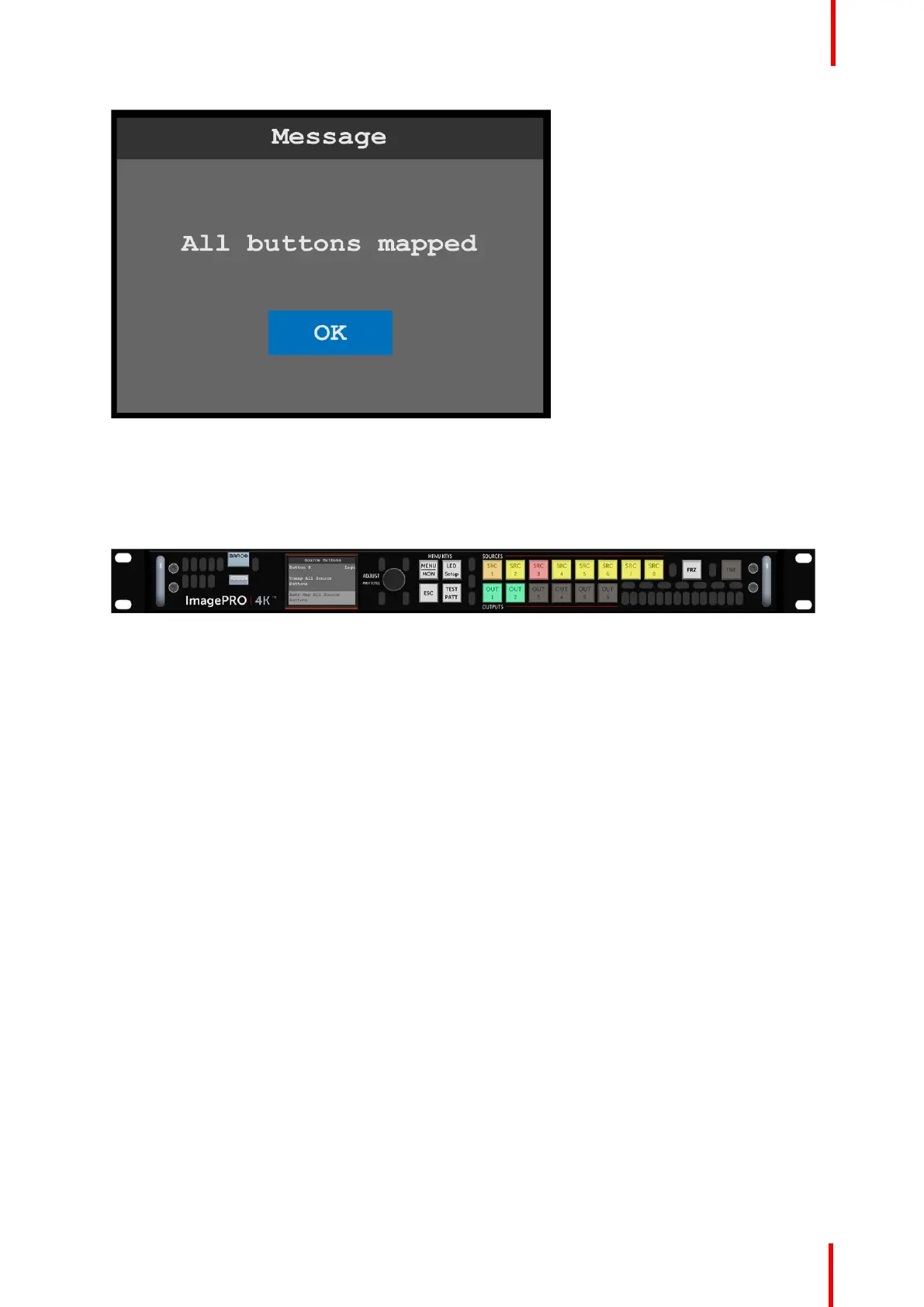
Image 6-59: All buttons mapped message
2. Select Yes to complete the auto-mapping of all source and output buttons.
The default mapping for SRC 1 through 6 is input 1 through 6 on the TCI card. The default mapping for
SRC 7 is “Matte,” and the default mapping for SRC 8 is “Logo.” The default mapping for OUT 1 through 6 is
output 1 through 6 on the TCO card.
Once the system maps all of the source and output buttons, the buttons on the front panel are lit.
Image 6-60: Front-panel source and output buttons auto-mapped
Button states
Color and brightness indicate the state of the front-panel source and output buttons.
Source-button states
• Brightly lit—Button is selected.
- Green: Signal is active and assigned to PVW.
- Yellow: Input source, still, logo, or matte color is present.
- Amber: Source is active on the PGM outputs.
- Red: Loss of sync (LOS).
- Blue: Source is frozen.
- Cyan: A cue is mapped to the button. (Cues will be supported in a future software release.)
- Magenta: A user key is mapped to the button. (User keys will be supported in a future software
release.)
- White: A preset is mapped to the button.
• Dimly lit—Source is mapped but not active.
• Not lit—Button is not mapped.
Output-button states
• Lit—Button is mapped, selected, or frozen.
- Green: Button is mapped to an Aux.
- Amber: Aux is selected to view in the front-panel monitor.
- Blue: Aux is frozen.
• Dimly lit—Source is mapped but not active.
• Not lit—Button is not mapped.
Menu orientation



 To Next Page