R5906167 /00 ImagePRO–4K Video Processor
72
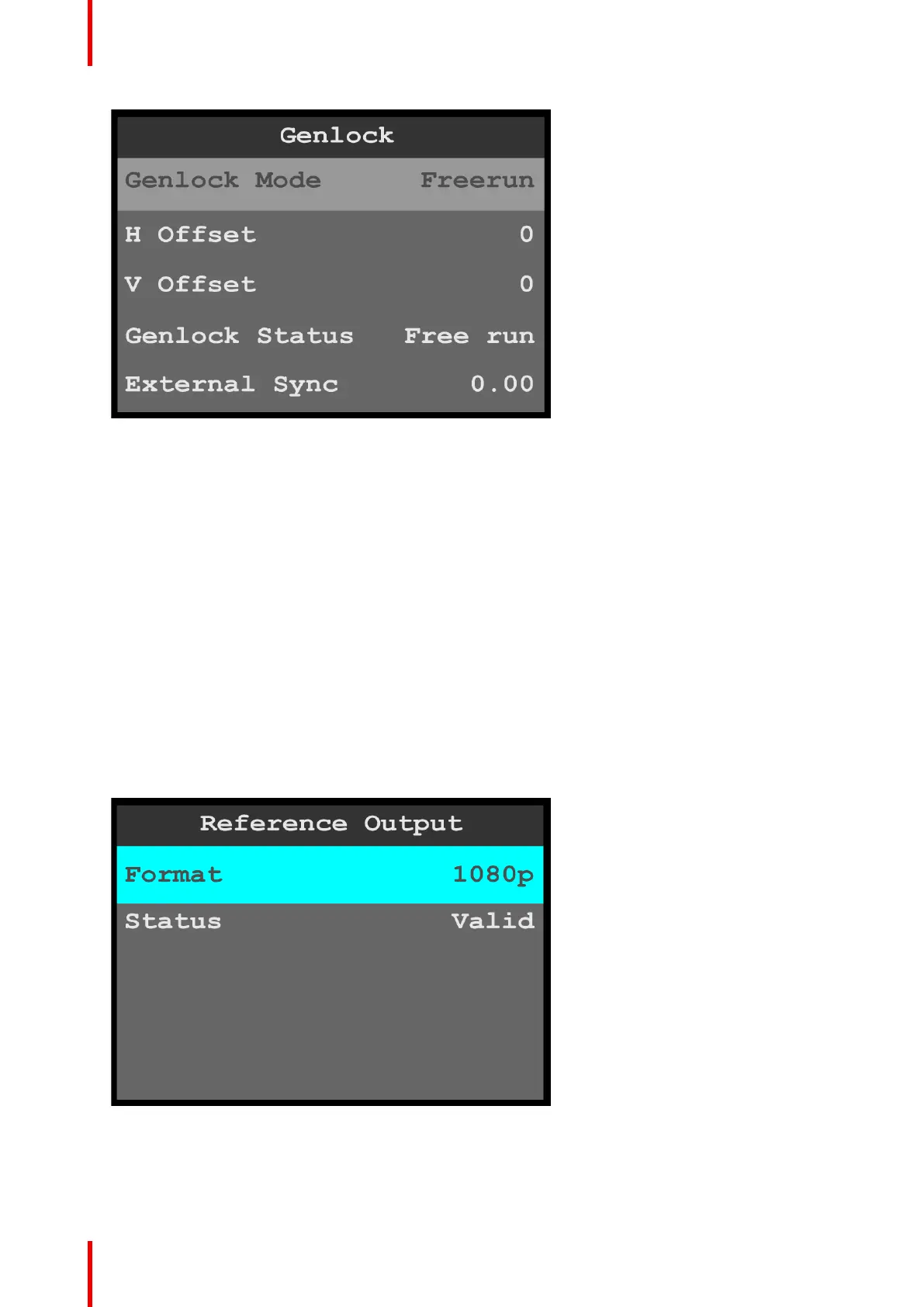
Image 6-69: System menu: Genlock
• The Genlock Mode options are Freerun and Lock to External.
The default setting is Freerun.
• Use the H Offset to adjust the H Sync to match a Genlock situation.
The adjustment is in ms.
• Use the V Offset to adjust the V Sync to match a Genlock situation.
The adjustment is in ms.
• Genlock Status reports the status of the system’s Genlock Mode.
• External Sync displays the detected rate, in Hz, of the incoming reference signal, if present.
2. Scroll to and select the desired Genlock parameter.
Once a parameter is selected, the highlight bar for that parameter turns from gray to cyan.
3. Scroll through and select the options for the desired Genlock parameter.
Reference Output
Reference Output allows the operator to adjust the format of the reference output.
1. Select Reference Output on the System menu.
2. Select Format on the Reference Output menu.
Once Format is selected, the highlight bar turns from gray to cyan.
Image 6-70: Reference Output menu: Format
3. Scroll through and select the desired reference-output format.
Status displays whether the selected reference-output format is valid or invalid.
Menu orientation



 To Next Page