R5906167 /00 ImagePRO–4K Video Processor
39
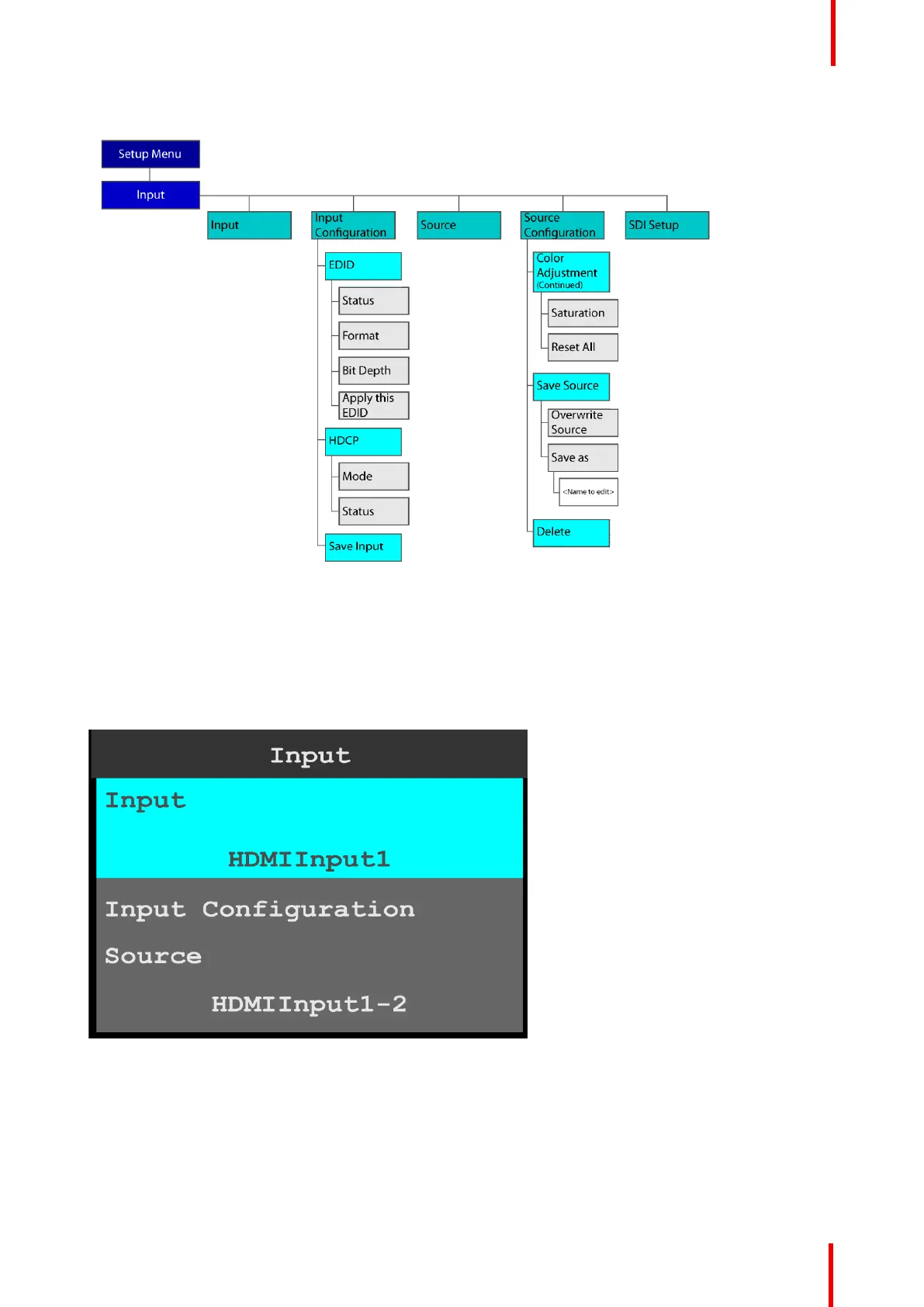
Image 6-8: Input menu tree (Continued)
Input
1. Select Input on the Input menu.
Once Input is selected, the highlight bar turns from gray to cyan. Turning the adjust knob scrolls through
the available inputs.
2. Scroll to and select the input to be configured.
Image 6-9: Input selection
Input Configuration
1. Scroll to and select Input Configuration.
Menu orientation



 To Next Page