R5906167 /00 ImagePRO–4K Video Processor
89
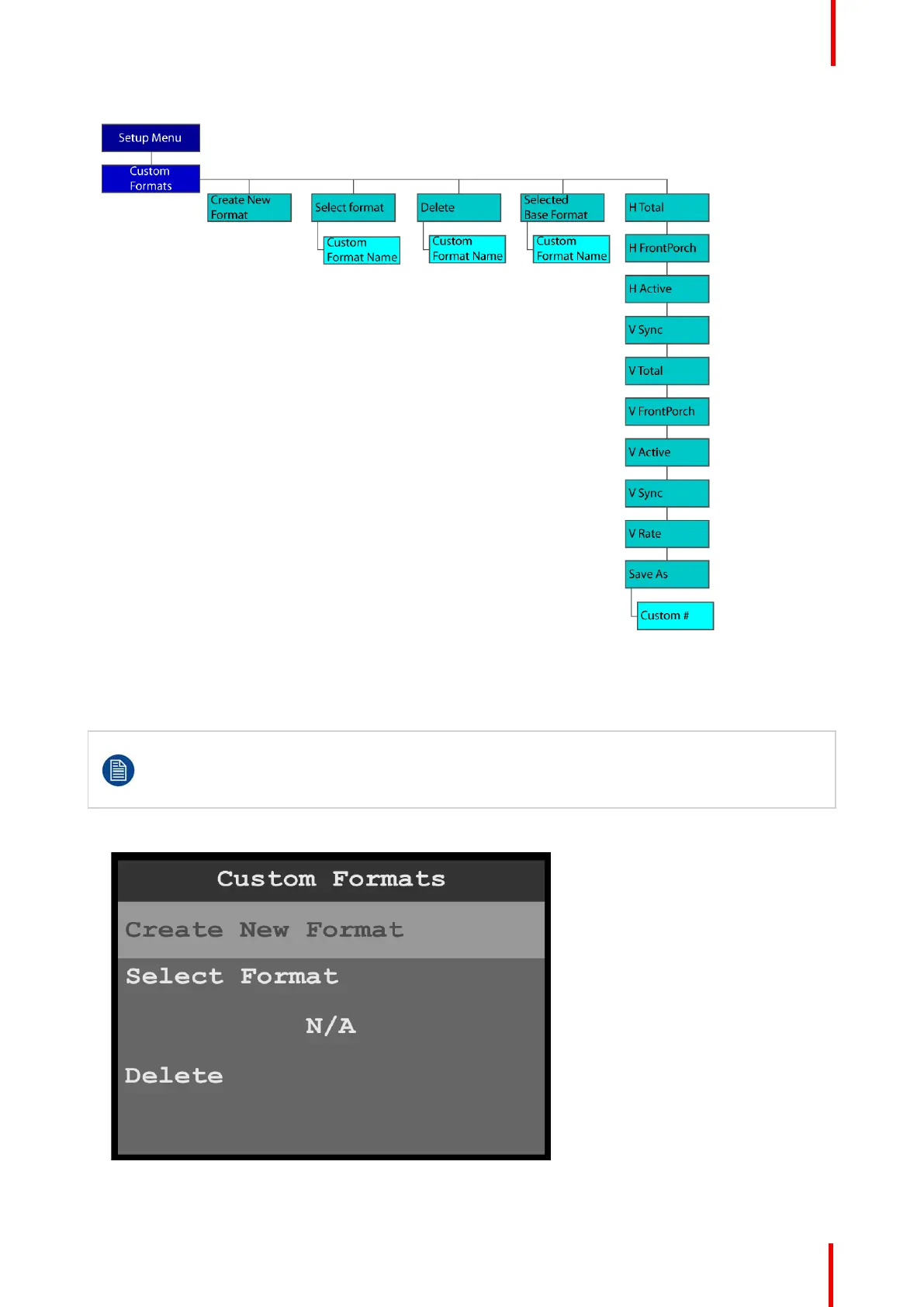
Image 6-103: Custom Formats menu tree: with custom formats
Create New Format
To create a custom format…
Prior to creating a custom format or modifying an existing format, users should be familiar with how
the adjustments they are making may affect the video format. The user should use a timing
calculator to determine the correct numbers for timing. Incorrect settings can cause unstable or
asynchronous video output.
1. Select Create New Format on the Custom Formats menu.
Image 6-104: Custom Formats menu: Create New Format
Menu orientation



 To Next Page