R5906167 /00 ImagePRO–4K Video Processor
96
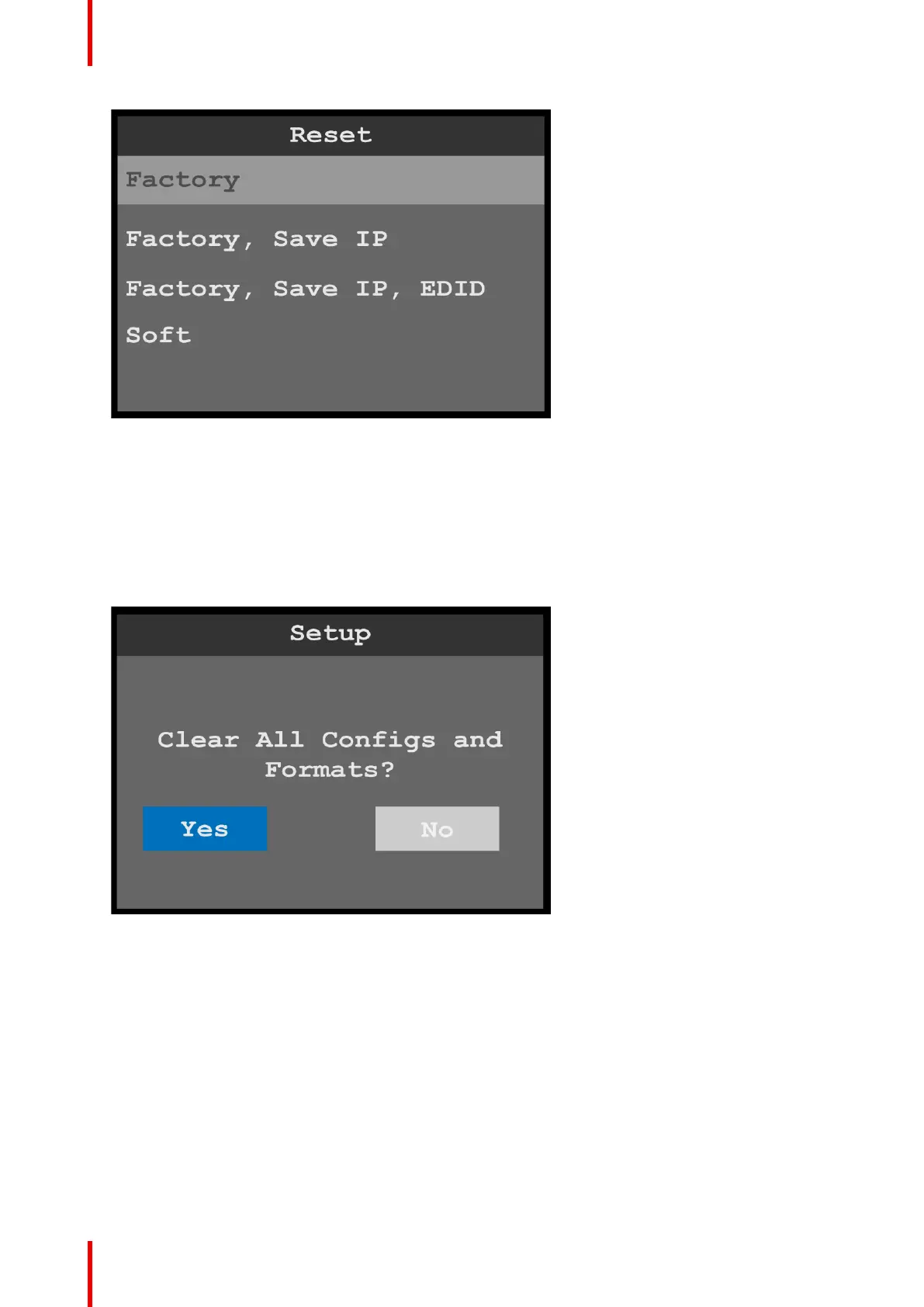
Image 6-116: Reset menu: Factory
2. Select the type of reset to perform, for example, Factory.
• Factory restores all default system configurations.
• Factory, Save IP restores all default system configurations, except that it saves the current IP address.
• Factory, Save IP, EDID restores all default system configurations, except that it saves the current IP
address and EDID settings.
• Soft keeps the user settings.
The system displays a screen that asks you to confirm that you want to clear all configurations and
formats.
Image 6-117: Reset confirmation
3. Select Yes.
The system resets, and while resetting it displays a progress bar.
Menu orientation



 To Next Page