4 Product description
ex
36 / 106
Subject to technical modifications
Revision A / 04/2019
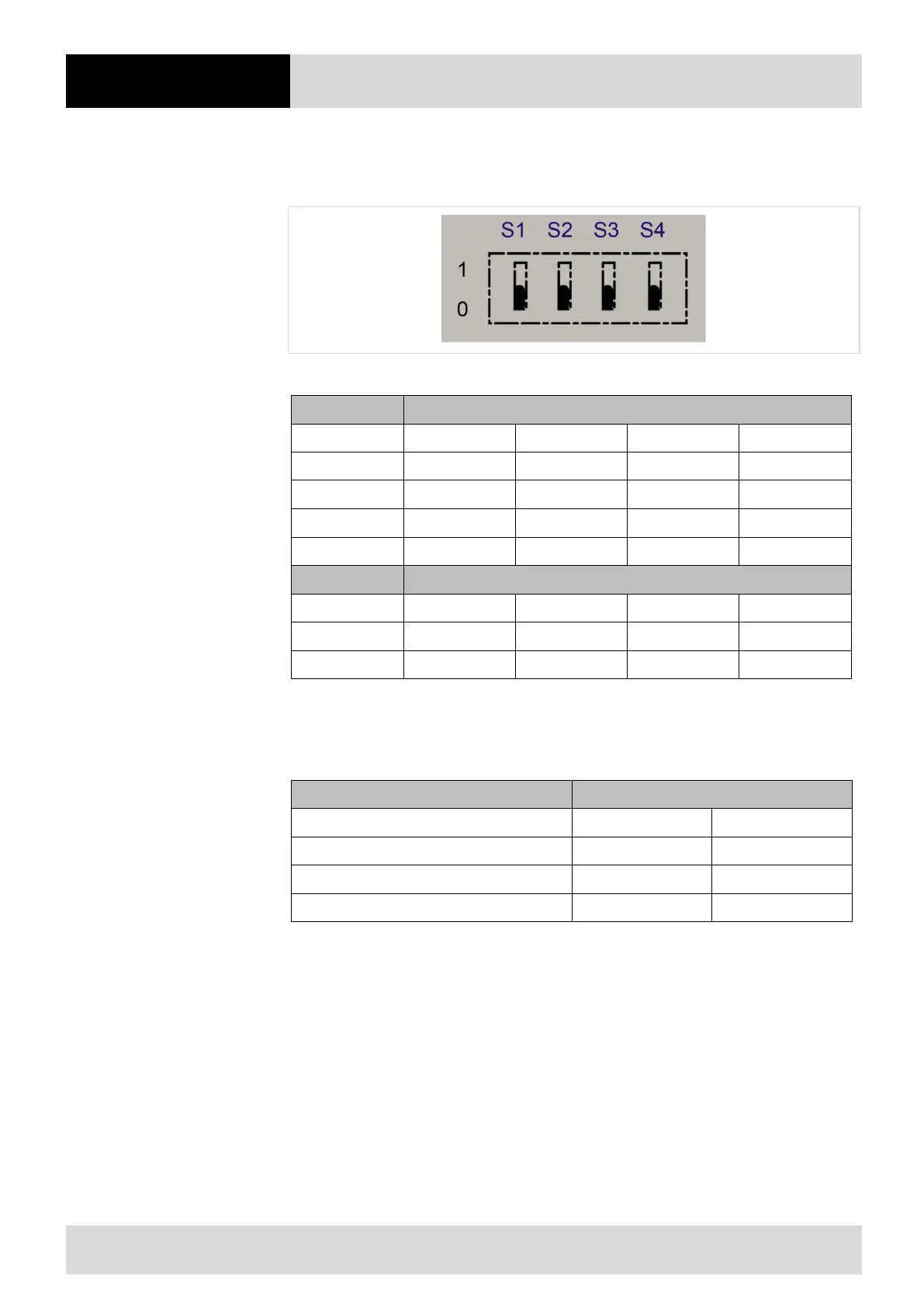
4.6.2 Setting the DIP switches (only for Zone 2/22 and Div 2)
The DIP switches (X18) must be set as follows depending on the interface used
Figure 14 DIP switches and switch positions
Setting Interface (Dipp-switch S1, S2 and S3)
RS 422 0 1 1 -
Settings USM Version (Dipp-switch S4)
Table 33 Setting
4.6.3 Ranges / maximum cable length of connected cable from the universal supply
module to the host or PC
RS 485 1200 m 3937 ft.
USB-SPP 5 m 16 ft.
Table 34 Ranges / maximum cable length of connected cable


 To Next Page