Operation and Control System
A: R82GB0FA.PMD
B: R82DE0FA.P65
E: 080403 / T. Weiß
G: 200103 / TCS
Section 5.5
Page 1
?
5.5 B2 Handbook
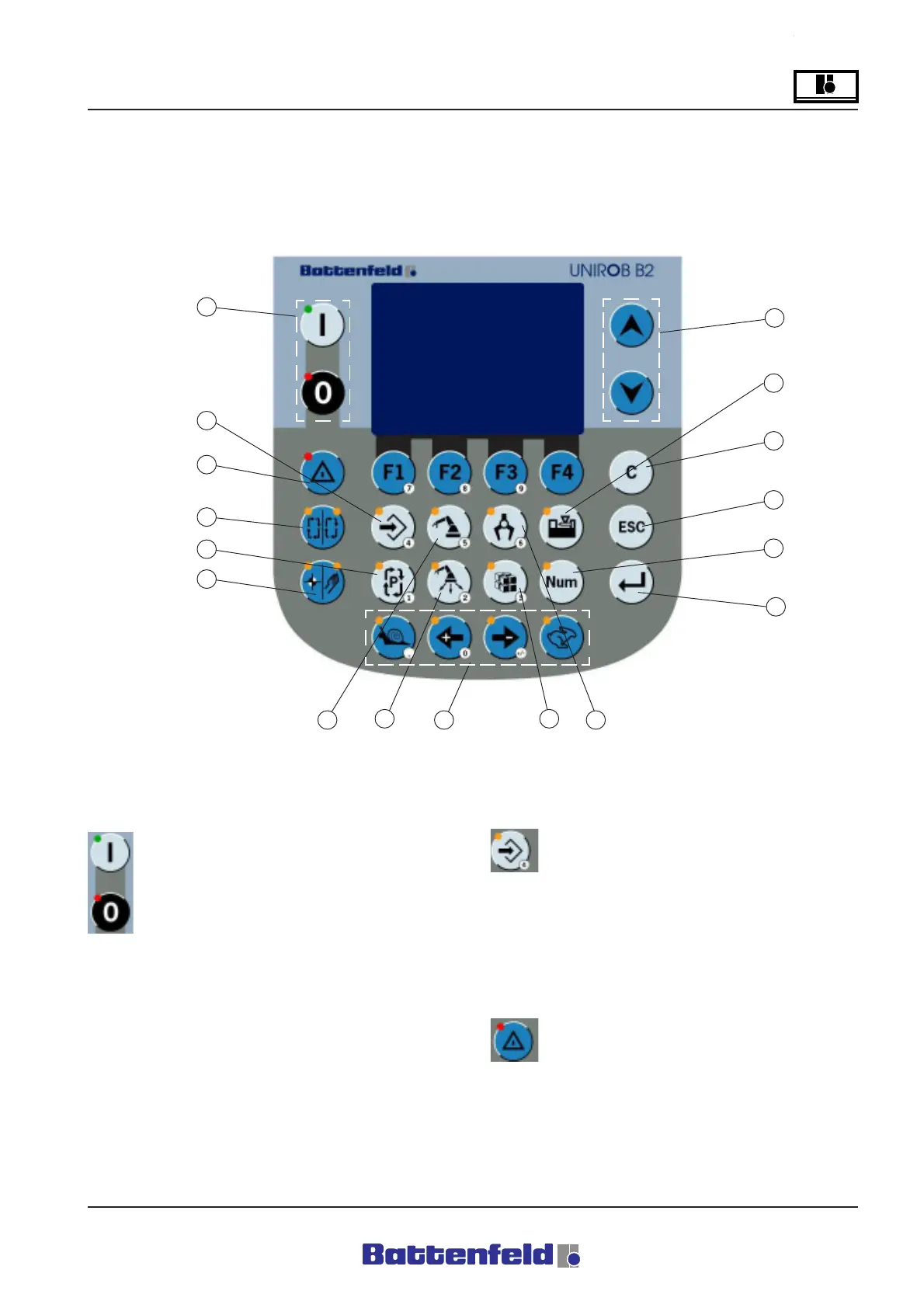
5.5.1 Manual Control Device (MCD) – Key
functions
1 – ON/OFF and START/STOP buttons
Press one of the two buttons to start/stop
the automatic program. The START
button is also used to move the servo
axes in Manual mode after entering a
numerical value. Press STOP to interrupt
the movement. The red LED in the
STOP button lights up when the power is
deactivated or when the robot has been stopped
in Automatic mode.
2 - PROG button
Press the PROG to switch to the
Programming menu and then
Programming mode in User level 1. The
orange LED indicates that Programming mode
is activated. This button is not activated in
Automatic mode.
3 - ERROR button
Press this button to switch to the Error
list. The red LED lights up if an error is
detected.
R8B2_033.JPG
1
2
3
4
5
6
7
8
9
10
11
12
13
14
17
15
16



 To Next Page