A: R82GB0FA.PMD
B: R82DE0FA.P65
E: 080403 / T. Weiß
G: 020304 / TCS
Section 5.5
Page 26
Operation and Control System
?
Difference
along Y axis
Difference
along Z axis
Difference
along X axis
2
1
R8B2_GB089.JPG
R8B2_GB064.JPG
5.5.5.4 Palletising program
The Palletising function enables you to integrate
basic positioning and removal tasks into the
token program.
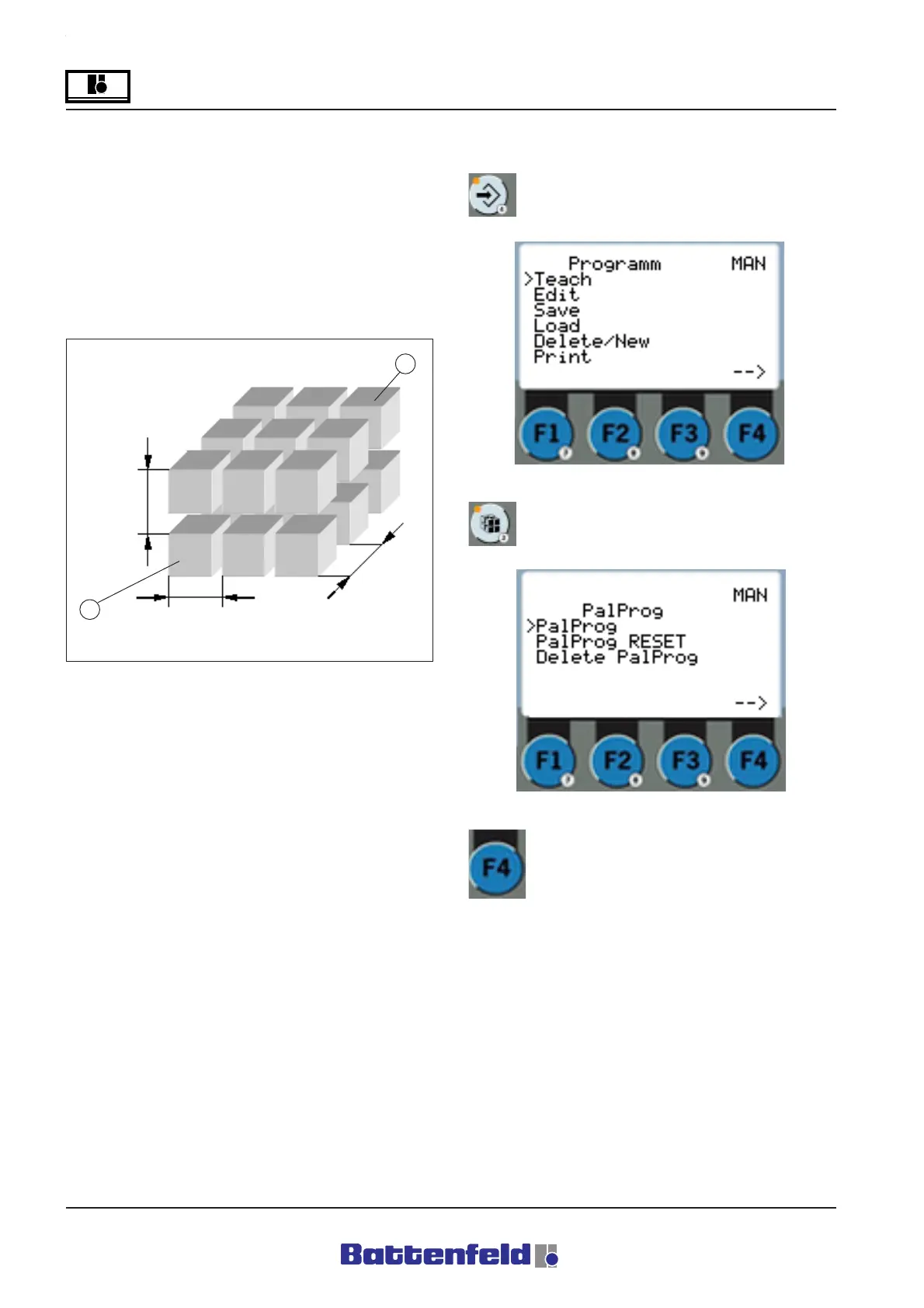
Example of the palletising input:
1 Palletising tasks – First position.
Removal tasks – Final position.
2 Palletising tasks – Final position.
Palletising tasks – First position.
The diagram above shows an example of the
process. Every different corner position can be
used as a starting or final position.
Entering a palletising program:
Press the PROG button.
Press the PAL button.
Select ”Pal Prog” and press F4 function
button.
R8B2_121.JPG



 To Next Page