Operation and Control System
A: R82GB0FA.PMD
B: R82DE0FA.P65
E: 080403 / T. Weiß
G: 200103 / TCS
Section 5.5
Page 5
?
5.5.3 Status pages
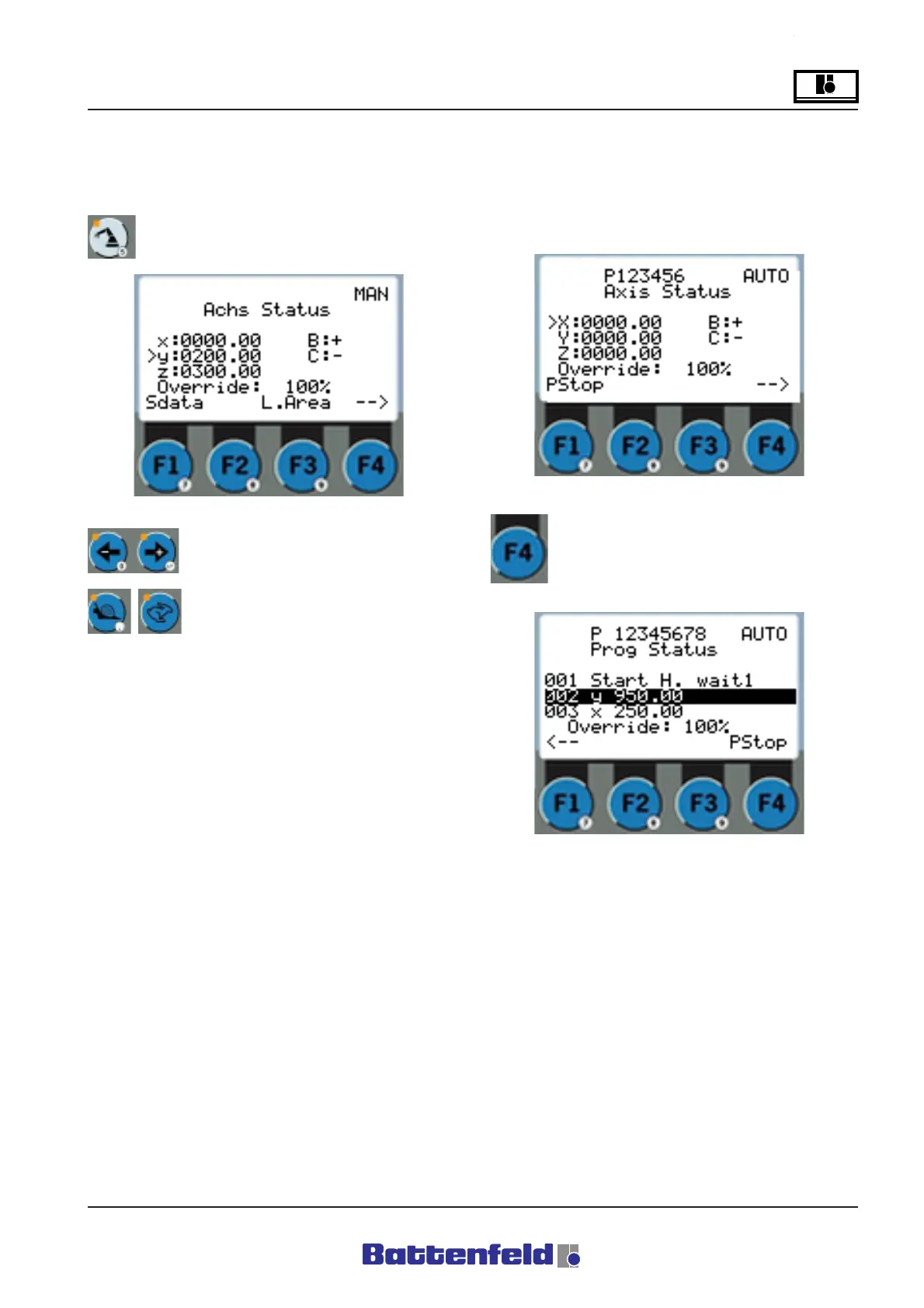
Axis status page (ROB button)
Press ROB button.
In Automatic mode it is possible to stop the
current program by pressing F1. Select F4 to
switch to the Program status page to monitor
the current program.
Use the arrow buttons to move the
selected axes.
The ”Snail” and ”Hare” buttons are
used to adjust the override.
The current axis positions (Actual values) are
shown on the Axis status page in both Manual
and Automatic mode.
In Manual mode the axis moves next to the
cursor.
At Password level 1 or 2, select F1 to display
”Sdata” (Service data) and F3 for ”L.Area” (Lock
area). For further details, refer to Section 5.5.7
Lock areas.
R8B2_GB053.JPG
R8B2_GB054.JPG
R8B2_GB055.JPG
Press F4 button.



 To Next Page