A: R82GB0FA.PMD
B: R82DE0FA.P65
E: 080403 / T. Weiß
G: 020304 / TCS
Section 5.5
Page 4
Operation and Control System
?
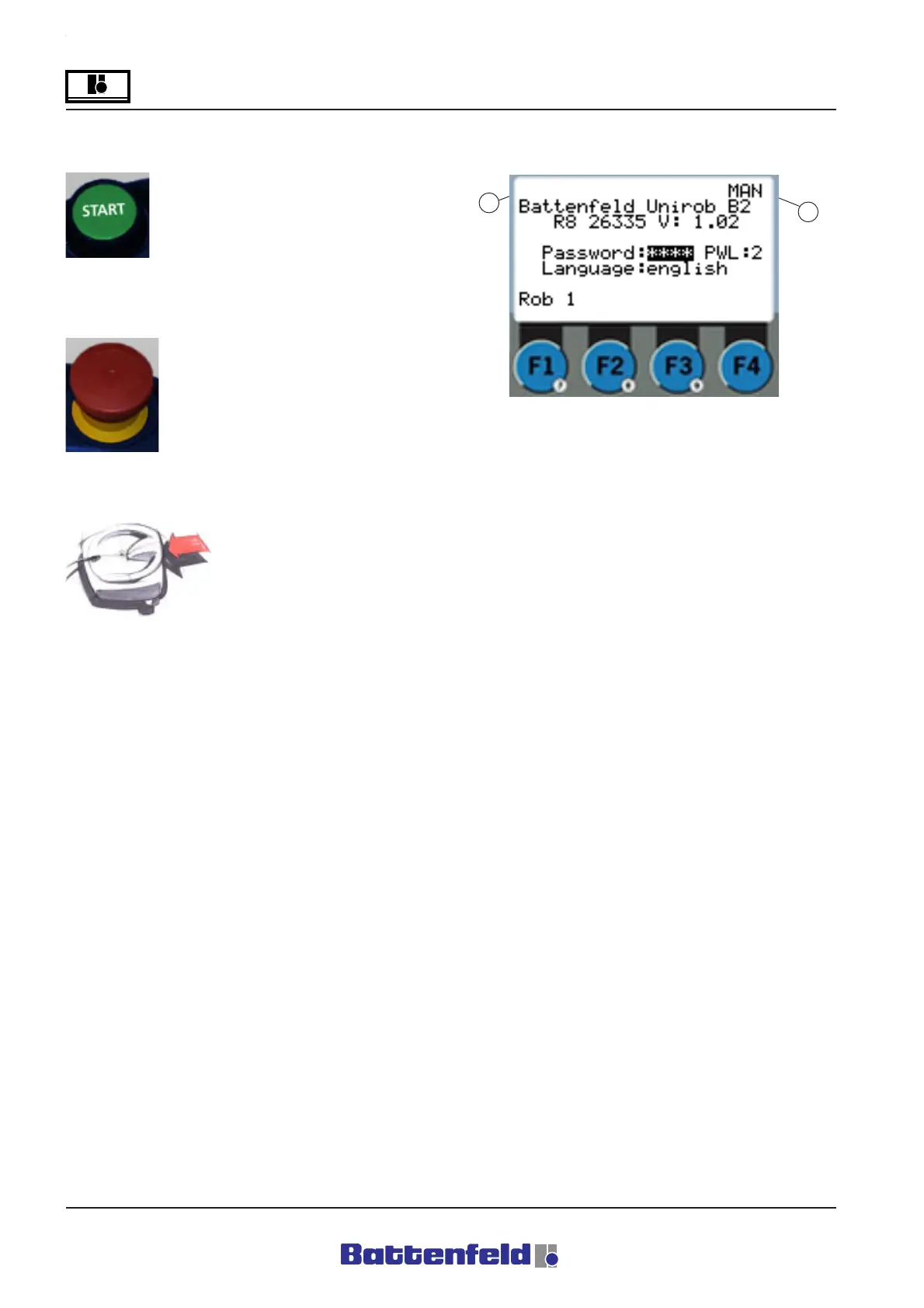
Green START BUTTON on MCD
Press the START BUTTON to
activate the power supply (main
contactor).
EMERGENCY STOP BUTTON on MCD
The red Emergency Stop button is
intend to protect both the machine
and the machine operators.
TOTMANN BUTTON
The TOTMANN button must
be pressed for every
movement.
5.5.2 Start-up display
These details appear in the MCD display when
the controller is activated.
Top line:
1 ”err” flashes if an error has been
detected.
2 The current operating mode is shown
here, i.e. MAN (Manual mode), REF
(Reference), AUTO (Automatic), SINGLE
(Single Step mode) or HOME after
referencing.
Enter the password in the box. Set to the
required language.
Password level:
0 The axes can be moved manually and
the Automatic program stopped/started.
1 As in Level 0, users can write, load and
delete token programmes.
2 Service level (only to be used by
Battenfeld service engineers).
1
2
R8B2_GB052.JPG



 To Next Page