Operation and Control System
A: R82GB0FA.PMD
B: R82DE0FA.P65
E: 080403 / T. Weiß
G: 200103 / TCS
Section 5.5
Page 11
?
R8B2_GB071.JPG
R8B2_GB070.JPG
R8B2_GB070.JPG
R8B2_GB072.JPG
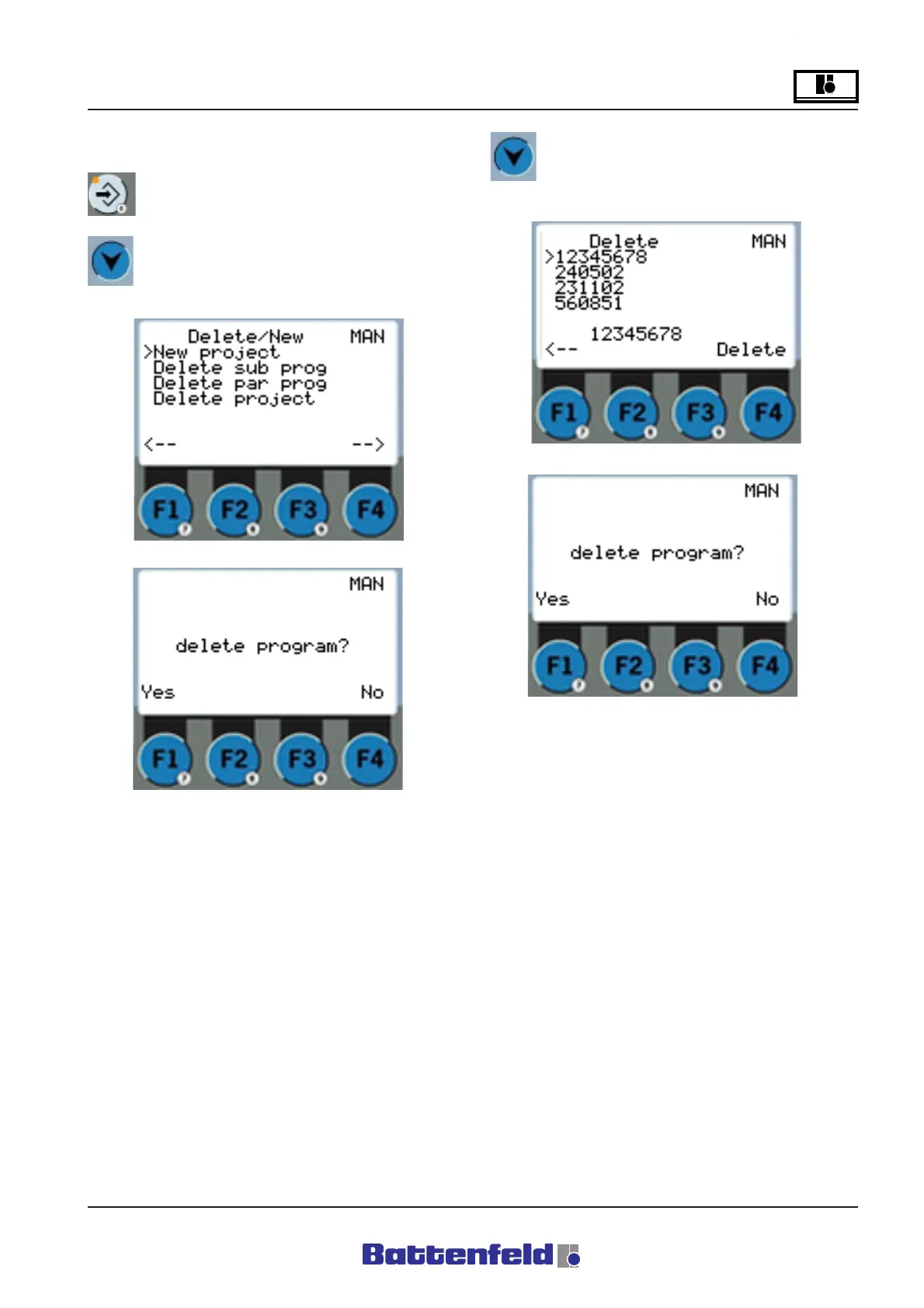
Delete
Press the PROG button.
Use the buttons to move the cursor to
Delete program. Press F4 to continue.
In the start display use the buttons to
move the cursor to the ”Delete project”
program Press F4 to continue.
”New project”:
Select ”Yes” to delete the lines in the current
program. The lines in the saved program are not
deleted. Select ”No” to cancel. The display
switches back to ”Delete” in both cases.
”Delete project”:
Select ”Yes” to delete (irretrievably) the selected
program from the specified hard drive (A or C).



 To Next Page