Programming the Pump 47
SIGMA Spectrum Infusion System Pump Operating Software Version 8.00
Operator’s Manual For Use With MDL Version 8.0
PROGRAMMING THE PUMP
Pump Safety Features
■ Dose Error Reduction System (DERS)
This system uses predetermined dosing information stored in the facility’s configured Drug
Library to control the dose, rate, volume, time and other infusion parameters for specific drugs.
Programming using this method may reduce the risk of programming errors.
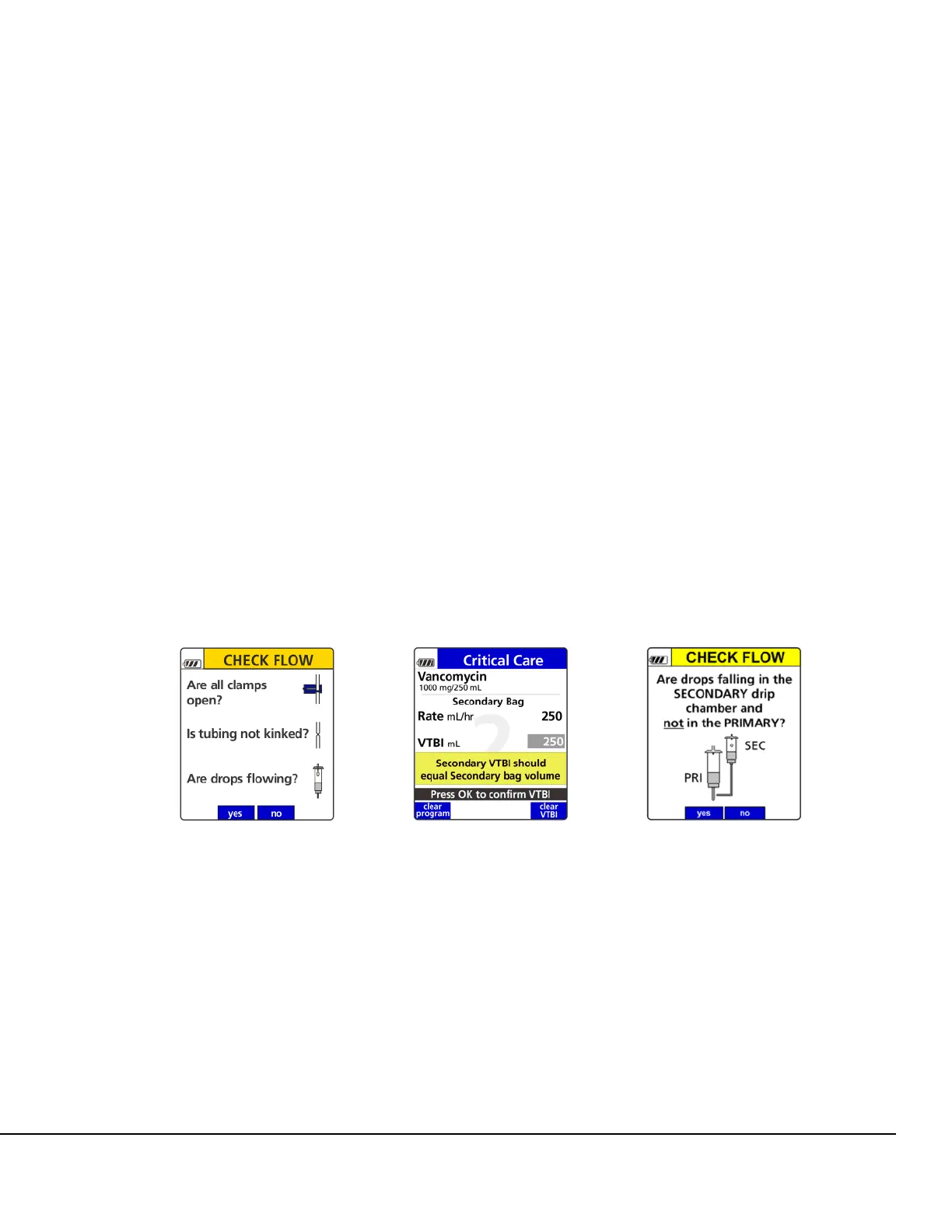
■ Primary Check Flow Error Prevention
(does not apply to Anesthesia and OR Care Areas)
The screen displays at the start of the infusion to ensure that there are no closed clamps or
kinks in the tubing that might prevent flow and that drops are flowing in the drip chamber. See
Figure 20.
■ Secondary Check Flow Error Prevention
(does not apply to Anesthesia and OR Care Areas)
During Secondary setup, a pop-up displays to verify that the Secondary VTBI (Volume To Be
Infused) equals the secondary bag volume. See Figure 21.
The screen displays to verify that drops are falling in the secondary drip chamber and not in
the primary drip chamber. See Figure 22.
■ Single Step Rate or Dose Change Limits
(set at 500% in Anesthesia and OR Care Areas)
The screen displays an alert to indicate that in a single programming step, a pre-configured
percentage limit has been exceeded. See Figure 23.
Figure 20. Primary Check Flow
Screen.
Figure 21. Secondary Bag
Volume Confirmation Pop-up.
Figure 22. Secondary Check
Flow Screen.



 To Next Page