Programming the Pump 63
SIGMA Spectrum Infusion System Pump Operating Software Version 8.00
Operator’s Manual For Use With MDL Version 8.0
15. At the Select Infusion screen:
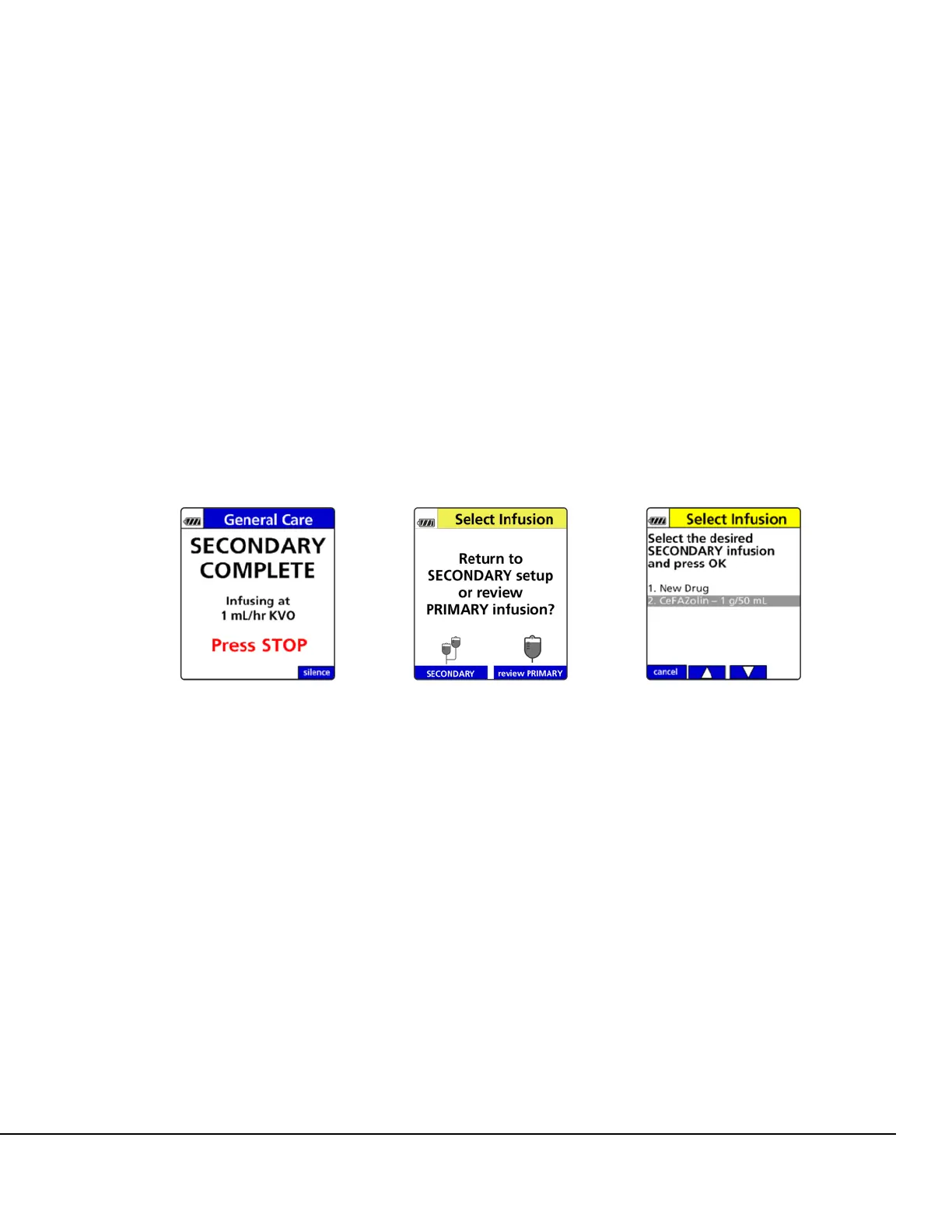
Press the SECONDARY soft key to return to the secondary setup. See Figure 54. This
allows reprogramming of the last secondary infusion or programming with a new drug.
See Figure 55.
Press the review PRIMARY soft key to return to the primary infusion. See Figure 54.
16. After reviewing the primary program, remove clamp on primary IV line, if applicable, and press
RUN.
NOTE: When the secondary infusion is complete, close the clamp on the secondary IV line
above the upper Y injection site or remove the IV bag and tubing to prevent any
remaining drug in the secondary bag from being delivered at the primary delivery rate.
Upon completion of the secondary infusion and once the transition is made to the primary
infusion, a Primary icon (one IV bag) replaces the Secondary icon (two IV bags) on the
Infusion Running screen.
17. In the event the secondary IV bag is still attached, confirm flow from primary drip chamber
(yes/no).
If the yes soft key is pressed, Primary infuses as programmed.
If the no soft key is pressed, close clamp on secondary IV line. Press OK to confirm
secondary IV line is clamped.
Clearing the Secondary Infusion to Return to the Primary
Infusion
To clear the secondary infusion to return to the primary infusion:
1. Press STOP.
2. Press the clear program soft key.
Figure 53. Secondary Complete
Alarm Screen.
Figure 54. Select Infusion
Screen.
Figure 55. Secondary Infusion
Drug Selection Screen.



 To Next Page