Programming the Pump 87
SIGMA Spectrum Infusion System Pump Operating Software Version 8.00
Operator’s Manual For Use With MDL Version 8.0
To display infusion status while the Pump is infusing, press the review soft key from the
Infusion Running screen. See Figure 100. Also see Figure 101.
To change the mL/hr rate while stopped, press the review or program pri/sec soft key.
Press the arrow soft key to change the rate.
To change mL/hr rate while running, press the rate change soft key and enter the new
rate.
Priming Volume
The Priming Volume feature is only applicable for Amount/Time primary infusions and only
available during initial programming and IV set load or reload.
NOTE: Priming Volume adjustment allows a more accurate infusion of the actual fluid volume
(VTBI) in the container after subtraction of the priming volume. This feature helps
prevent early container depletion, which may result in air in line alarms at the end of the
primary infusion. The infusion rate remains the same.
NOTE: The Pump does not prime the IV set. Priming needs to be done manually. See Preparing
and Priming an IV Set on page 36.
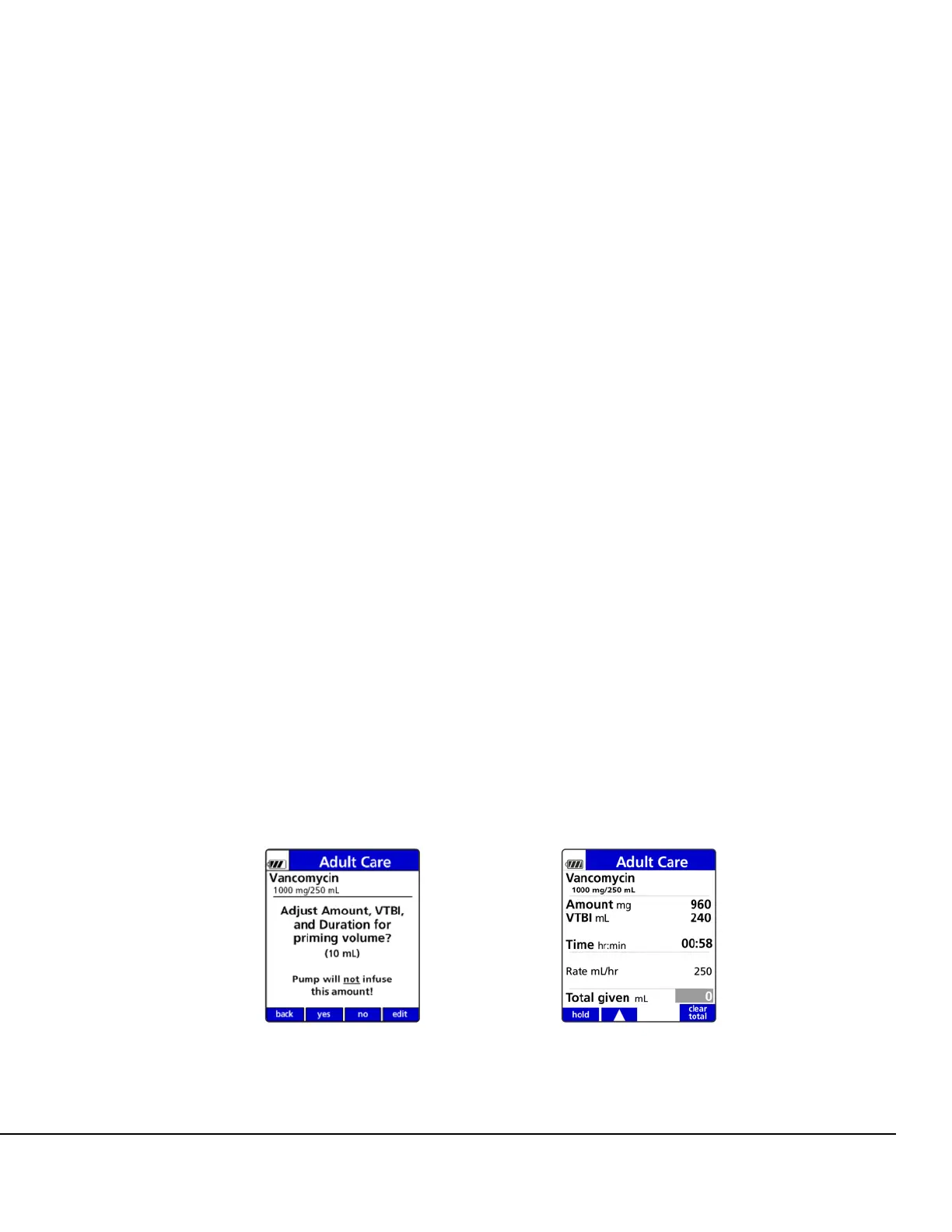
To adjust the priming volume:
1. Follow the display prompts to load or reload the set properly.
NOTE: Priming Volume adjustment is available only after an IV set load or reload at the
start of the infusion. Priming is done off the Pump by gravity.
NOTE: The Pump does not prime the set.
2. Select one of the following actions:
Press the yes soft key to accept the priming volume displayed.
Press the no soft key to decline the priming volume displayed.
Press the edit soft key to change amount (mL). See Figure 102.
Figure 102. Priming Volume Adjustment
Screen.
Figure 103. Review Screen for Priming
Volume Adjustment.



 To Next Page