76 Programming the Pump
Manual 41018v0800 SIGMA Spectrum Infusion System
Revision B Operator’s Manual
To start the program from the beginning when the Pump is stopped, press the reset
program soft key.
10. At completion, the Pump infuses at KVO rate. Press STOP to automatically reset the program
from the beginning.
Dose Change or Rate Change of a Continuous Infusion
During a Continuous Infusion, if the dose or rate change exceeds the limits defined in the Drug
Library, a dialog box is displayed. See Prompts that may appear during programming on page 55.
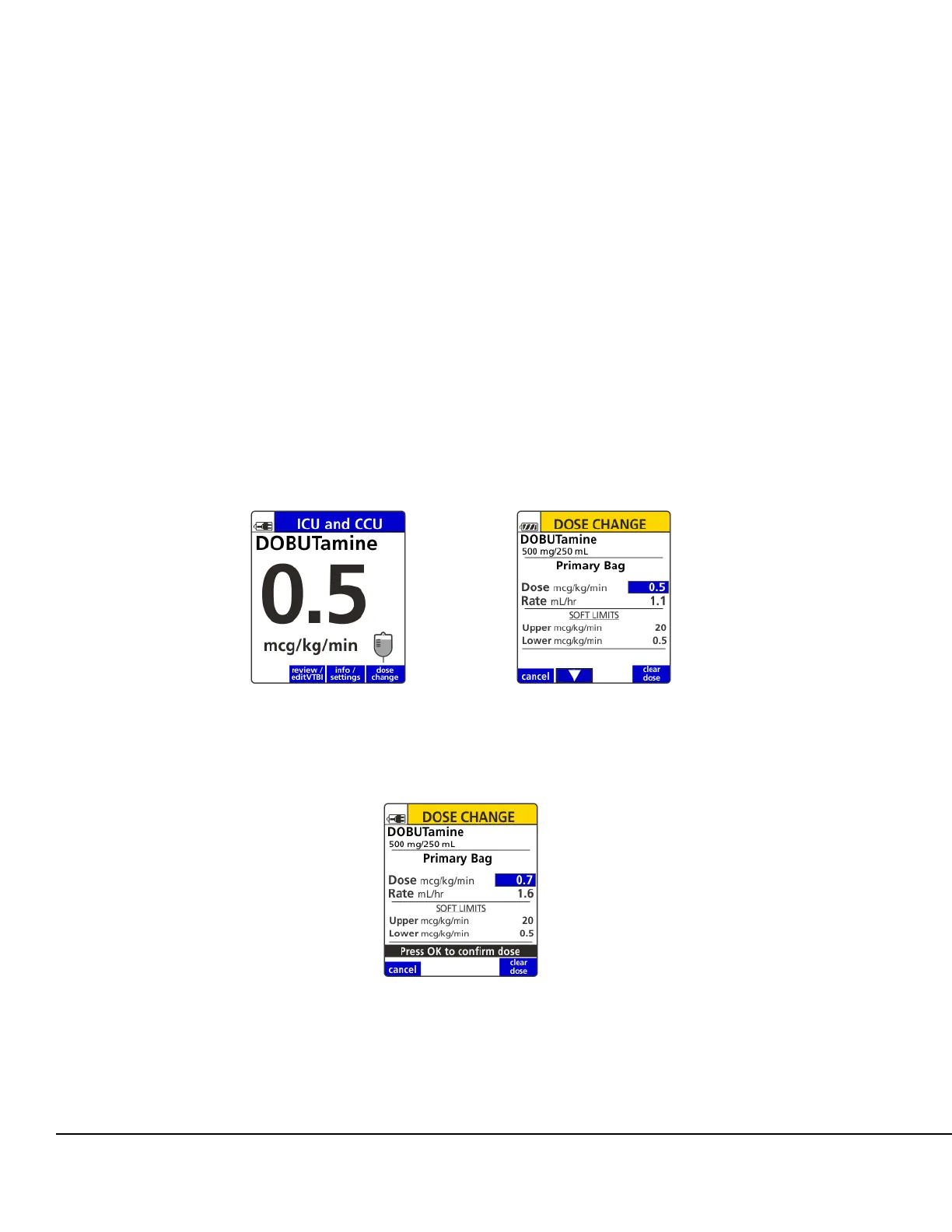
To change dose without stopping the Pump:
1. Press the dose change soft key. See Figure 73.
2. The current dose is displayed along with the dose soft limits. Observe the displayed dose soft
limits. See Figure 74.
3. Enter a new dose. See Figure 75.
4. Press OK to confirm entered dose.
Figure 73. Infusion Running Screen. Figure 74. Dose Change Screen.
Figure 75. Dose Change Screen with
New Dose.



 To Next Page