Programming the Pump 77
SIGMA Spectrum Infusion System Pump Operating Software Version 8.00
Operator’s Manual For Use With MDL Version 8.0
If soft limits are exceeded, press the yes soft key to accept the new value or the no soft key to
return to the previous value.
NOTE: Values exceeding the hard limits set in the Drug Library will not be accepted by the
Pump.
5. Observe the change in the mL/hr rate based on the new dose entry.
6. Press RUN to begin delivery at the new dose rate.
To change rate mL/hr without stopping the Pump:
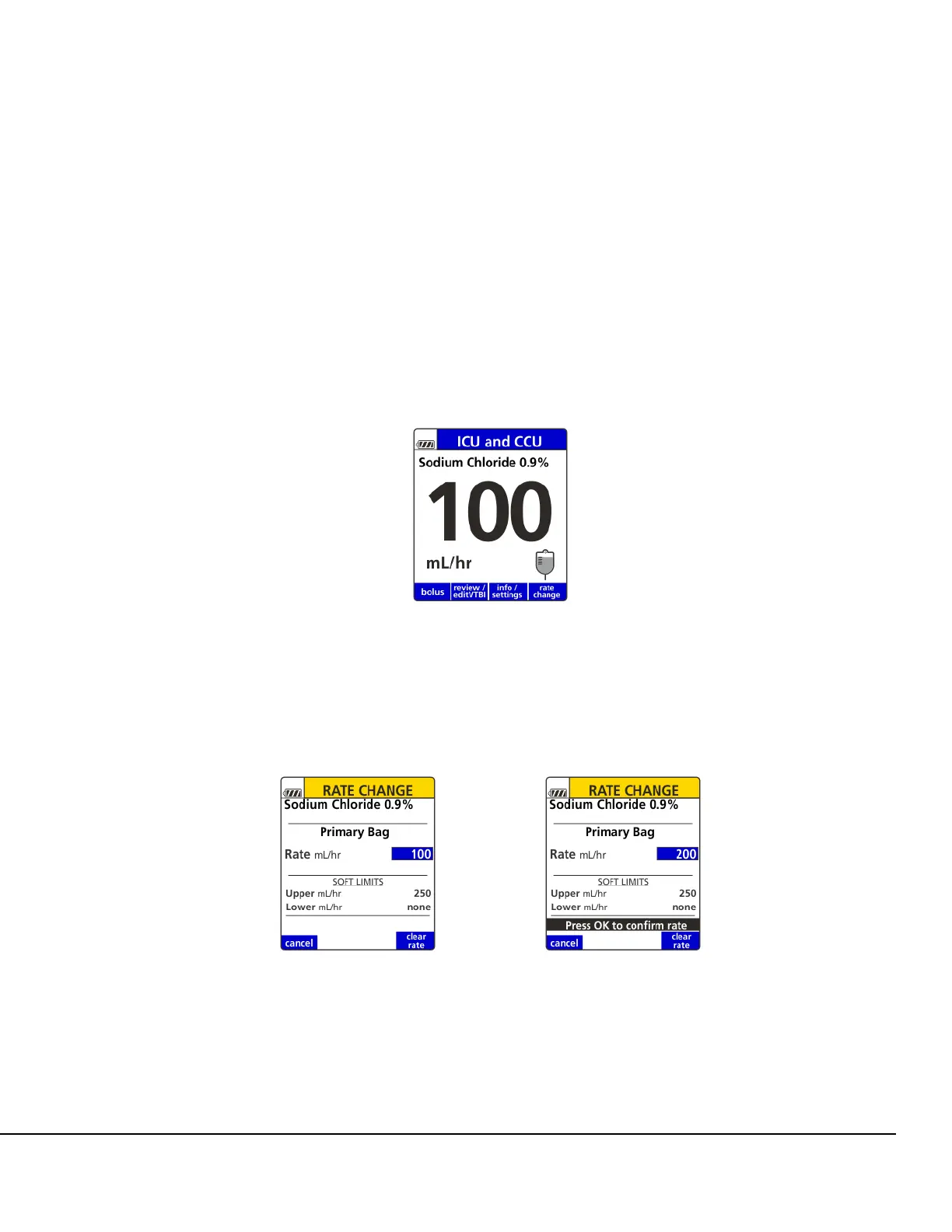
1. At the Infusion Running screen, press the rate change soft key. See Figure 76.
2. Observe the displayed mL/hr soft limits. See Figure 77.
3. Enter a new mL/hr flow rate. See Figure 77.
4. Press OK to confirm new flow rate. See Figure 77.
If soft limits are exceeded, press the yes soft key to accept the new value or the no soft key to
return to the prior value.
Figure 76. Infusion Running Screen.
Figure 77. Rate Change Screen.



 To Next Page