Programming the Pump 75
SIGMA Spectrum Infusion System Pump Operating Software Version 8.00
Operator’s Manual For Use With MDL Version 8.0
NOTE: Cyclic TPN may be identified differently in your Drug Library per your facility.
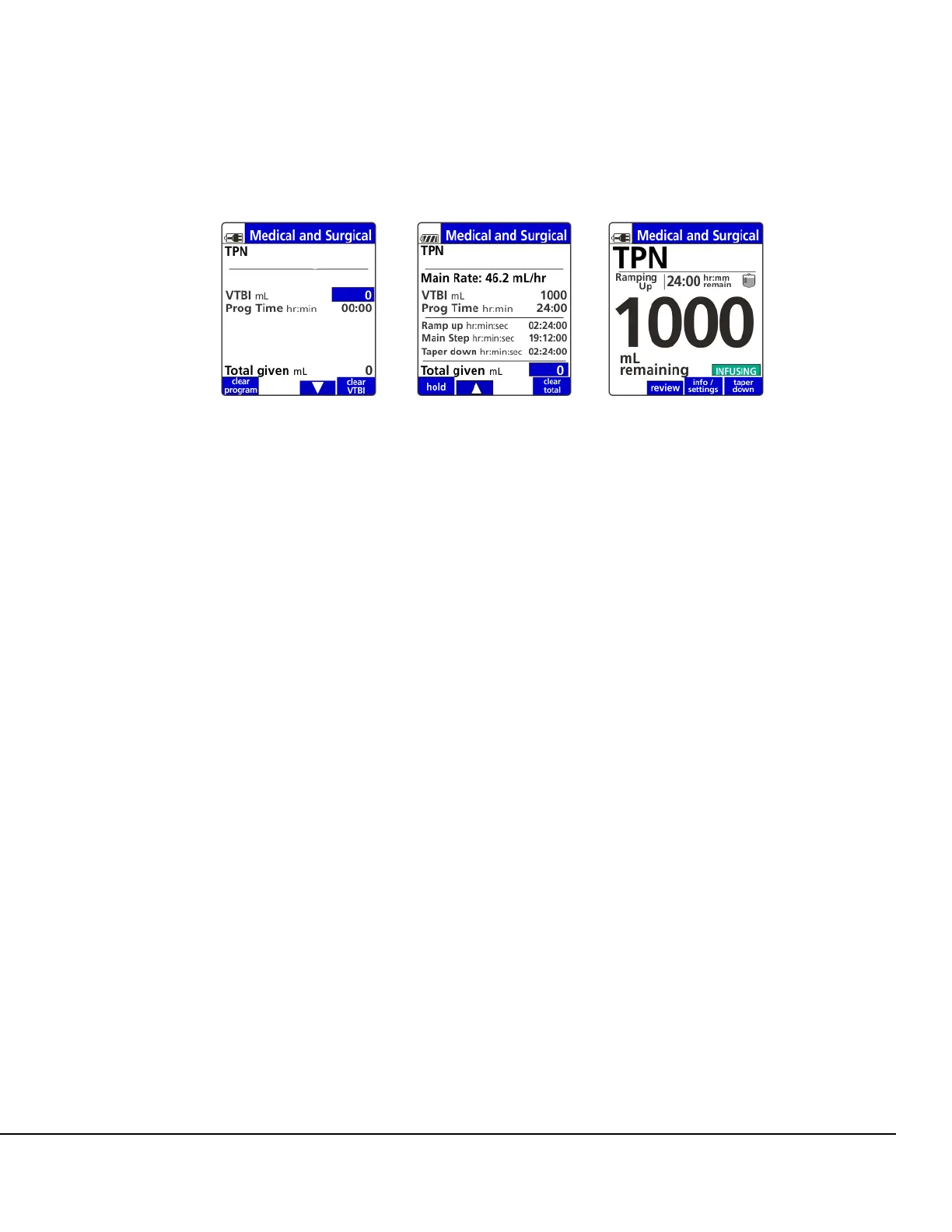
5. Enter the VTBI and verify the entered volume equals the volume of the container and press
OK. See Figure 70.
6. Enter the program time and press OK.
7. The screen displays with main rate, VTBI, prog time, ramp up time, main step time, taper down
time and Total given mL. See Figure 71.
NOTE: Once the TPN program starts delivery, no changes to the infusion parameters can
be made.
8. To start the infusion, ensure that the slide clamp and roller clamp are open and press RUN.
Once RUN is pressed, the infusion will start and the Primary Check Flow screen is displayed.
Check the flow and confirm:
All clamps are open.
There are no kinks or collapses in the tubing outside of the Pump.
Drops are flowing in the drip chamber. Note, at very low rates, it may take several minutes
to see drops.
Vents are open (if applicable).
If drops are falling in the drip chamber, press the yes soft key.
If no drops are falling, press the no soft key and follow the screen prompts.
9. Observe mL remaining value and green INFUSING icon. See Figure 72.
NOTE: If additional action is required:
To display program status, press the review or program pri/sec soft key.
To go back to the previous screen, press the return soft key.
To begin early taper down, press the taper down soft key.
A Taper Down confirmation dialog box displays on the screen. Confirm by pressing the
yes soft key.
Figure 70. Cyclic TPN
Setup Screen.
Figure 71. Cyclic TPN
Programmed Screen.
Figure 72. Cyclic TPN
Running Screen.



 To Next Page