2.3.3.4 Machine tab
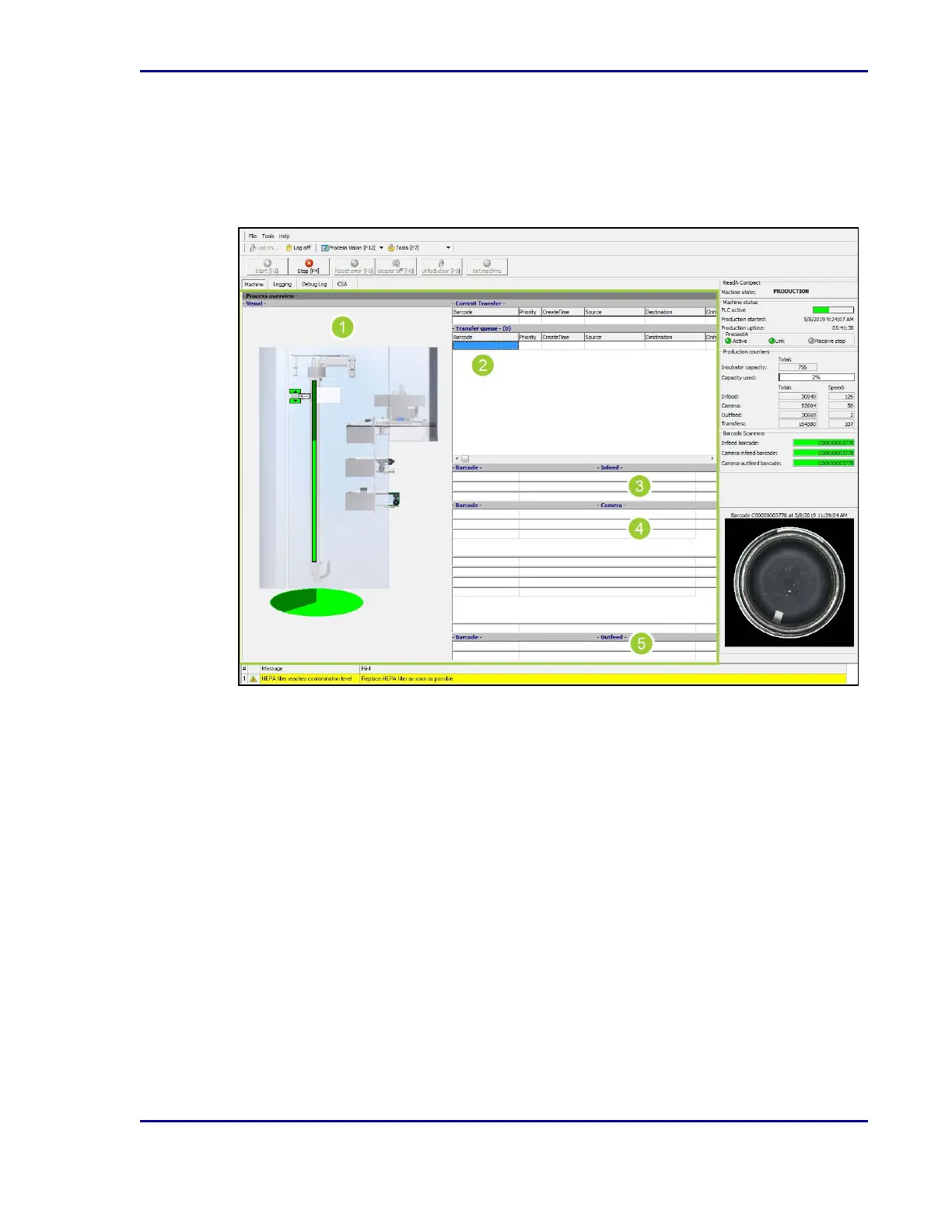
This tab appears when the application is started. It displays the status of the ReadA, plates
being processed, and performance indicators.
Figure 7 - Machine tab
1. The left side of the window shows the Process overview (1), a visual representation of the
current processes.
2. The middle of the window lists the plates (barcodes) in the transfer queue (2), at the infeed
(3), at the camera (4), and at the outfeed (5).
21
2 - Introduction










 To Next Page