32
4.5 Turning off module
BDrecommends that ReadA remains powered on at all times in order to safeguard incubation
conditions; however, it can be shut down when absolutely necessary. Only an authorized user
should shut down ReadA.
1. With the ReadA application open, select Stop [F4].
2.
Select the in the top right corner of the ReadA application title bar to close the
application.
3.
Select the in the tab at top-middle of the remote access window to return to the Track
GUI.
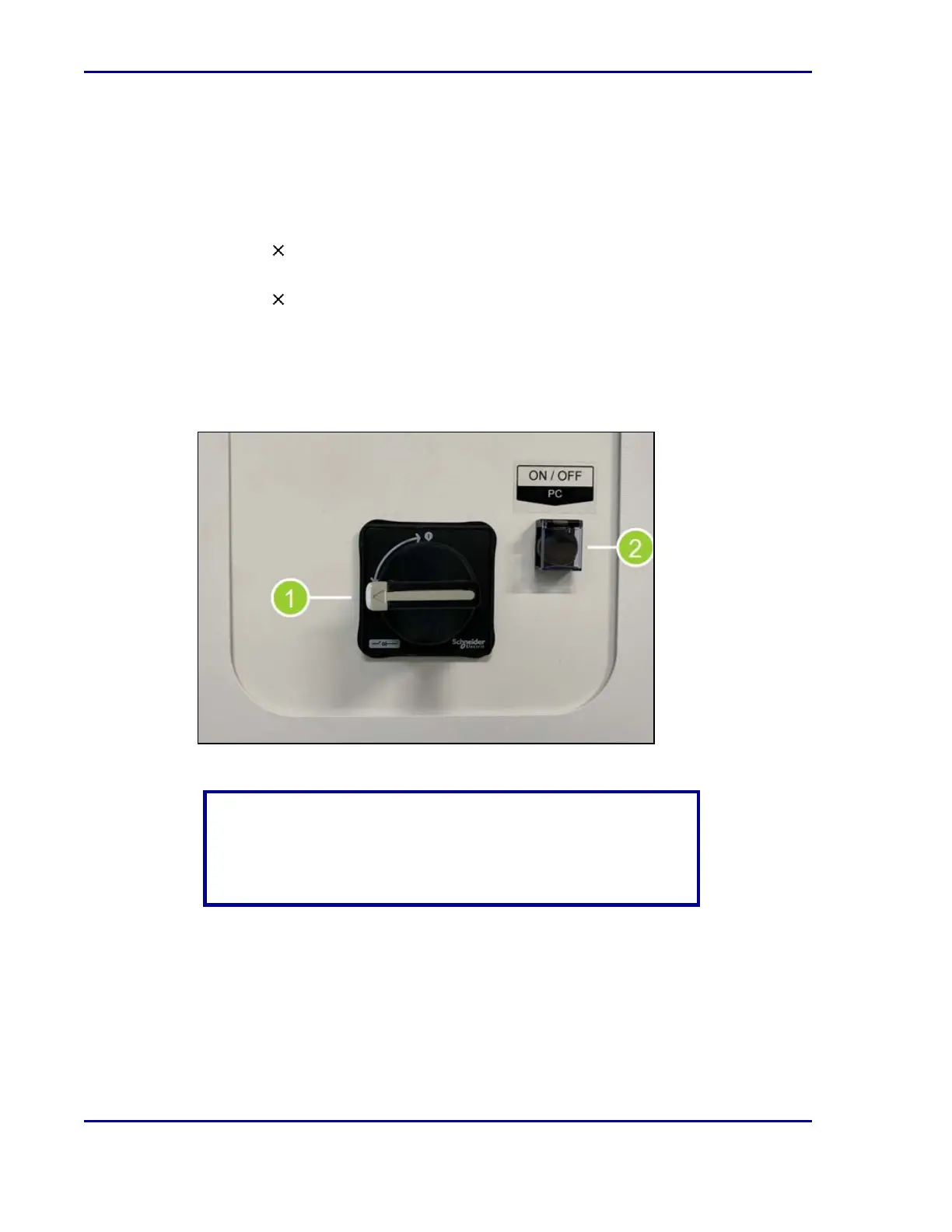
4. Locate the ReadA power supply panel on the front of the ReadA, below the Track. If a plate
cart is blocking the panel, unlock the wheels and gently pull the cart away from the module.
5. Set the main power switch (1) to OFF by turning the switch to the horizontal position. This
will power down the incubator.
6. Turn the PC OFF by flipping up the switch cover and pressing the button (2).
CAUTION
Track provides electrical current to all attached modules. Shutting
down ReadA will not turn off Track, and therefore ReadA will NOT
be rendered entirely powerless.
7. The CO
2
switch for ReadA is located on the Track power supply panel. Ensure that the
switch is in the CLOSED position unless other ReadA modules are dependent on CO
2
.
BD Kiestra™ ReadA User's Manual










 To Next Page