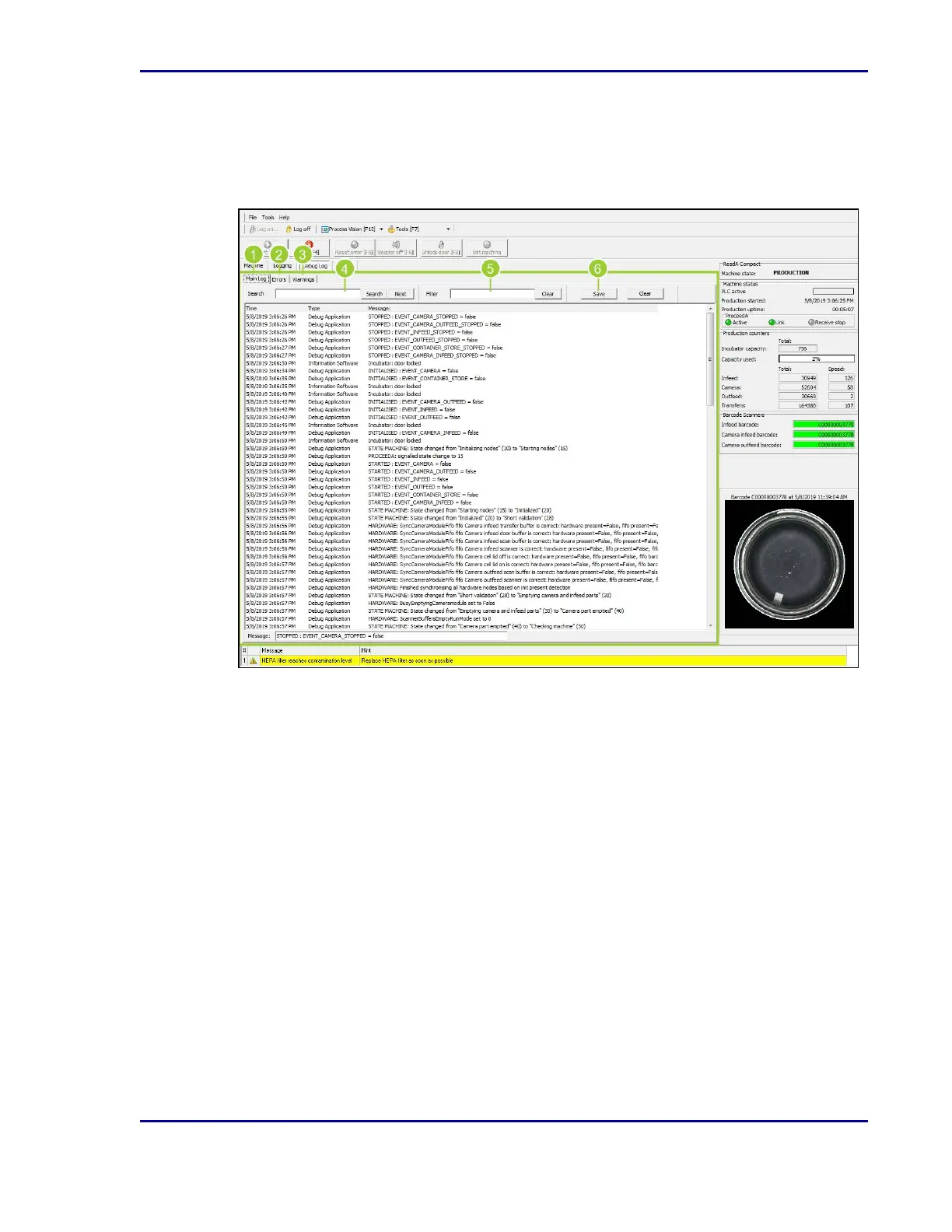
2.3.3.6 Debug Log tab
This tab displays a detailed production log.
Figure 9 - Debug Log tab
1. The Debug Log is defaulted to the Main Log tab, which shows all log activities.
2. Select Errors to filter the information only to activities regarding errors.
3. Select Warnings to filter the information only to activities regarding warnings.
4. Enter criteria into the Search field to search the log for something specific, viewing one
result at a time.
5. Enter data into the Filter field to filter the log down to something specific, showing all
matching results together.
6. Select Save to save the search or filter criteria for future use.
2.3.3.7 Sensor Charts tab
This tab is only available for advanced users.
23
2 - Introduction










 To Next Page