14
2.3.3.1 General application layouts
BDKiestra™ Track GUI
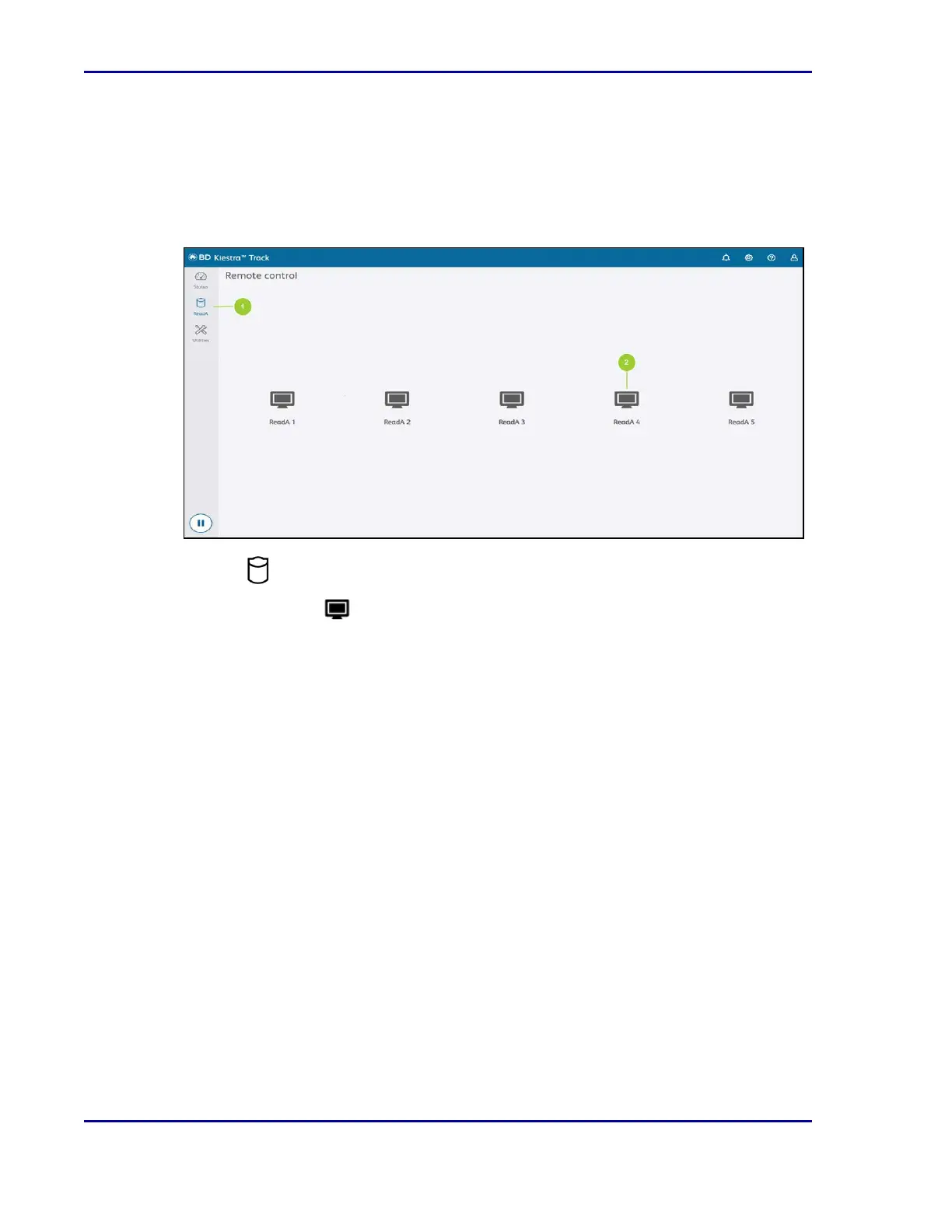
The ReadA software application is accessed through the Track GUI.
Figure 2 - ReadA tab on Track GUI
1.
Select ReadA to display a list of the ReadA modules attached to the Track.
2.
Select a particular ReadA module to open the ReadA application within a remote
access window which overlays the Track GUI and allows the user to remotely control the
selected module.
BD Kiestra™ ReadA User's Manual










 To Next Page