24
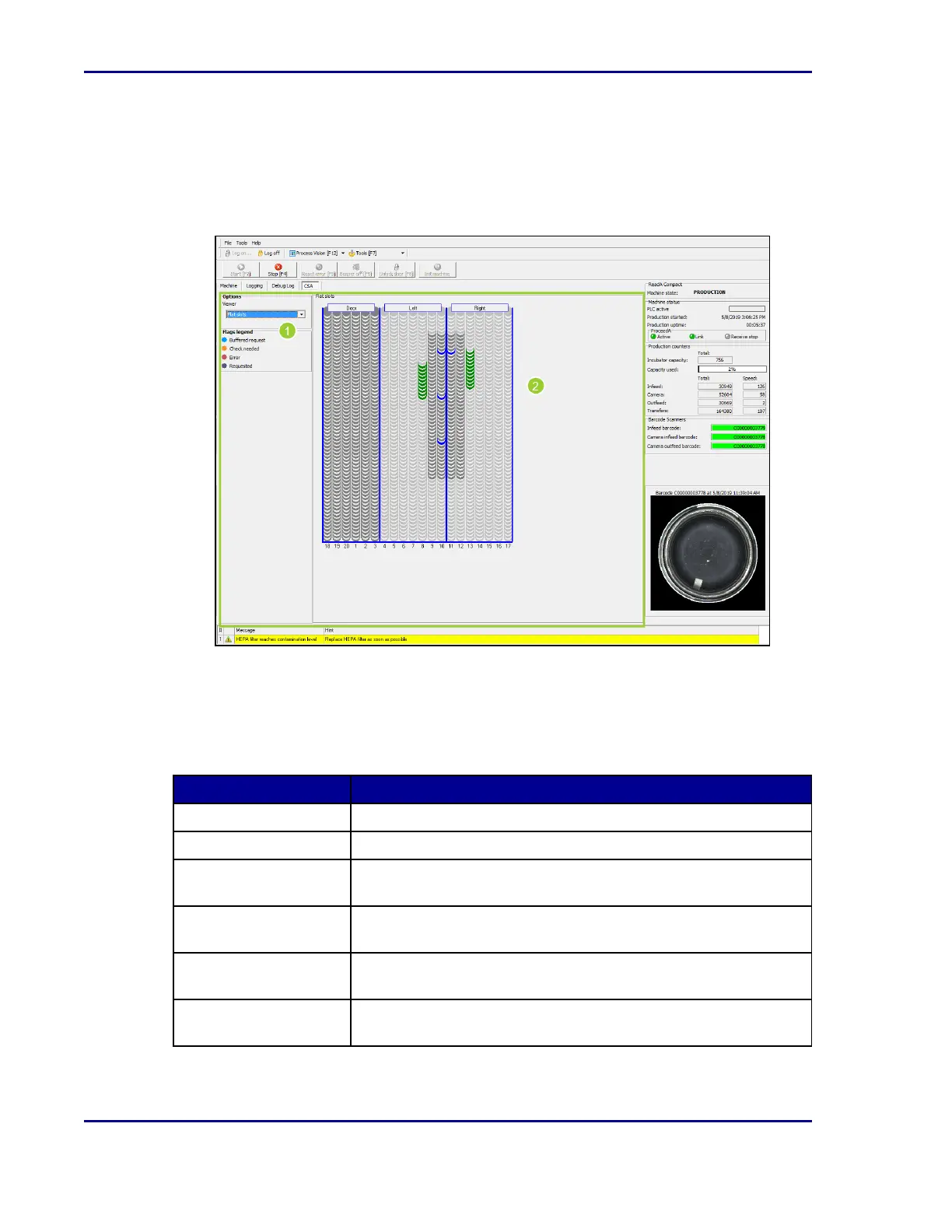
2.3.3.8 CSA tab
The Container Store Availability (CSA) tab displays which rack positions are occupied, which
are available, and the status of individual plates.
Figure 10 - CSAtab
1. The left side of the screen allows you to change the view (Flat slots, Rack use overview,
Rack with slots).
2. The graphic shows all occupied slots of the three rack sections (door/left/right). Select a
plate in the graphic to display plate information. The following colors are used to
communicate plate incubation status:
Color Meaning
Green Plate is incubating.
Light green Incubation time is near expiration.
Yellow
Incubation time has expired; plate should leave the incubator
soon, or plate should be moved out for cleaning.
Red
Incubation time has long expired; plate should leave the incubator
immediately.
Blue
Plate has been requested to leave the incubator, but its
destination is not yet known.
Purple
Plate has been requested to leave the incubator, its destination
has been confirmed, and it is ready to be moved.
BD Kiestra™ ReadA User's Manual










 To Next Page