28
4.1 Turning on module
ReadA will normally be turned on at all times. If ReadA is turned off, only an authorized user
should turn it on again.
1. Ensure Track is powered ON, and if required, the CO
2
switch is in the OPEN position
before turning on ReadA.
NOTE
Track provides electrical power to the ReadA module and must be powered
on before turning on ReadA.
The Track power supply panel also houses the CO
2
switch.
Refer to the BDKiestra™ Track User's Manual for instructions to turn on
Track and the CO
2
, if required.
2. Locate the ReadA power supply panel on the front of the ReadA, below the Track. If a plate
cart is blocking the panel, unlock the wheels and gently pull it away from the module and
out of the way.
NOTE
Before proceeding, ensure that no plate is present between the scan
position and the camera before turning on ReadA.
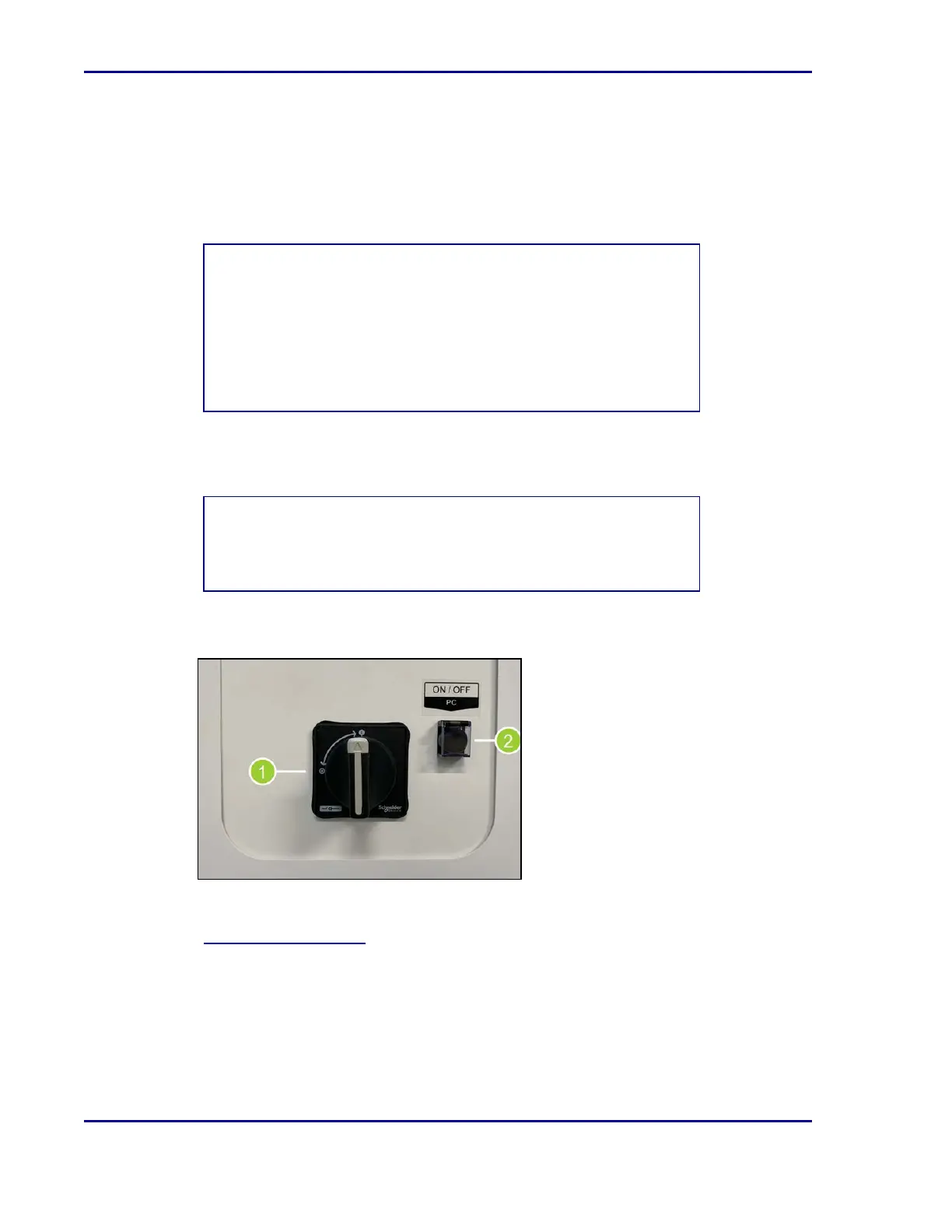
3. Set the main power switch (1) to ON by turning the switch to the vertical position. This will
power on the incubator.
4. Turn the PC ON by flipping up the switch cover and pressing the button (2).
See 4.2Signing in and out and proceed with the sign-in process in order to interact with and
view the status of the ReadA module.
BD Kiestra™ ReadA User's Manual










 To Next Page