58
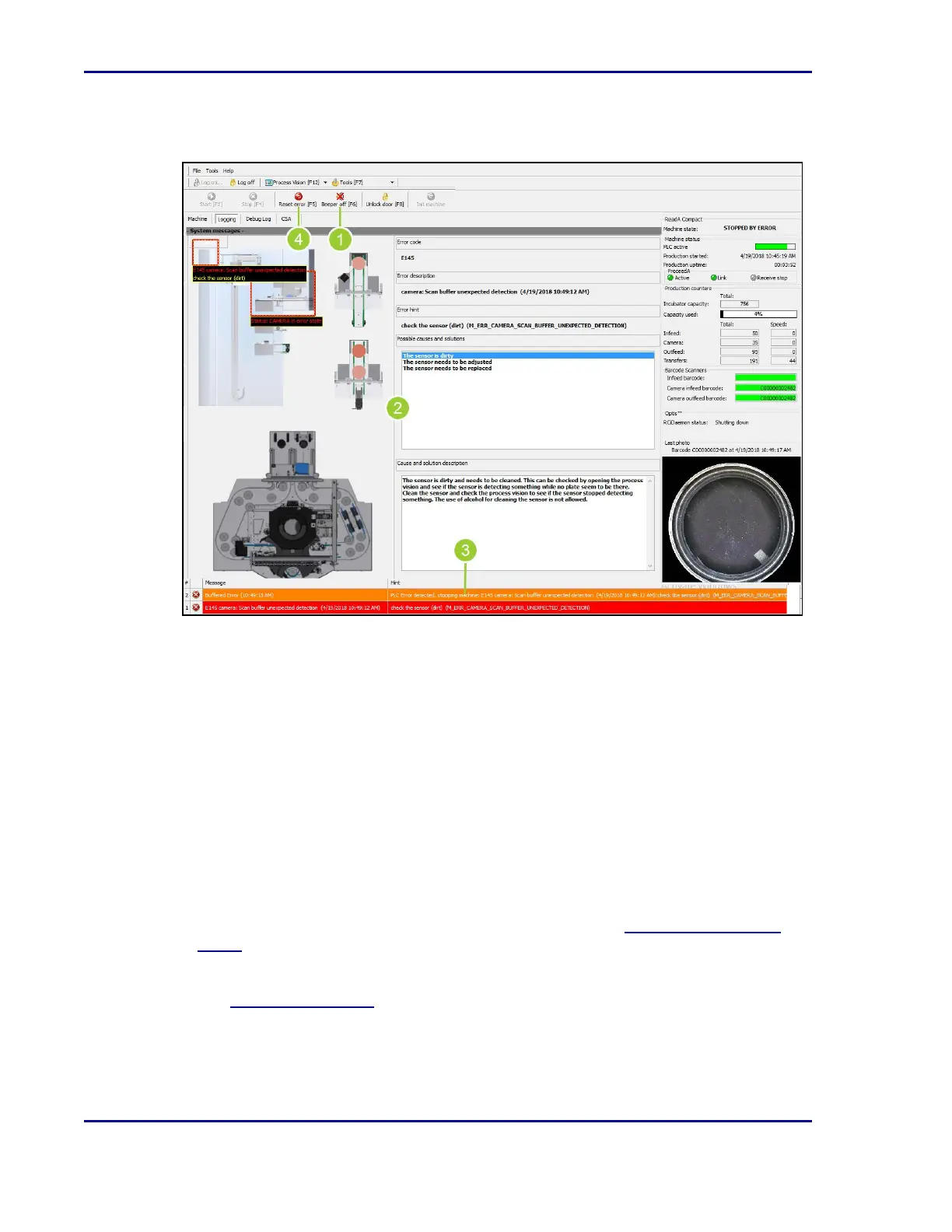
Figure 17 - ReadA Error display
1. Once logged into the ReadA application, select Beeper off [F6] to turn off the audible
alarm.
2. The Logging tab automatically appears when an error occurs. The screen provides the
following information:
l
Error location
l
Error code
l
Error description
l
Error hint
l
Possible causes and solutions
l
Cause and solution description
3. An error message displayed at the bottom of the screen describes the error location and a
hint for resolution.
4. After an error has been resolved, select Reset Error [F5]. See 6.2Creating an error
report.
5. Select Start [F2] to restart operation.
Refer to 6.3Error messages for a full list of error messages, possible causes, and
resolutions. If the error cannot be resolved, request assistance from an advanced user or
contact BD.
BD Kiestra™ ReadA User's Manual










 To Next Page