8. Alarms and Troubleshooting Guide
8-111
4. HIGH PRESSURE
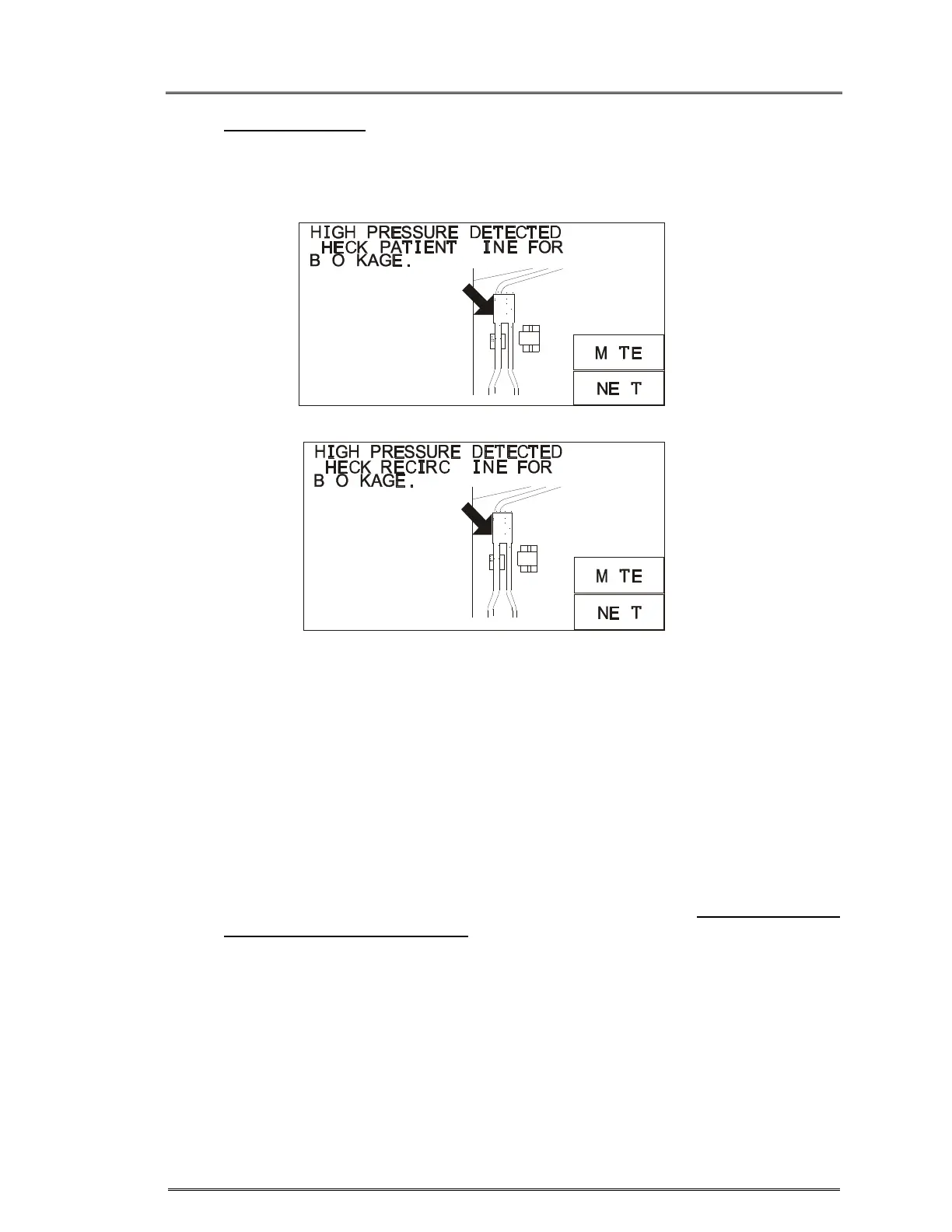
If the pressure in the line suddenly increases, pumping and heating will halt. An
alarm will sound and the High Pressure message will appear (figure 7). The valve
will go to the recirculate position.
Figure 7. High Pressure alarm.
• Press MUTE to silence the alarm.
• If the patient line is indicated as the source of the alarm, check for obstructions or
kinks in the patient line. Make certain that the infusion site is well placed and not
blocked.
• If the recirculate line is indicated, check that the recirculation line is not
obstructed.
• Use the appropriate infusion set recommended in the guide, Match the Infusion
Set to Flow Rate and Fluid Type in Chapter 3.
• Check pressure limit setting (in SERVICE MODE) to make certain that it is set
appropriately. Use higher pressure limit, when possible, to a maximum value of
300 mmHg. A higher pressure limit will allow for higher flow rates and fewer
incidences of HIGH PRESSURE alarm.
• Press NEXT to return to the infuse screen and continue to infuse at the previous
rate.
C
C
L
L
X
U
C
C
L
L
X
U



 To Next Page