3. Operation & System Set-up
3-26
WARNING!
Before continuing, the operator must inspect and make certain that
the patient line is completely primed and free of air. Any air bubbles
after the
diversion valve in the patient line must be removed before
the procedure can be safely continued.
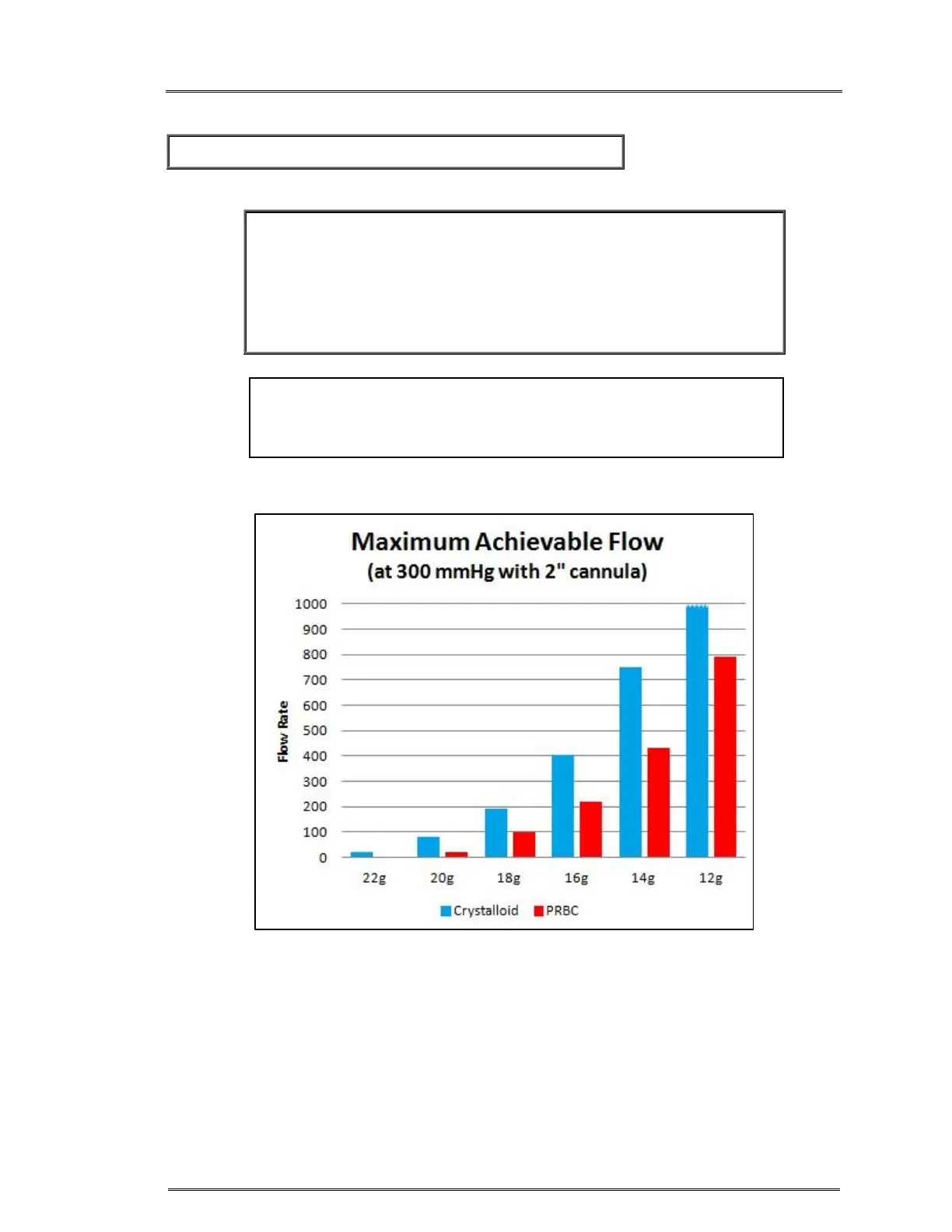
1. Choose the appropriate cannula size to match the desire flow rate.
2. Maximum allowable flow rate depends on various factors such as the
viscosity of the fluid, the length and diameter of the cannula and patient
line. High viscosity, long patient line or small bore cannula will reduce the
maximum allowable flow rate.
3. Use aseptic techniques to make the patient connection without entrapping
air.
4. Press INFUSE to go to the Infuse screen and start infusing at 10 ml/min.
Figure 6.
CAUTION:
A single dedicated intravenous access should be used exclusively
for infusing blood components and solutions compatible with blood.



 To Next Page