16
DESCRIPTION OF OPERATION AND FUNCTIONS OF COMPONENTS
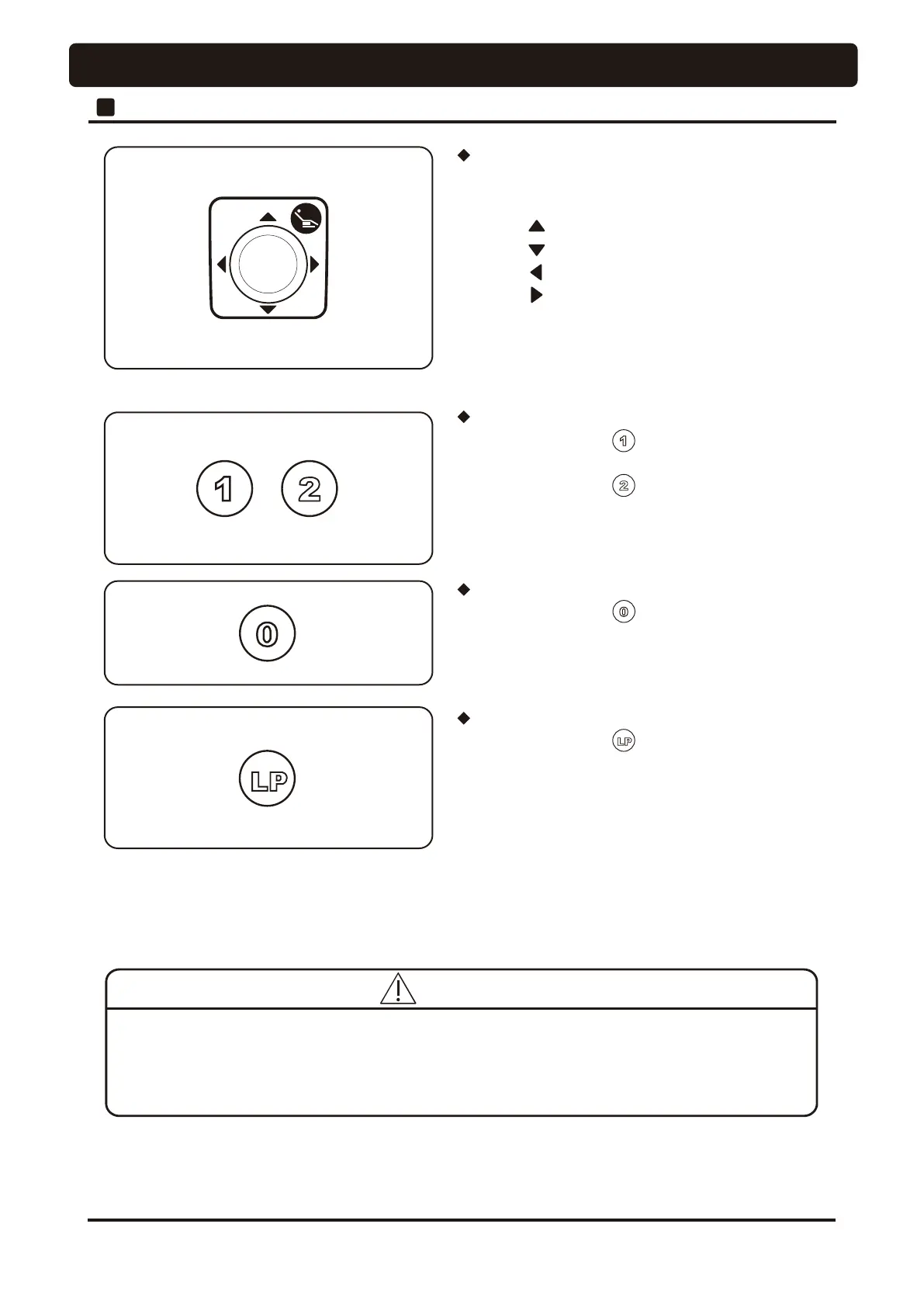
Preset Switch
Auto Return Switch
Last Position Switch
Be careful that the stool will not be caught in the gap between the chair and the headrest when the chair
is operated with an auto-switch. Damage to the backrest, stool or Doctor's table may occur. &RQ¿UP that
the patient is seated in the proper position before operation of the chair and keep your eyes on the patient
during operation.
1 Chair Section
• Momentarily press the switch, the chair will move to
desired preset 1 position automatically.
• Momentarily press the switch, the chair will move to
desired preset 2 position automatically.
• Momentarily press the switch will lower the chair
and raise the backrest to the initial position.
• Momentarily press the switch with the chair in the
treatment position moves the chair to the rinsing position and
another press of this switch returns the chair to the original
¿QHWXQHGWUHDWPHQWSRVLWLRQ
*Immediately release any auto mode switches after depressing them, because when any auto mode switches are
GHSUHVVHGDERXW¿YHVHFRQGVWKHFKDLUSRVLWLRQZLOOEHVHWXSWR preset with buzzer sound.
Refer to page_42 “ Preset position setup procedures” for the setting of each position.
• Operating instruction for chair manual operation
Pressing will move the chair up
Pressing will move the chair down
Pressing will move the backrest reclining
Pressing will move the backrest raising
* The chair is moving while pressing a switch.
Manual Switch




 To Next Page