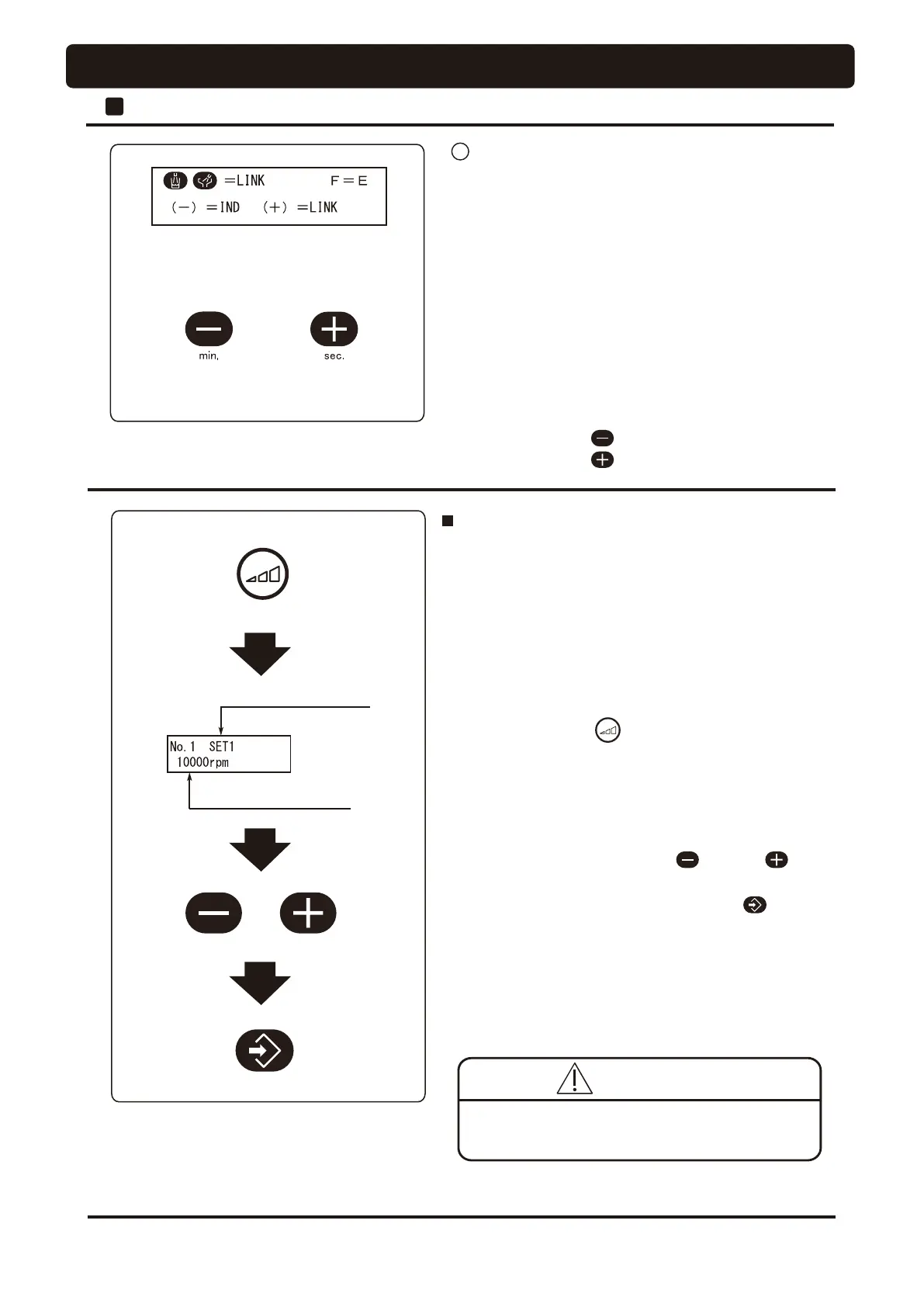
Interlock
(Example) Case of interlock
Non-interlock
(individual)
Preset revolution (SET1)
Revolution (rpm) of
preset revolution (SET1)
Setup of micromotor preset mode
• The micromotor preset mode causes the micromotor to run
at a preset rotation regardless of the foot controller pedal
depressing extent.
The micromotor preset mode permits memory setup of SET1
to SET3.
[Procedure for setup]
1. Pick up a micromotor from the holder.
2. For memory setup of preset mode SET1, press rotation
mode select switch until SET1 is displayed on the
indicator.
3. SET1 is displayed on the indicator, and at the same time,
the rotation set in SET1 is displayed.
The micromotor runts at this displayed rotation (value for
reference).
4. To change the rotation, press the switch or switch.
The numerical value displayed on the indicator changes.
5. To store the rotation after change, press the switch.
The set value before change is restored if the main switch
is off without pressing this switch.
6. Memory setup of each of preset mode SET2 and SET2 can
be implemented by observing the procedure described in
step 2 and subsequent above.
Do not change the rotational speed while the
micromotor is running.
48
9 Selection of interlocked action of cupfiller and bowl
ÀXVK
• Selection is permitted from two procedures.
◎
Case of non-interlock
Flushout of the cuspidor bowl is not implemented even after
VWDUWXSRIFXS¿OOHr.
◎
Case of interlock
Flushout of the cuspidor bowl is implemented simultaneously
ZLWKVWDUWXSRIFXS¿OOHr.
[Procedure for setup]
1. Press the function switch nine times.
2. Press the desired setup switch.
◎
Non-interlock --- switch
◎
Interlock --------- switch
2
Doctor Unit Section
OPERATION SETTING
CAUTION




 To Next Page