OPERATION SETTING
42
1
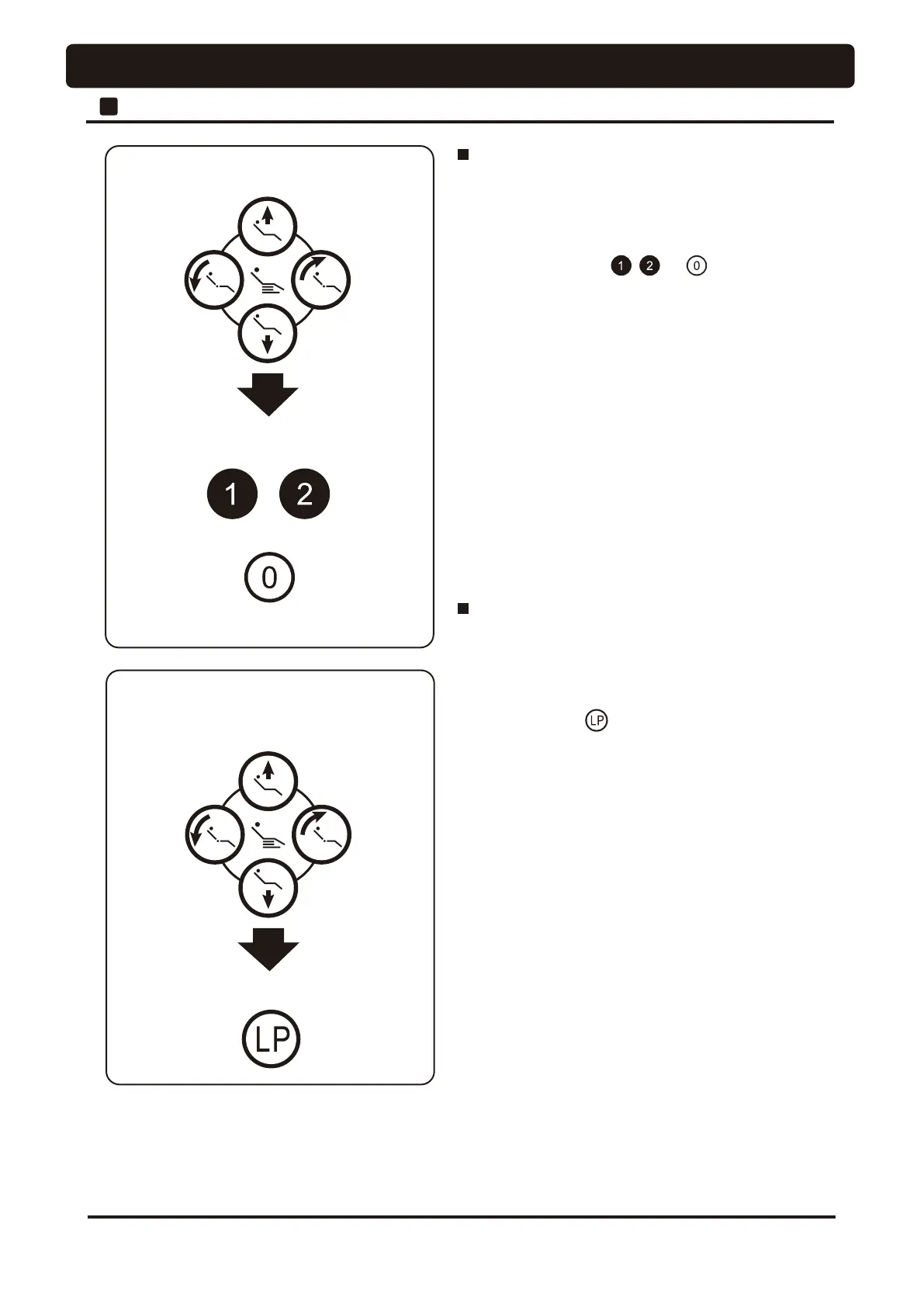
Chair Auto Operation Setting
Move the chair to rinsing position
by chair manual switch
Keep pressing LP for about 5 seconds
Last position setup procedures
1. Move the chair to the rinsing position using manual
switches.
2. Upon deciding the desired rinsing position, keep pressing
last position switch for about 5 seconds.
The buzzer sounds from the chair, and setup has been
completed.
3. To change the set position, perform the procedures steps 1
and 2 above.
Set the treatment position by chair
manual switch
Keep pressing preset switch to be
set for about 5 seconds
or
Autoreturn switch
Preset position setup procedures
1. Move the chair to the treatment position using manual
switches.
2. Upon deciding of the desired treatment position, keep
pressing preset switch , or to be set for
about 5 seconds. The buzzer sounds from the chair, and setup
has been completed.
3. To change the set position, perform the procedures steps 1
and 2 above.




 To Next Page