%((3㸲21ࠈࠈ㸻㸲Ў
㸝㸢㸞㸲2))ࠈ㸠㸞㸲21
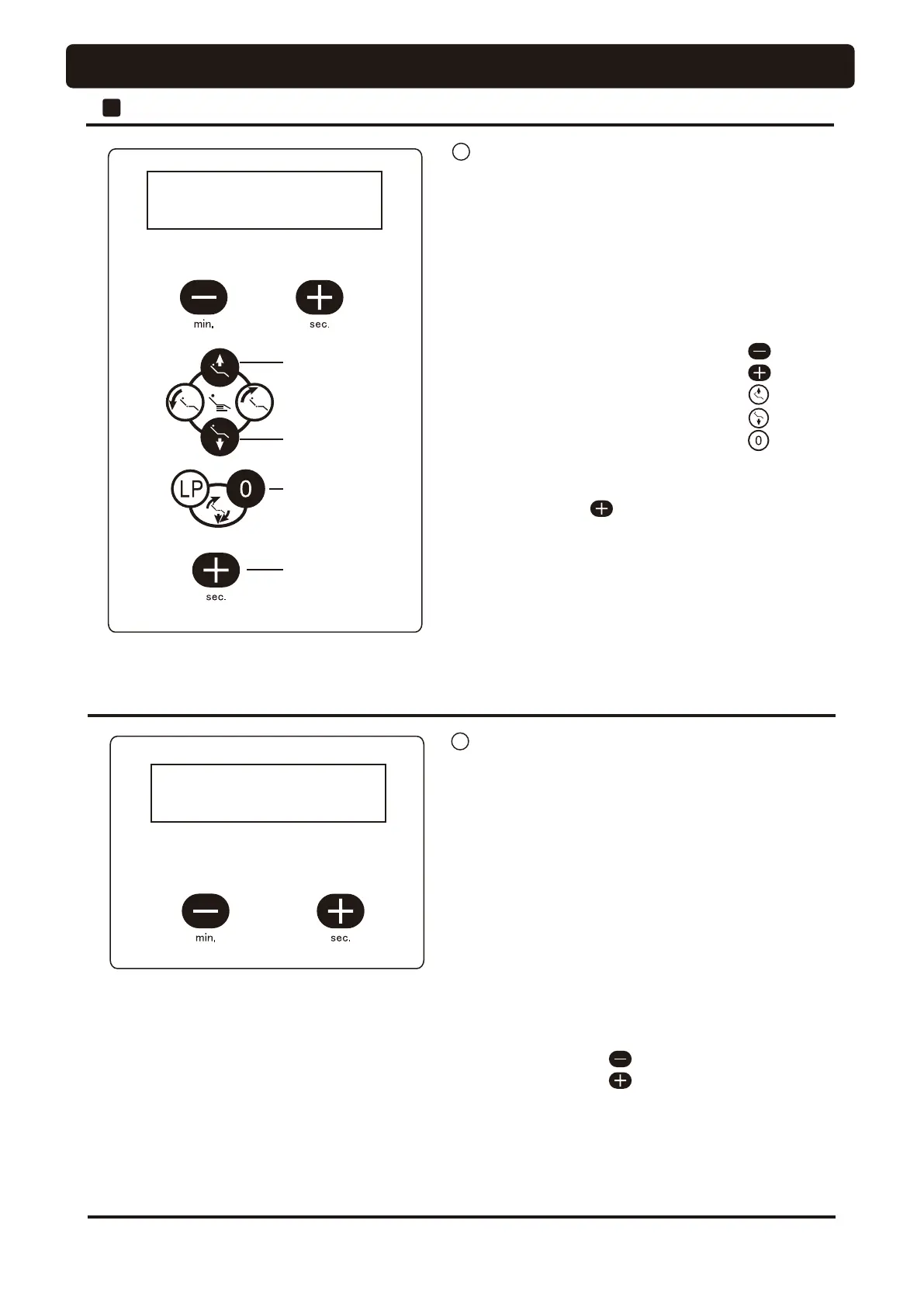
Tone on
Frequency High
Frequency Low
Return to initial
setup
(Be sure to press this
switch after setting)
Tone off
(Example) Case of with switch tone
Press once
/302'(㸲+2/'ࠈࠈ㸻㸲Ў
㸝㸢㸞㸲)227ࠈ㸠㸞㸲+2/'
(Example) Case of holder mode
Rotation mode
Holder mode
[Procedure for setup]
1. Press the function switch five times.
2. Press the desired setup switch.
◎
Rotation mode ----- switch
◎
Holder mode ------- switch
46
[Precautions for change to frequency]
• Ensure to press the switch on finishing the frequency
change.
• The contents of frequency setup are not displayed on the
indicator. However, the switch tone sounds each time when
the frequency is changed. Confirm the frequency change by
hearing the tone.
5
Selection of handpiece light on timing
The handpiece light on timing can be selected from the two
mode.
1) Rotation mode (FOOT)
The light is turned on while the handpiece is running, and
is off upon elapse of the set light remaining time after
termination of handpiece running.
2) Holder mode (HOLD)
The light is turned on when the handpiece is picked out of
the holder and will turn off when returned to the holder.
2
Doctor Unit Section
OPERATION SETTING
4 Selection and change of key touch tone
With or without beep tone that is issued when a switch is
pressed can be selected, and the beep tone frequency (tone
quality) can be changed.
(It is not possible to control the volume of the selected
frequency.)
[Procedure for setup]
1. Press the function switch four times.
2. Press the relevant setup switches from the following.
◎
To turn off the tone --------------------------
◎
To sound the tone ----------------------------
◎
To increase the frequency ------------------
◎
To decrease the frequency ------------------
◎
To change the frequency to initial setup --




 To Next Page