19
DESCRIPTION OF OPERATION AND FUNCTIONS OF COMPONENTS
2 Doctor Unit Section
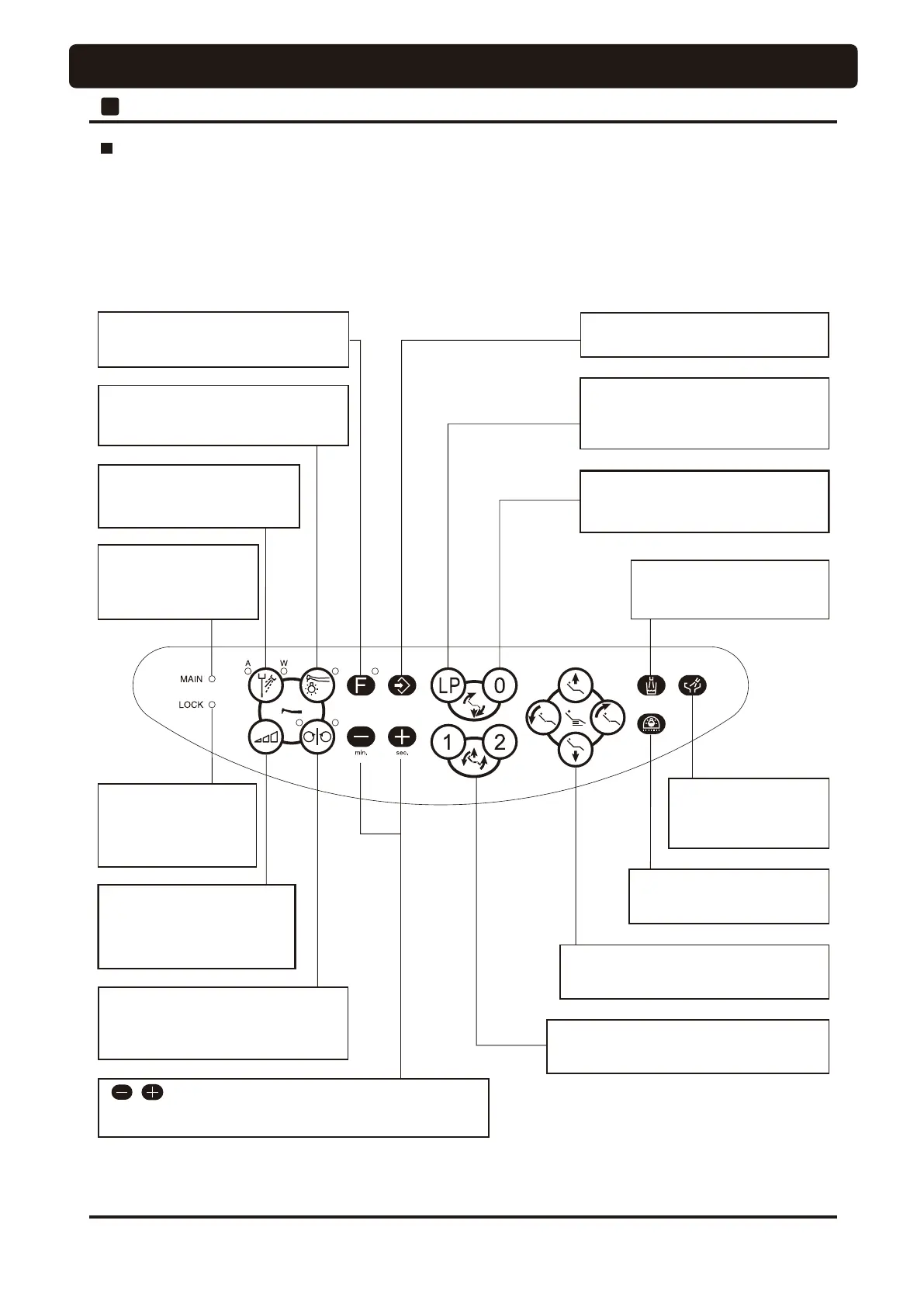
Rotation mode select
switch
Switch for switching between
micromotor rotation
limit and preset modes
Chair manual switch
The chair moves while this switch is
pressed.
Chair preset switch
The chair moves to the set position when
this switch is pressed.
Chair auto return switch
The chair moves to the initial position
when this switch is pressed.
Chair last position switch
The chair moves to the rinsing
position or treatment position each
time when this switch is pressed.
Cuspidor flush
switch
Switch for flushing
cuspidor bowl.
Cupfiller switch
Switch for filling water to
the cup
Dental light switch
Switch for turning on the
dental light.
Spray on/off switch
Switch for on/off of handpiece
coolant spray
Handpiece light switch
Switch for turning on the handpiece
fiber-optic light.
Chair motion lock
indicator lamp
This indicator lamp is lit
while chair motion is
locked
Main switch
indicator lamp
This indicator lights up
when the main switch is on.
Store switch
Switch for storing set data.
Function switch
Switch for setting-up various
operating conditions.
Micromotor forward/reverse
select switch
Switch for switching the micromotor
rotation direction
switches
Switches for setting-up mode selection, timer setup and
so forth
Description of doctor control panel
An overview of display on the doctor control panel and each switch on this doctor control panel is shown in the figure
below. For detailed operating instruction, please see pages 19-26.
Each switch on the doctor control panel provides multiple functions, and various actions can be set when combined
with the function switch. See pages 43-50.




 To Next Page