USP
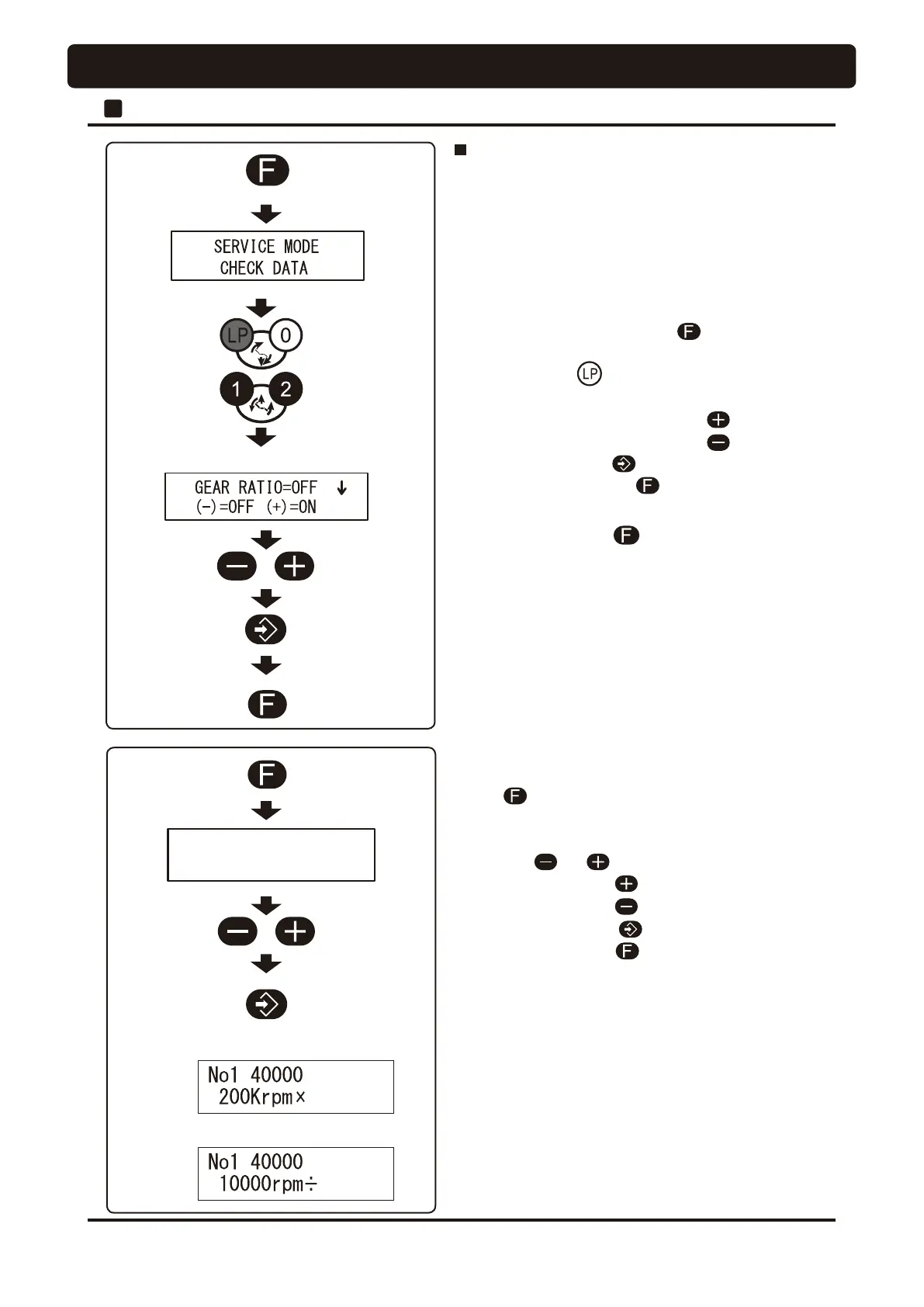
Keep pressing
OFF
(Disable a function)
ON
(Enable a function)
Save
High speed
Low speed
High speed
X 5
1R㸦*($5[
Save
(Example)
Low speed
4
÷
* for 200000rpm
* Press function switch to escape from service mode.
Function of calculating and displaying the
micromotor gear ratio
• This setting function converts the gear ratio of the contra-
angle handpiece to be mounted to the micromotor and
displays values near the actual revolutions.
• Five gear ratios are converted: ×5, ÷4, ÷16, ÷64 and ÷128.
49
2
Doctor Unit Section
OPERATION SETTING
[Operation procedures]
1. Pick up a micromotor from the holder and press function
switch once. (Do not keep holding down this switch )
Displayed on the indicator as shown on the left figure.
(Displayed as GEAR x 1 is constant-speed mode)
2. Press the or switch to select gear ratios.
◎
High speed ---------
◎
Low speed ---------
3. Press the store switch to save it. During the setting,
press the function switch once to cancel the setting.
• This function is working properly, when X (High speed) or
÷ (low speed) is displayed on the indicator.
• When high speed (X5) is selected, K is displayed on the
indicator instead of 1000rpm.
• When the main switch is turn off, the gear ratio setting
becomes constant speed (X1).
[Procedure for enable or disable of display function]
1. Keep depressing function switch
on doctor control
panel until ''SERVICE MODE'' is displayed on the indicator.
2. Press LP switch once.
3. Press the desired setup switch.
◎
Enable a display function ---------
◎
Disable a display function --------
4. Press the store switch once to save it.
5. Press the function switch once after setting.
[Note]
The factory default setting is disable for this function.




 To Next Page