75
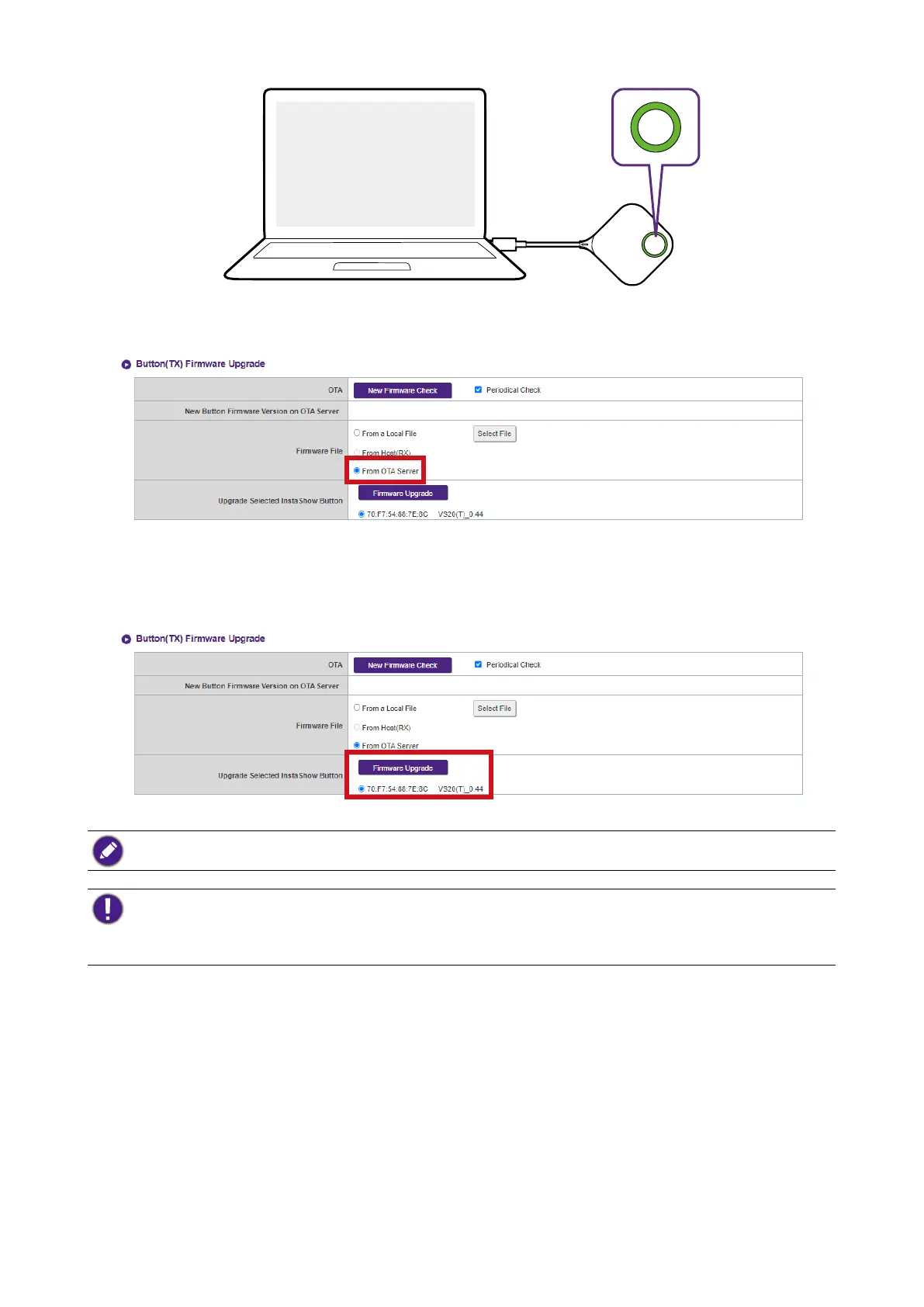
2. Select From OTA Server in the Firmware File field.
3. Select the Button you want to upgrade and then click the Firmware Upgrade button in the
Upgrade Selected InstaShow Button field.
To perform an OTA upgrade ensure that the Host is connected via the WAN port to a router with
access to the Internet and the Button is paired and connected to the Host.
When performing any type of upgrade DO NOT do any of the following:
• Power off or press the reset button on the Host or Button.
• Close the browser window of the web management interface.
Failure to follow these warnings will result in firmware upgrade failure and subsequent product failure.
Conguration Management
Configuration backup files feature the configuration settings for your Host
except for the host name, SSID and wireless password settings, and pairing
status. In Configuration Management, you can choose Import Configuration File,
Export Complete Configuration File, and Factory Default.



 To Next Page