Creative embroidering
162
Changing the colors
> Select an embroidery motif.
> Tap «Color Information».
> To change a color, tap «Altering color/brand» next to the color to be changed.
> To display additional colors, swipe up or down on the display.
> To select the color by entering the color number, tap «Color selection via number».
> Enter the number for the required color.
– The color icon is displayed on the left.
> To confirm the color selection, touch the color icon that is displayed on the left.
Changing the thread brand
> Select an embroidery motif.
> Tap «Color Information».
> Tap «Altering color/brand».
> To display other thread brands, scroll to the left and to the right.
> Tap «Assign Thread Brand».
– Any thread colors of the selected embroidery motif will be matched with the selected thread brand.
15.10 Embroidering the embroidery motif
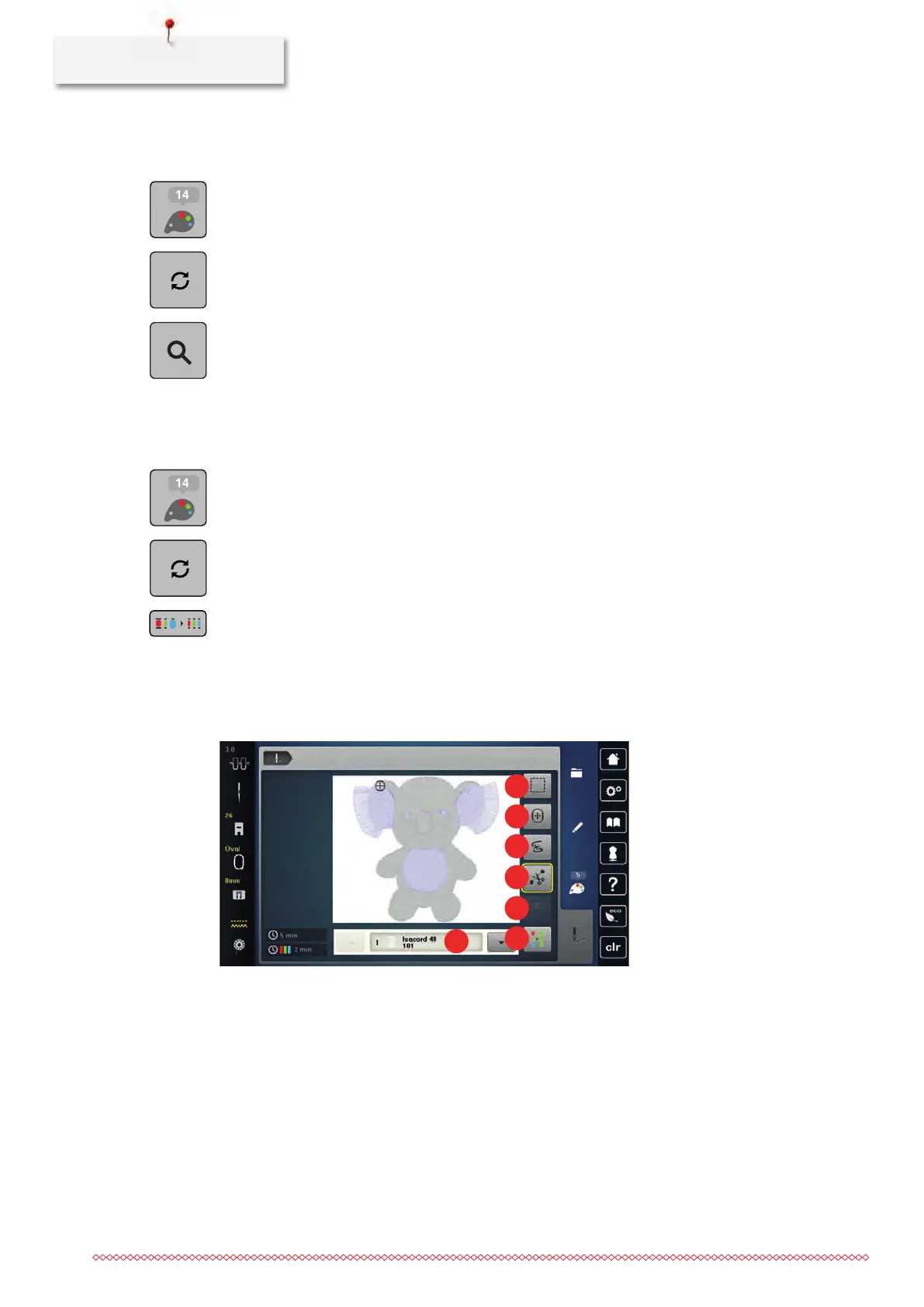
Overview Embroidery menu
1 «Basting» 5 «Reduce Color Changes»
2 «Move Hoop» 6 «Multi-colored Embroidery Motif On/Off»
3 «Embroidery Sequence Control» 7 «Color indication»
4 «Cut Connecting Stitches»
Adding basting stitches
The basting stitches can be embroidered along the embroidery motif. This gives the fabric and embroidery
stabilizer a better hold.



 To Next Page