Setup Program
58
> To delete single syllables of the entered text, tap «Delete».
> Tap «Confirm».
3.4 Monitoring functions
Activating the upper thread indicator
> Tap «Setup Program».
> Tap «Monitoring Functions».
> Tap the switch in the upper section of the display to deactivate the upper thread indicator.
> Tap the switch again to activate the upper thread indicator.
Activating the bobbin thread indicator
> Tap «Setup Program».
> Tap «Monitoring Functions».
> Tap the switch in the lower section of the display to deactivate the bobbin thread indicator.
> Tap the switch again to activate the bobbin thread indicator.
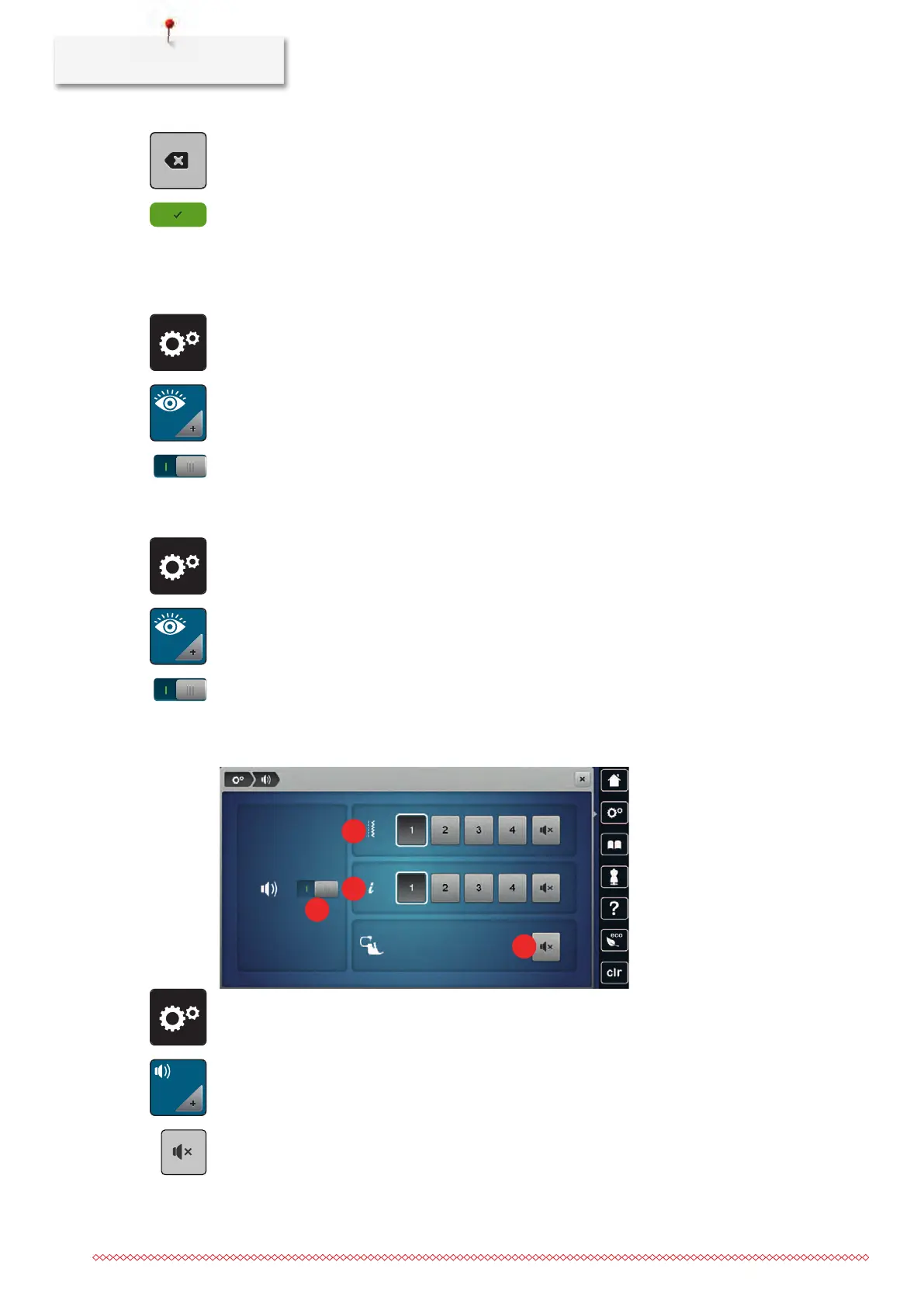
3.5 Activating the audio signals
> Tap «Setup Program».
> Tap «Set Sound».
> To switch all audio signals on or off, tap (1).
> To switch off the sound when selecting a stitch pattern, tap the corresponding «Switch Sounds On/Off»
in area (2).
> To switch on the sound when selecting a stitch pattern, tap the corresponding in area_(2) «1–4».



 To Next Page