87
© Copyright by BIFFI Italia. All rights reserved.
“ICON2000”
instruction and operating manual
Section 618/2 chapt. L
Section 618/2
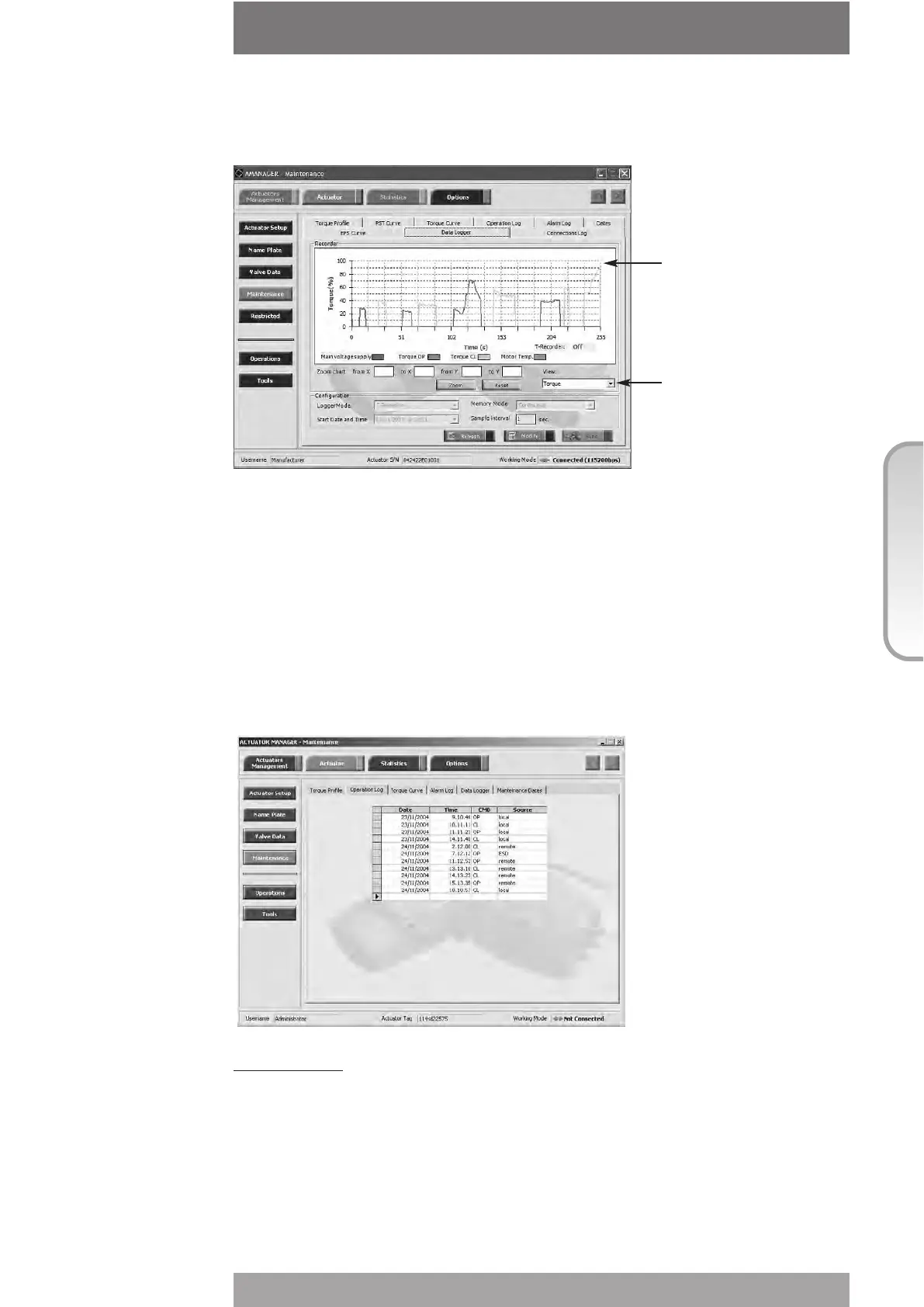
Torque limit in CL is set to 90%, torque limit in OP is set to 100%. Blue graph shows Torque
OP versus time, yellow graph shows Torque CL versus time. The data remain in the ICON
2000 v4 permanent memory until a new start of data logger is set.
EVENT mode: the ICON2000 detects the type of received command (OPEN or CLOSE),
the source of the command (local controls, remote controls, bus, etc.) and date and time
of command. Up to 128 EVENTS can be memorised. As the memory is full, the logger
stops to memorise events or overwrites the previous data according to the selected
MEMORY MODE (“stop when full” or “continuous”). If “continuous” was selected, as a
new event is achieved the oldest one is cancelled and the new one becomes the latest.
Up to 5000 cycles of full memory overwriting are done, then the logger stops. The START
DATE and START TIME fix date and time to start recording operation. By a PDA or PC the
collected data can be viewed by a graph or event table. Parameter “sampling time” is not
used. The figure below shows an example of report in EVENT mode.
View procedure:
• Move the local selector to OFF and then simultaneously press OPEN and STOP. Select
the language according to the instructions (see “Entering the view mode”). When the
message displayed is “VIEW MODE OK?” press YES. Press NO to scroll the list of
available menus and press YES to select maintenance menu.
• Press NO to scroll the list of routines and press YES to select data logger.
• Press YES to view the MODE, the SAMPLING time, the MEMORY mode, the start DATE
and the start TIME.
• Press YES to return data logger . Press NO to exit.
Torque limit in OP
reached
Curve selector:
-torque
-motor temperature
-main voltage



 To Next Page