83
Chapter 11 - Vector Elite Software Administrator Menu
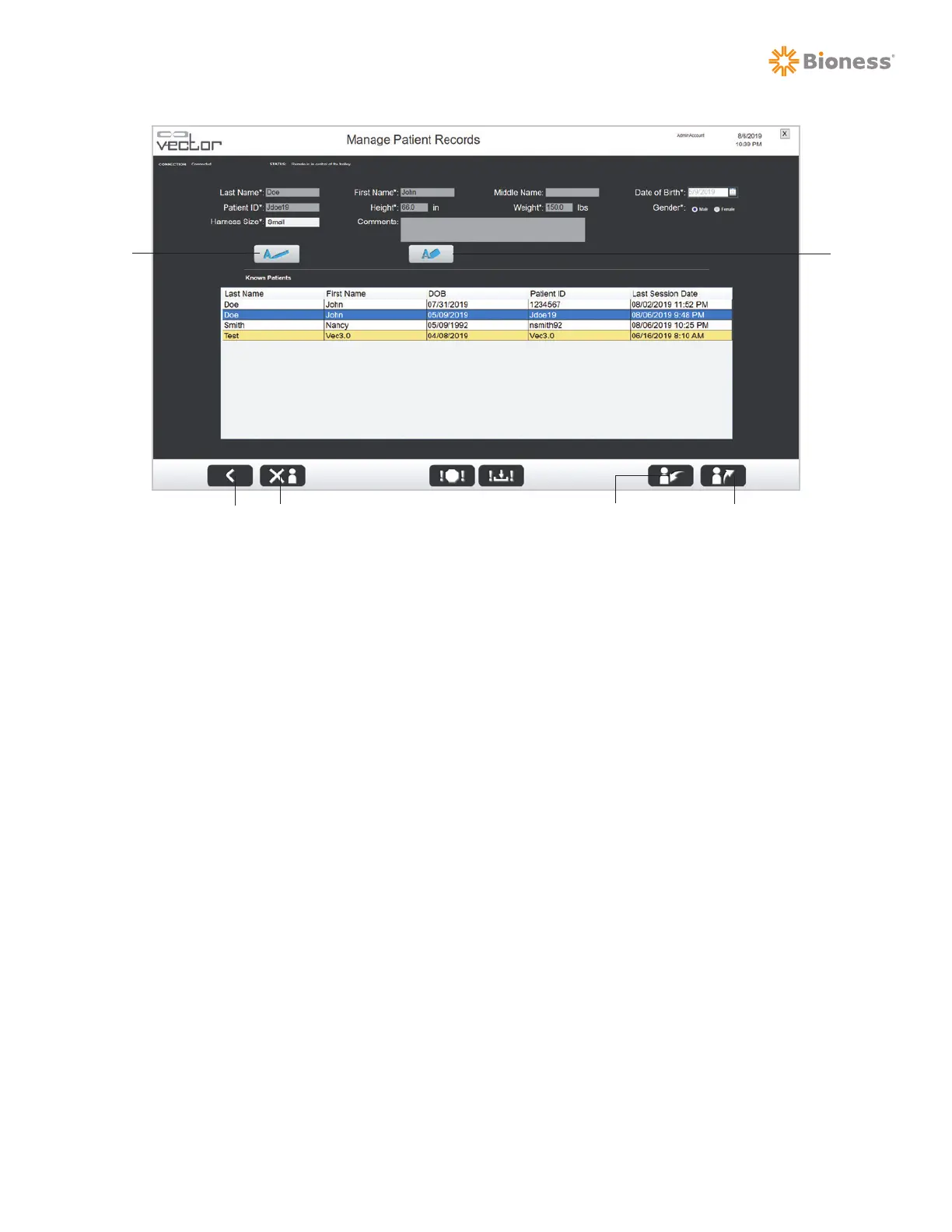
Figure 11-3: Manage Patient Records Screen
Edit a Patient Account
To edit a patient account:
1. Select the desired patient from the Known Patients list and press the Edit button. See Figure 11-3.
2. Revise the patient data fields, verify that revised information is correct, and press the Save button.
Note: The patient ID field cannot be edited.
Create a New Patient Account
To create a new patient account:
1. Press the Add button. See Figure 11-3.
2. Fill in the required patient data fields. Required fields are marked with an asterisk (*). Verify that
the information is correct.
3. Press the Save button.
Delete a Patient Account
To delete a patient account:
1. Select a patient from the Known Patients list and press the Delete Patient button. See Figure 11-3.
2. A warning dialog window will appear.
3. Press the check (√) button to delete the patient account.
Edit
Delete PatientBack
Add
Import Patient Export Patient



 To Next Page