27
Chapter 5: Patient Training Menu
Auto Recovery
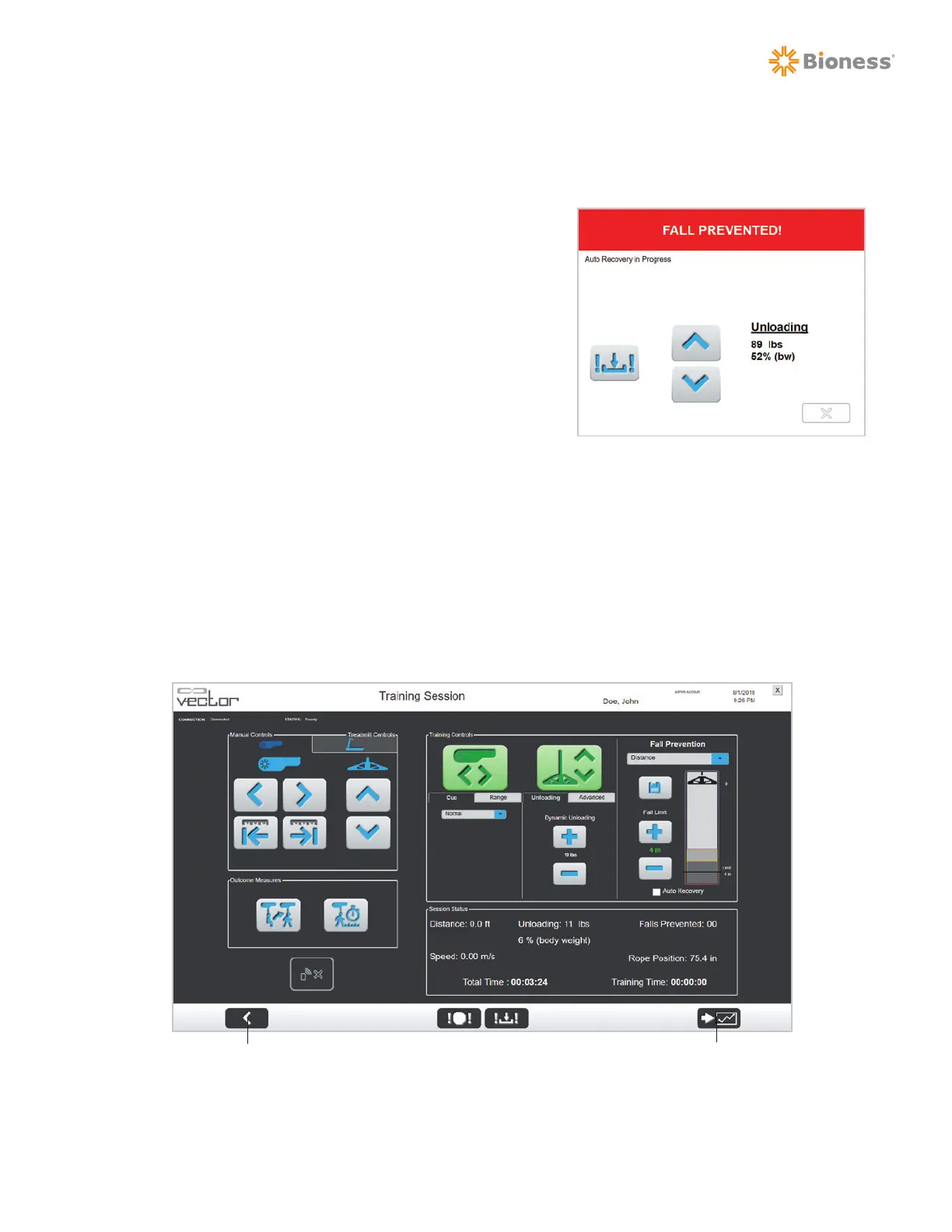
If a fall is detected while Auto Recovery is enabled, a Fall Prevention window will be displayed
indicating that Auto Recovery is in progress. See Figure 5-19.
1. Allow the patient to self-correct and stand up without
assistance.
2. When the patient reaches the original standing position,
Trolley Tracking and DBWS will resume their normal
operation automatically.
3. The clinician can cancel the Auto Recovery feature
at any time by pressing the manual winch up or down
button on the Fall Prevented window.
Stopping a Training Session
Both DBWS and Trolley Tracking should be turned off (inactive) before stopping a training session.
Depending on the unloading value, the Trolley Tracking and DBWS buttons will be green (>10 lbs.)
or grayed out. To end a training session, press the Previous Screen button. See Figure 5-20. Once a
training session ends the Fall Limit setting will return to the default value. The Dynamic Unloading and
Auto Recovery settings used with each patient will carry over between training sessions.
Figure 5-20: Training Session Screen
(Trolley Tracking and DBWS Inactive)
Figure 5-19: Fall Prevented Window
Session SummaryPrevious Screen



 To Next Page