42
Clinician's Guide
Course Setup
Follow the course setup instructions in the table below for each Outcome Measures test type. Make sure
the entire course is within a usable track space that avoids any obstacles and track end stops.
Note: Using the same section of track for all test runs (of each test type) will help provide more consistent
results.
Type of Outcome Measure Test Course Setup
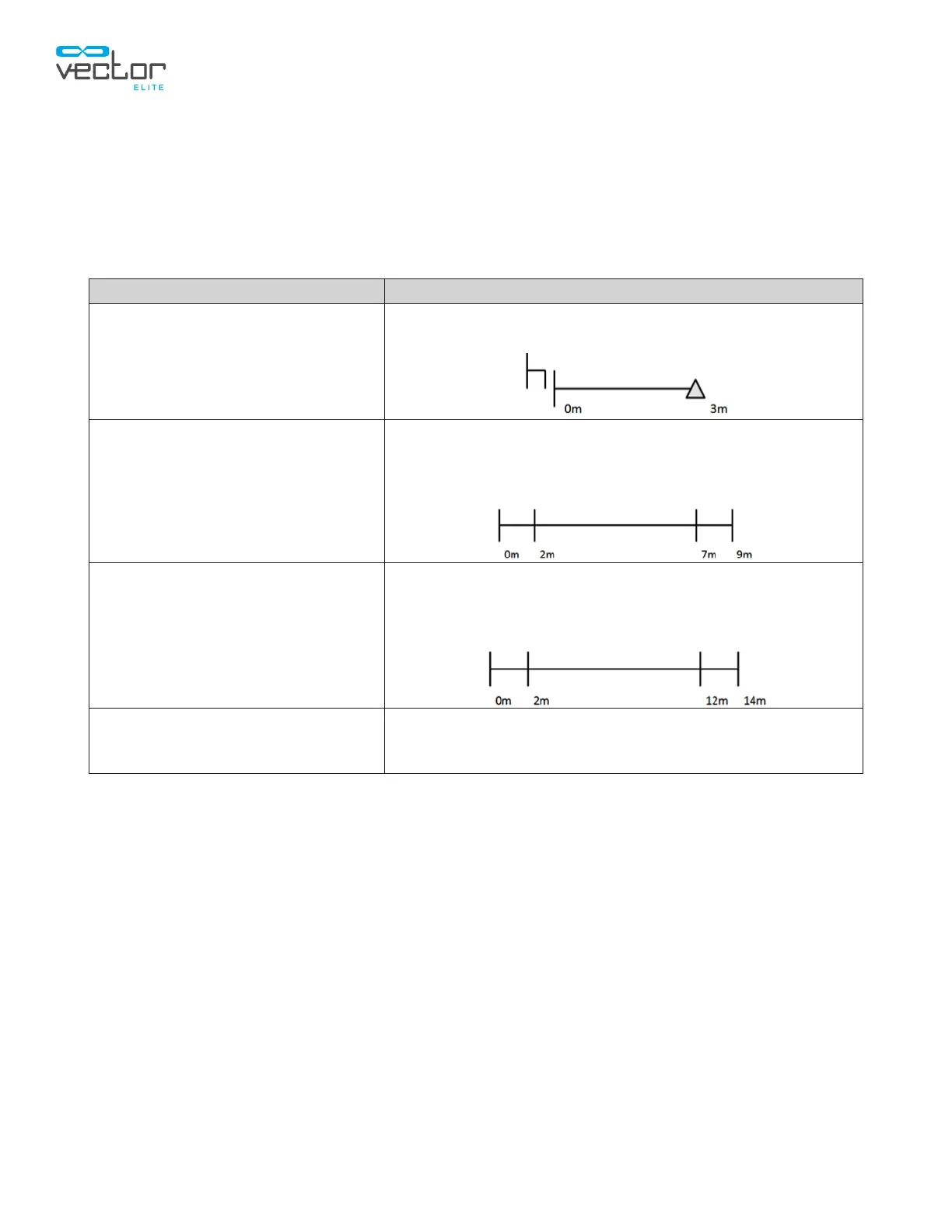
TUG Test
Set up a course, 3 meters in length, with the chair on one
end and the cone on the opposite end.
5 Meter Walk
Set up a course, 5 meters in length, with a minimum of 2
meters of space on either end to allow for acceleration and
deceleration. If possible, use a straight section of track.
Place markers (optional) at 0, 2, 7, and 9 meters.
10 Meter Walk
Set up a course, 10 meters in length, with a minimum of 2
meters of space on either end to allow for acceleration and
deceleration. If possible, use a straight section of track.
Place markers (optional) at 0, 2, 12, and 14 meters.
2 / 6 Minute Walk
Set up a course of the longest length possible marked on
either end (for a straight track). If possible, use a closed
loop track to avoid turn around points.
Table 7-2: Course Setup
Starting an Outcome Measures Test Run
1. Make sure the patient is properly fitted in a harness and the harness is securely attached to the
Spreader Bar.
2. From the Patient Menu screen, select a Patient Record.
3. Press the Start Training button to open the Training Session screen.
4. Activate training to launch a training session. Refer to the "Starting a Training Session" section of
this guide for more information.
5. Adjust Dynamic Unloading and Fall Prevention, if needed.
Note: All Training Controls (Trolley Tracking, Dynamic Body Weight Support, and Fall Limit) will remain
active and at the selected settings before, during, and after an Outcome Measures test. These settings
can be adjusted during an Outcome Measures test.



 To Next Page