66
Clinician's Guide
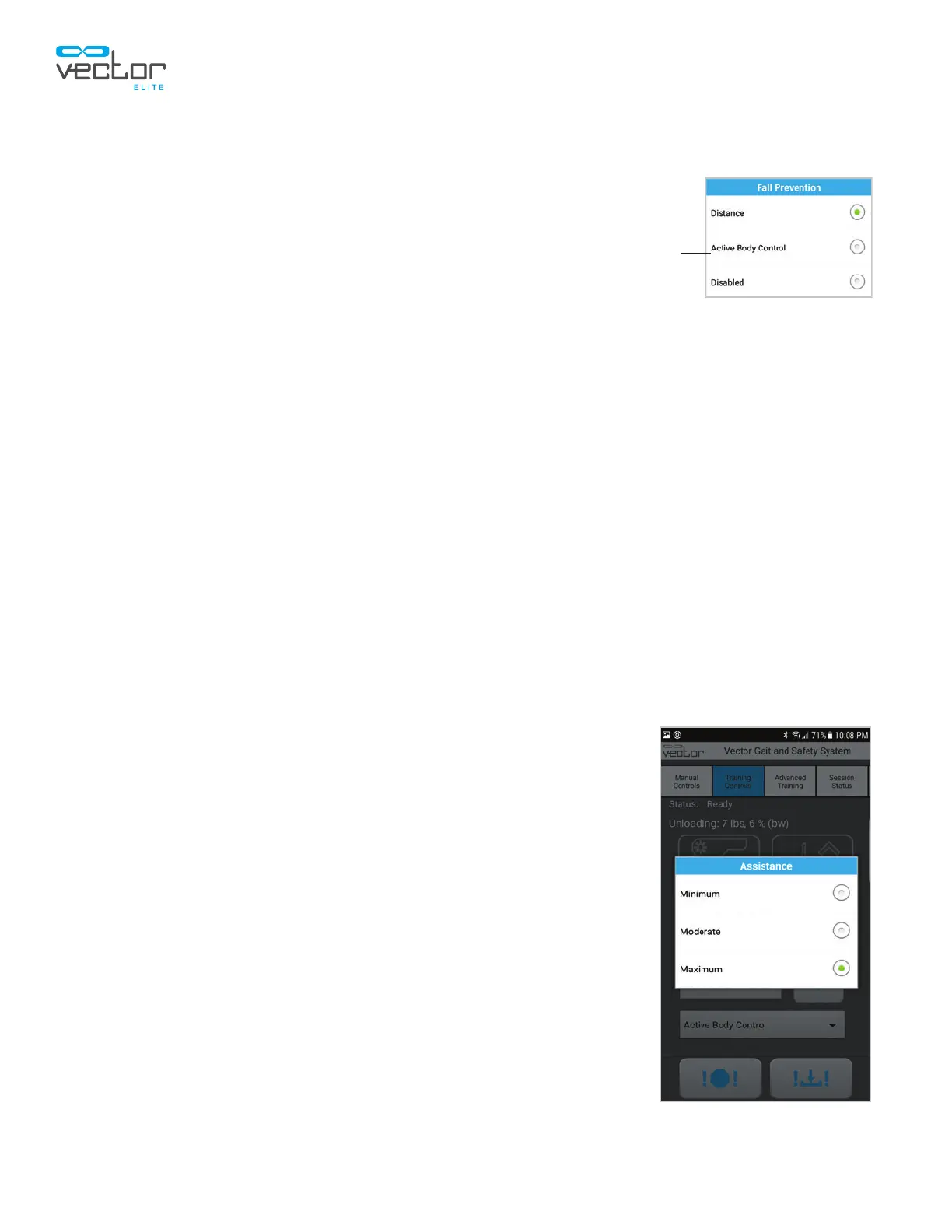
Changing Fall Prevention Mode During a Training Session
The Fall Prevention mode can be changed during a training session.
1. Use the Fall Prevention drop-down menu. Distance,
Active Body Control, or Disabled. The Save button will turn red.
See Figure 9-9.
2. Press the Save button.
Note: You must press the Save button to enable the new Fall Prevention
model.
Adjusting the Fall Limit Value During a Training Session:
In Distance Fall Prevention mode, the Fall Limit can be adjusted while the DBWS and/or Trolley Tracking
features are active.
1. To adjust the Fall Limit value, use the up arrow button to increase or the down arrow button to
decrease the amount. The new setting will appear in red text between the buttons and the Save
button will turn red.
2. Press the Save button. The text between the buttons and the Save button will turn green.
Note: You must press the Save button to activate the revised Fall Limit.
Changing the Assistance Level During an Active Body Control Session
Active Body Control uses force measurements to determine if a fall has occurred. This mode provides
three: minimum, moderate and maximum.
1. To change the Active Body Control Assistance Level, use the drop-
down menu to select minimum, moderate or maximum. See Figure
9-10. The Save button will turn red.
2. Press the Save button.
Note: You must press the Save button to enable the new Assistance Level.
Figure 9-9: Fall Prevention Menu
Save
Figure 9-10: Assistance Level



 To Next Page