43
Chapter 7 - Vector Outcome Measures
Timed Up and Go (TUG) Test
1. From the Training Session screen on the PC use the Vector manual controls to position the patient
at the start of the course, seated in the chair. Activate Trolley Tracking and Dynamic Body Weight
Support by pressing the Trolley Tracking and DBWS buttons.
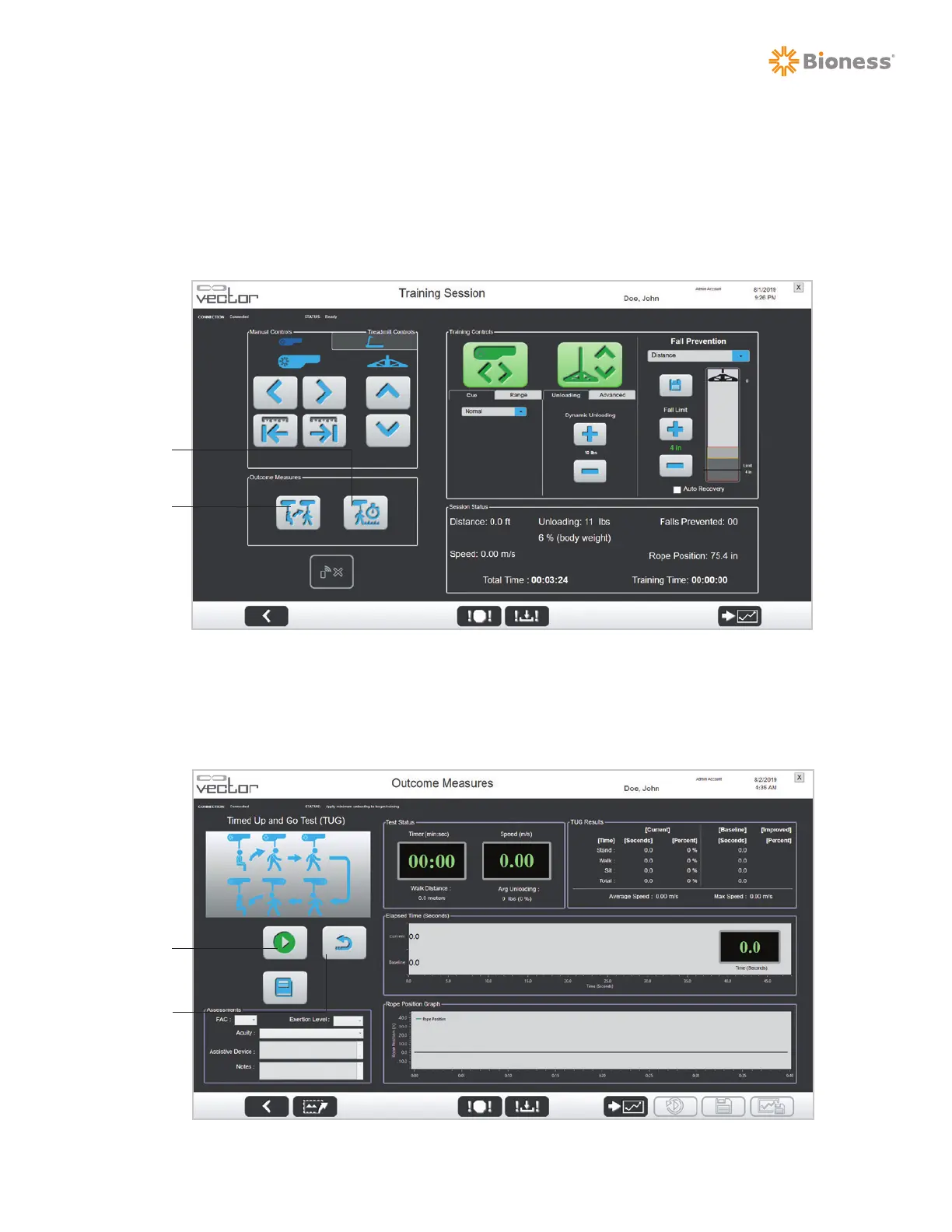
2. Press the Timed Up and Go (TUG) Test button. See Figure 7-1.
Figure 7-1: Training Session Screen
3. The Outcome Measures TUG Test screen will open.
4. When you and the patient are ready, press the Start button. See Figure 7-2.
Figure 7-2: Outcome Measures TUG Test Screen
Timed Up
and Go
(TUG)
Test
Walking
Test
Start
Reset
To Clear
Previous
Data



 To Next Page