28
Clinician's Guide
Back Save
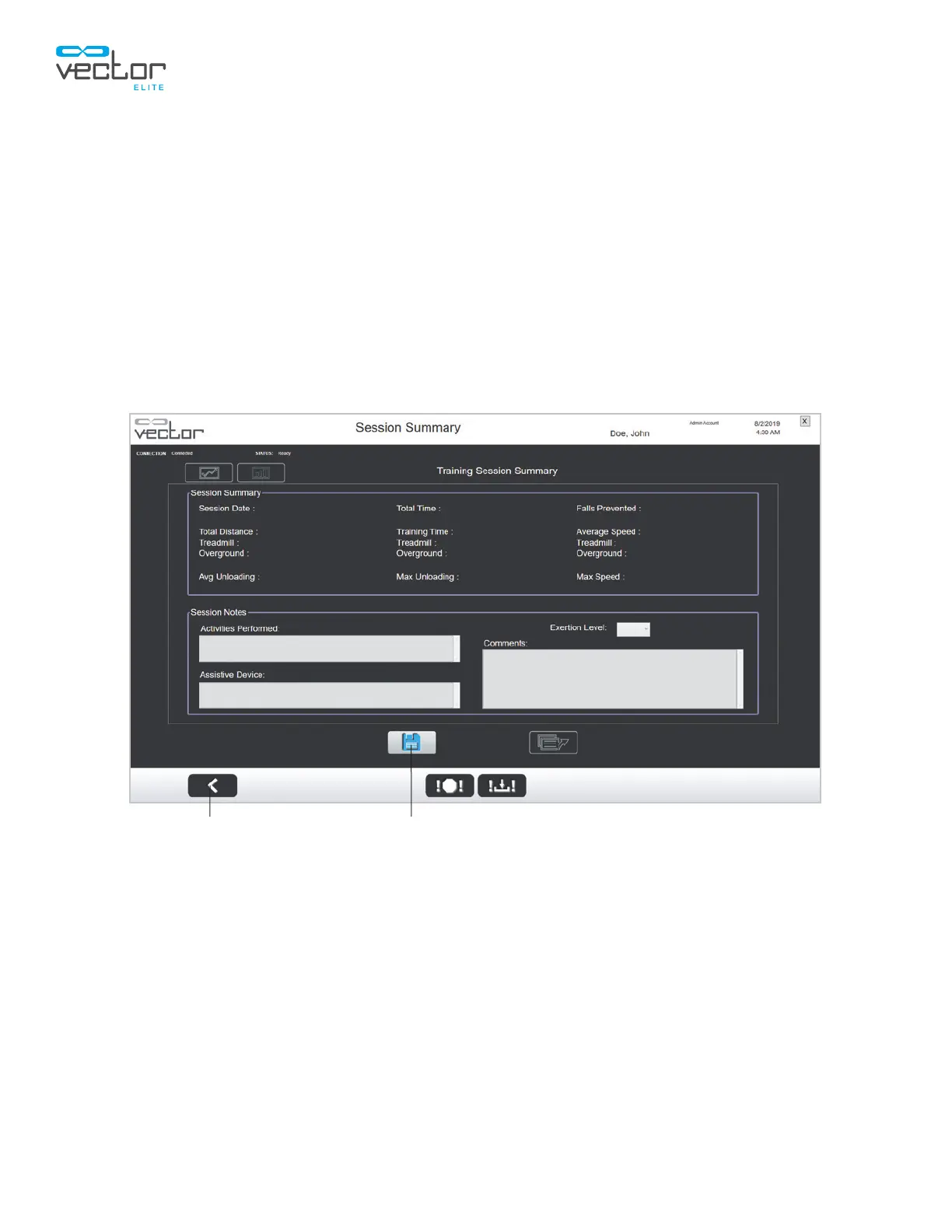
Session Summary Screen
The clinician can record notes for each training session, including the activities performed, level of
exertions, and the assistive device used. Since the training is still in progress, the contents of the Session
Summary section that includes the average speed and total time is empty. The contents of the Session
Summary section will be completed after the training session.
1. From the Training Session screen press the Session Summary button. See Figure 5-20.
2. The Session Summary screen will open. See Figure 5-21.
3. Record the session notes and press the Save button.
4. After session notes have been recorded, press the Back button to go back to the Training screen.
Figure 5-21: Session Summary Screen
During Active Training Session



 To Next Page