SECTION 2 INSTALLATION AND PREPARATION FOR USE
______________________________________________________________________
2-8
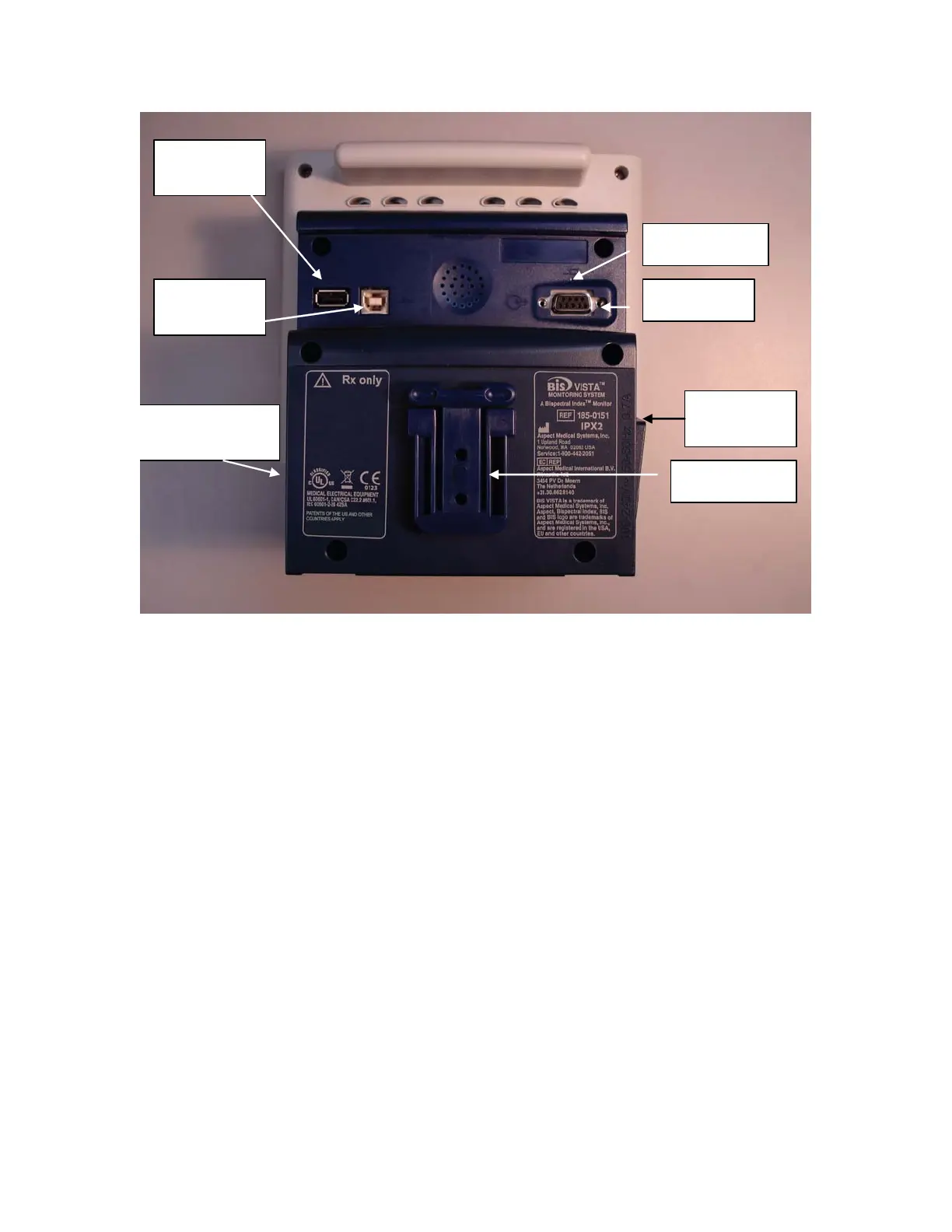
Clamp Shoe
Serial Port
USB Port
(Type A)
USB Port
(Type B)
Reset Button
Battery/Power
Supply
Cover
Power Cord
Receptacle
Figure 4 - Rear Panel
There are two USB ports on the rear of the monitor. The Type A port is used to export
data to a removable drive. It is also used to update monitor and BISx software.
The clamp shoe allows the monitor to slide into the pole clamp so that it can be attached
to a ½" – 1 ½" diameter vertical pole.
The RS-232 serial port can be used to transfer data from the monitor.
WARNING:
WHEN CONNECTING EXTERNAL EQUIPMENT (e.g., DATA
CAPTURE COMPUTER), THE SYSTEM LEAKAGE CURRENT
MUST BE CHECKED AND MUST BE LESS THAN THE IEC
60601-1-1 LIMIT.
THE USE OF ACCESSORY EQUIPMENT NOT COMPLYING
WITH THE EQUIVALENT SAFETY REQUIREMENTS OF THIS
EQUIPMENT MAY LEAD TO A REDUCED LEVEL OF SAFETY
OF THE RESULTING SYSTEM. CONSIDERATION RELATING
TO THE CHOICE SHALL INCLUDE:
• USE OF THE ACCESSORY IN THE PATIENT VICINITY



 To Next Page