SECTION 3 OPERATING THE BIS VISTA MONITORING SYSTEM
______________________________________________________________________
3-9
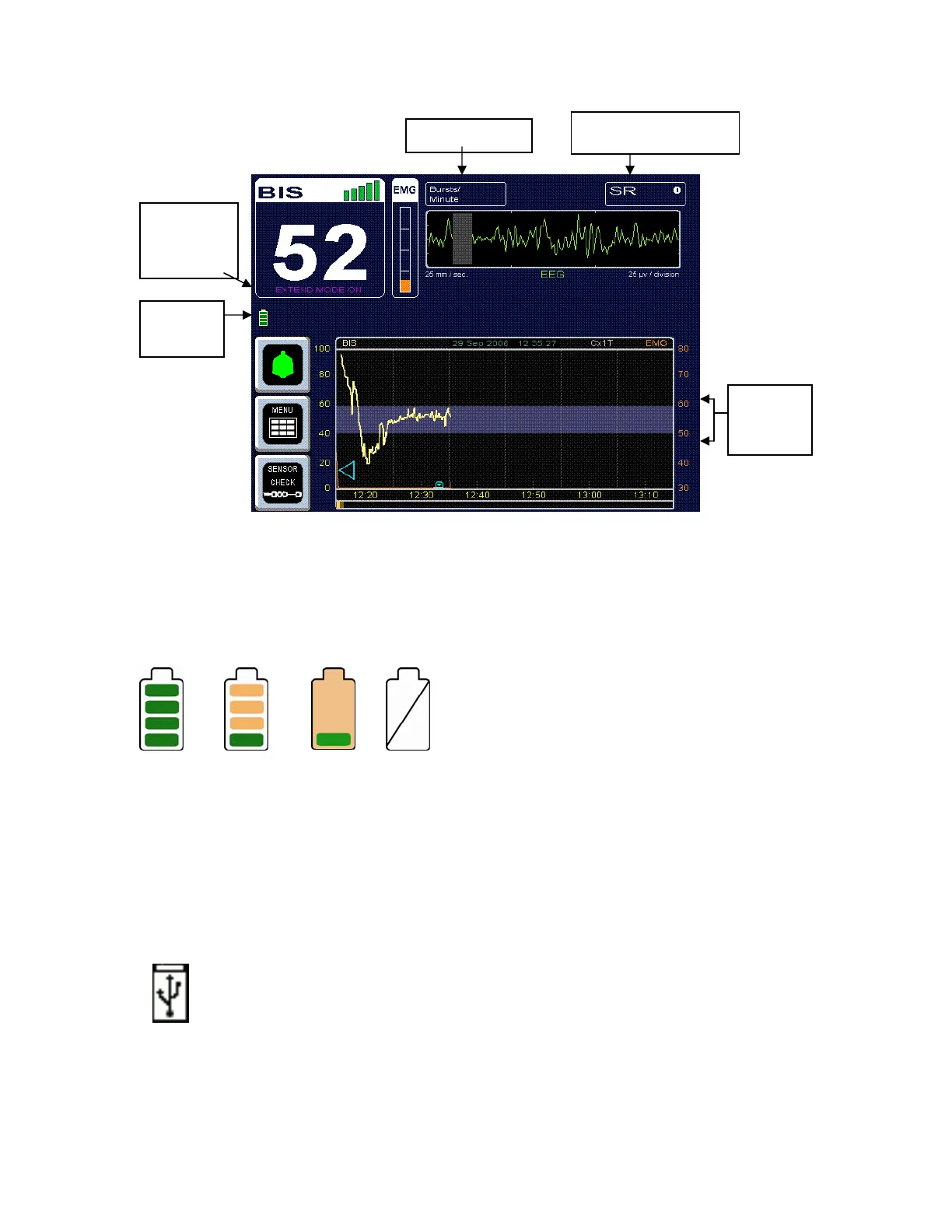
Figure 10 - BIS Trend Data Screen with Battery Icon, Target Range, SR, and Burst
Count
3.3.7 Additional Screen Information
3.3.7.1 Battery Icon
The battery icon is displayed below the BIS number when the monitor and BISx are running
on battery power. When the battery icon contains four green bars, the battery is fully
charged. When the icon turns orange, the battery is nearly depleted.
If an empty battery icon displays on the screen with a slash across it, there is no battery in
the monitor.
3.3.7.2 USB Export Icon
The USB Export icon is displayed below the BIS number during data export to a
removable USB drive inserted in the rear of the monitor.
Target
Range
Burst Coun
Battery
Icon
Extend
Mode
Indicator
Suppression Ratio



 To Next Page